More control over your transfers
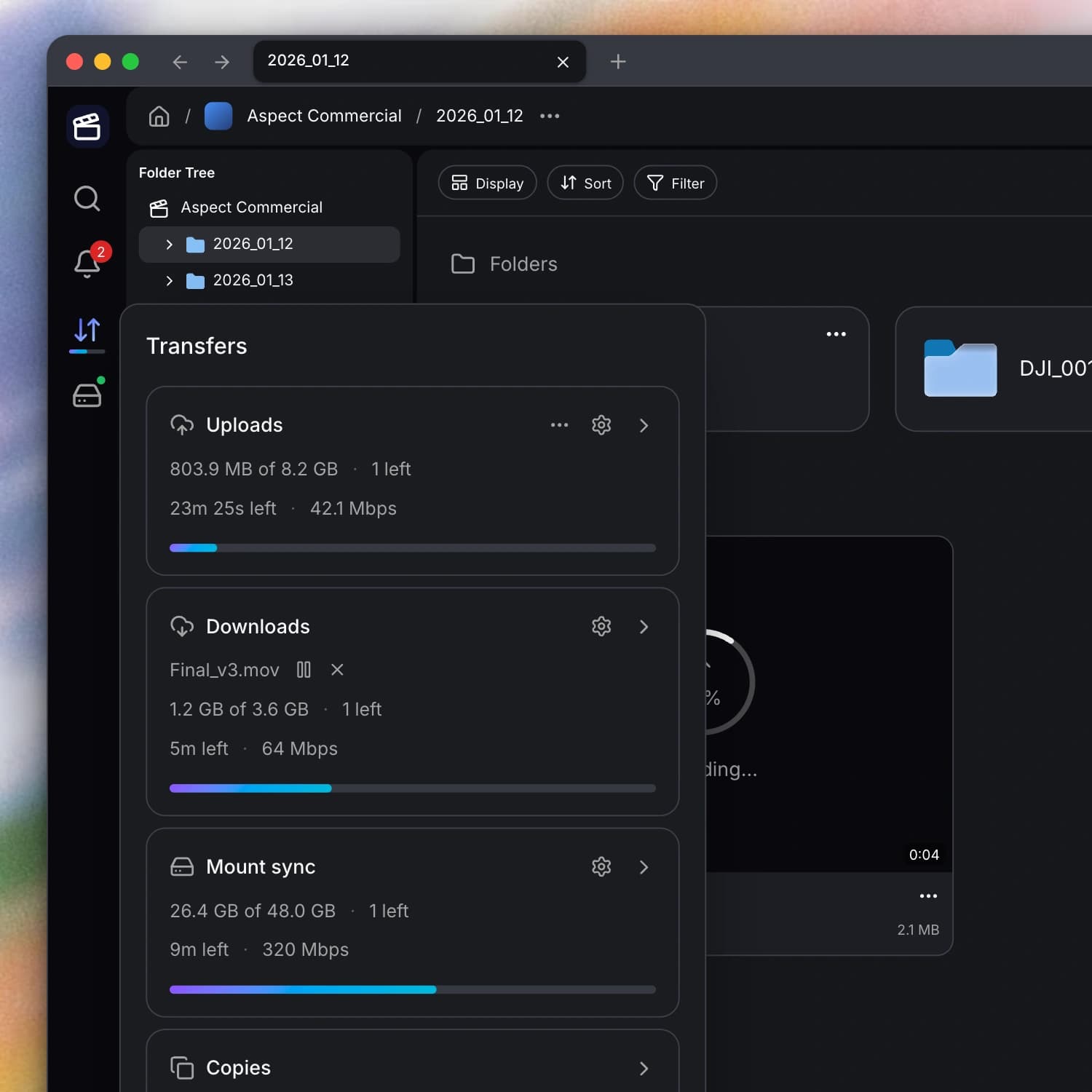
You can now see more of what your transfers are doing and decide how much of your connection they use. When you need to pause a file, cancel a download, or check a sync problem, you have clearer controls and feedback.
New features
- Manage downloads in the desktop app. You can now follow your downloads in the desktop app, check their history, and manage individual files within a larger download. You can pause, resume, or cancel one file without stopping the rest of the group.
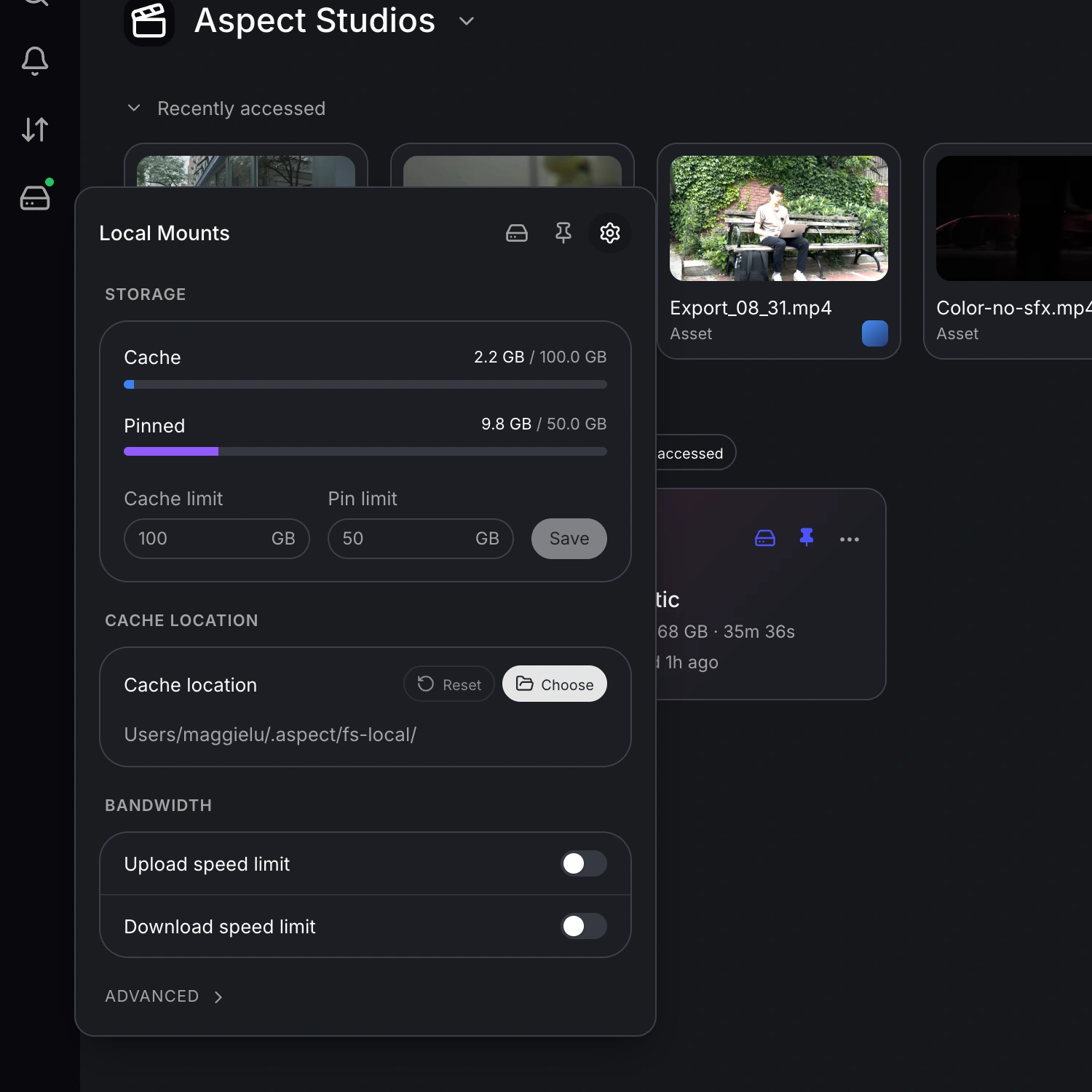
- Set transfer speed limits. You can now set speed limits for downloads and for uploads or downloads through your mounted drive. This lets you keep large transfers running while leaving bandwidth available for calls, browsing, and other work.
- Choose whether Aspect appears in the menu bar. You can now choose whether the desktop app appears in your menu bar from Preferences. When you keep the icon visible, you can also check for app updates from its menu.
Improvements
- Download folders as an organized ZIP. You can now download selected files and folders from the browser as an organized ZIP that keeps their folder structure. Your archive streams as it downloads, and files with the same name receive numbered suffixes so they can coexist.
- Lower memory use during browser uploads. Your large browser uploads now use memory more efficiently. Aspect reduces unnecessary copying of upload data as your files move through the transfer process.
- Clearer desktop sync errors. You can now see which changes on your mounted drive failed to sync and check their status in the desktop app. This makes it easier to identify local changes that still need attention before you rely on their cloud copies.
Bug fixes
- Safer cancellations and retries. You can now cancel a download without losing files that have already finished. When you retry a failed upload, Aspect also keeps access to your source file so the next attempt can proceed.
- Transfers work correctly from shared links. You can now upload and download from public share links more reliably. Your link’s access is carried through the transfer, fixing failures that could occur even when you had permission to move the files.
- Filter and sort shared content. You can now filter and sort files in shared folders and collections when the link allows metadata access. Your controls now appear and work more consistently across those shared views.
- Comment notifications show the right context. Your comment notifications now include file and project names more reliably, helping you understand where feedback was left. You also see a better avatar fallback when the commenter does not have an available profile photo.