Give your tools a clearer view of your media
You can now ask connected AI tools to read the indexed descriptions and dialogue in your media, and download lighter file variants through the CLI. You also get support for more camera files, clearer search matching, and further refinements to the canvas and shared review.
New features
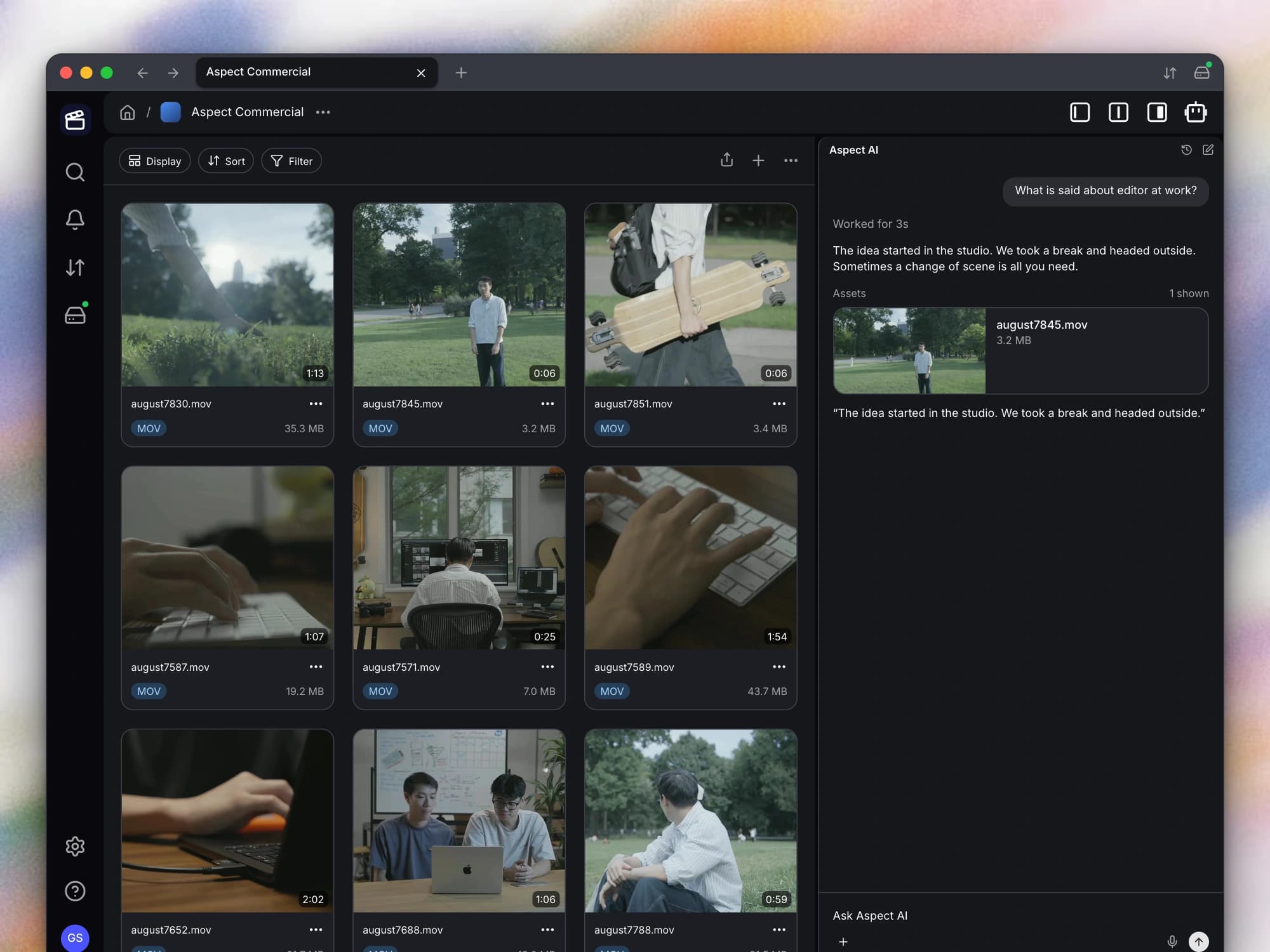
- Ask AI tools what is in your media. You can now give the Aspect assistant or a connected MCP client access to the indexed scene descriptions and transcript passages for video, audio, and images you can view. The tool can return a selected time range or type of content, helping your assistant work with the relevant visual details and spoken words.
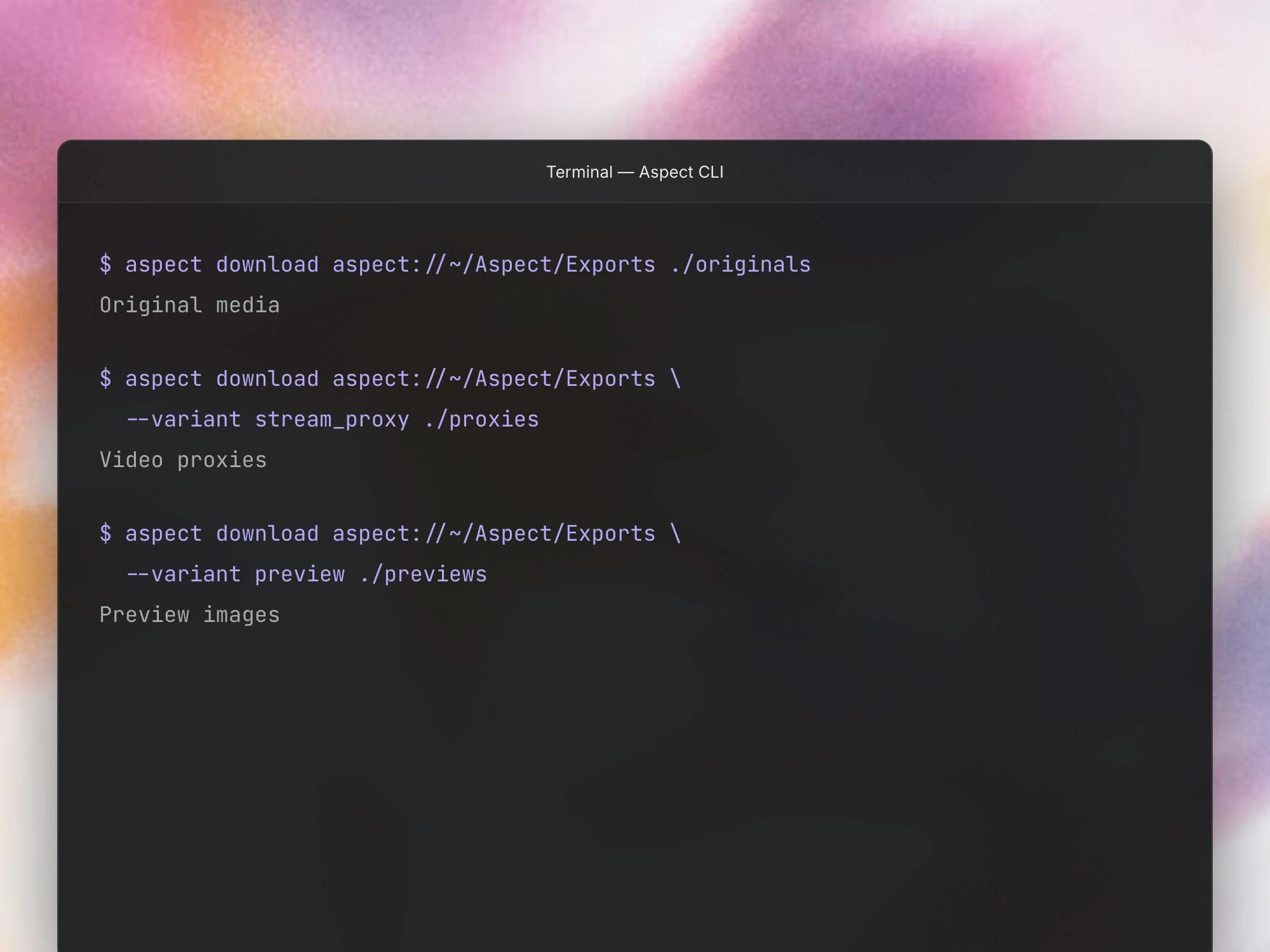
- Download proxies and previews from the CLI. You can now use
aspect download --variantto request an original, stream proxy, or preview when that version is available. This lets you script a lighter download when you need a working copy or quick reference instead of the full source file.
Improvements
- Try more image models on the canvas. If the canvas is enabled for your workspace, you can now choose GPT Image 2.5 Flare or GPT Image 2.5 Sunburst for supported image-generation workflows. You can use them alongside the existing models and compare their outputs within your canvas.
- Work with GoPro and Insta360 camera files. You can now have GoPro
.lrvfiles recognized as video and include supported Insta360.insvfootage in indexing. For dual-lens Insta360 material, both lens views are arranged side by side so the indexed content includes more of what the camera captured. - Act directly on assistant references. You can now open a context menu on a file or other supported reference in the assistant’s response and use the actions available for that item. Rename and delete use the same flows as the rest of the app, so you can act on a result without hunting for it elsewhere.
- Get more predictable name matches. Your filename searches rank literal matches ahead of weaker fuzzy matches. Exact text filters also ignore letter case and treat characters such as percent signs and underscores literally, so your filters behave more like the values you entered.
Bug fixes
- Return to the canvas after a connection interruption. You can now reconnect to a canvas with more reliable generation status. If switching to another generation version fails, the selection returns to the valid version instead of leaving the canvas in an inconsistent state.
- Open the right comment from a shared link. When you copy a comment link from a shared page, the link takes the next viewer to that comment within the share. You can point someone to a specific discussion without asking them to search through all the feedback.
- Keep mounted locations distinct. Your desktop drive service recognizes equivalent paths more consistently and avoids confusing an unrelated mounted volume with an Aspect mount. This makes reconnecting or setting up a mount more dependable when your computer already has other volumes attached.