Review the details and take them with you
You can now find passages inside documents, inspect media more closely, and export transcripts for the next step in your workflow. You can also embed shared media in another page while keeping Aspect’s viewer and link access.
New features
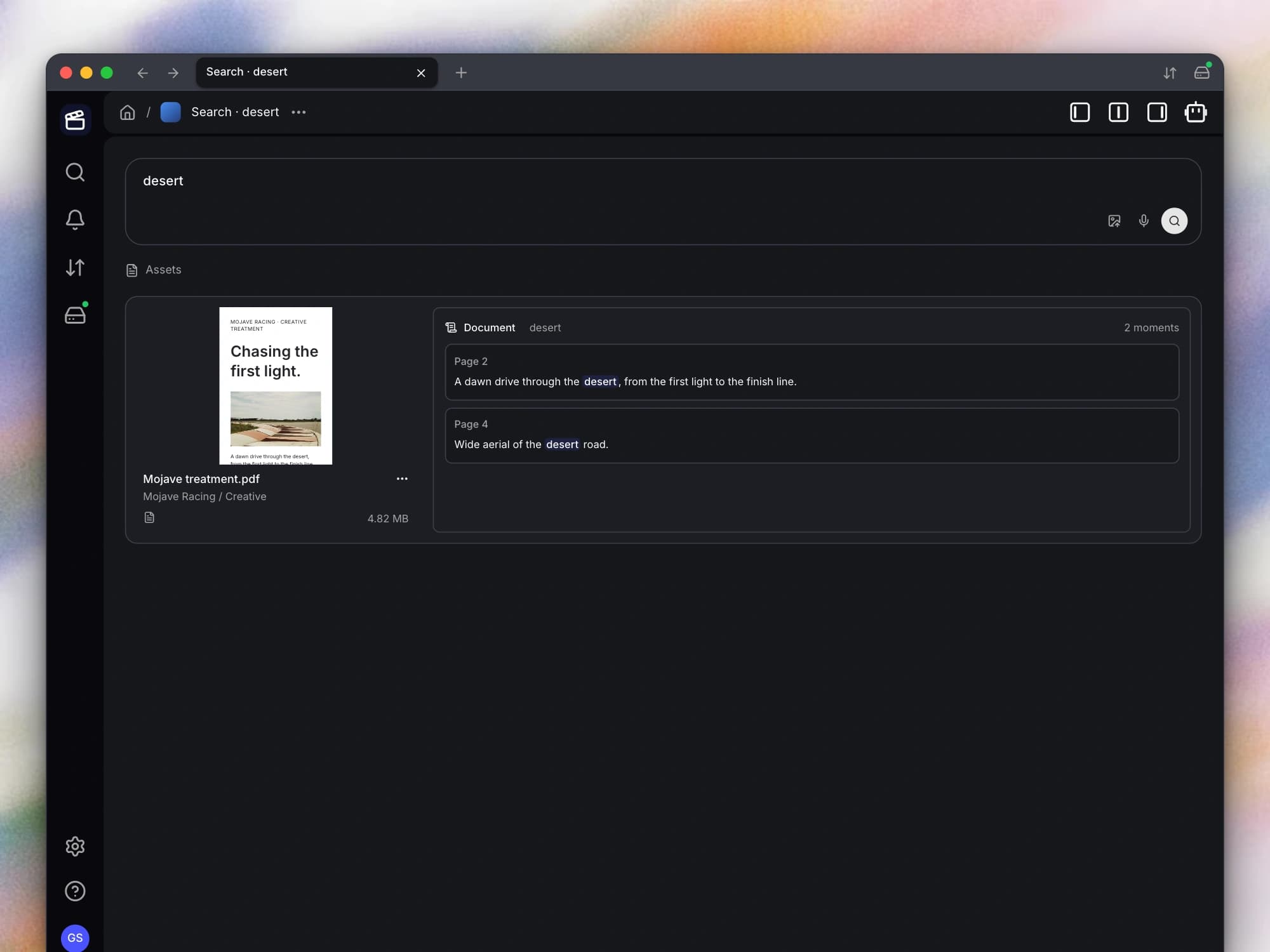
- Search inside documents. You can now search the text of supported documents and see the passages that matched. When you open a document result, you can go to the relevant page instead of manually scanning the entire file.
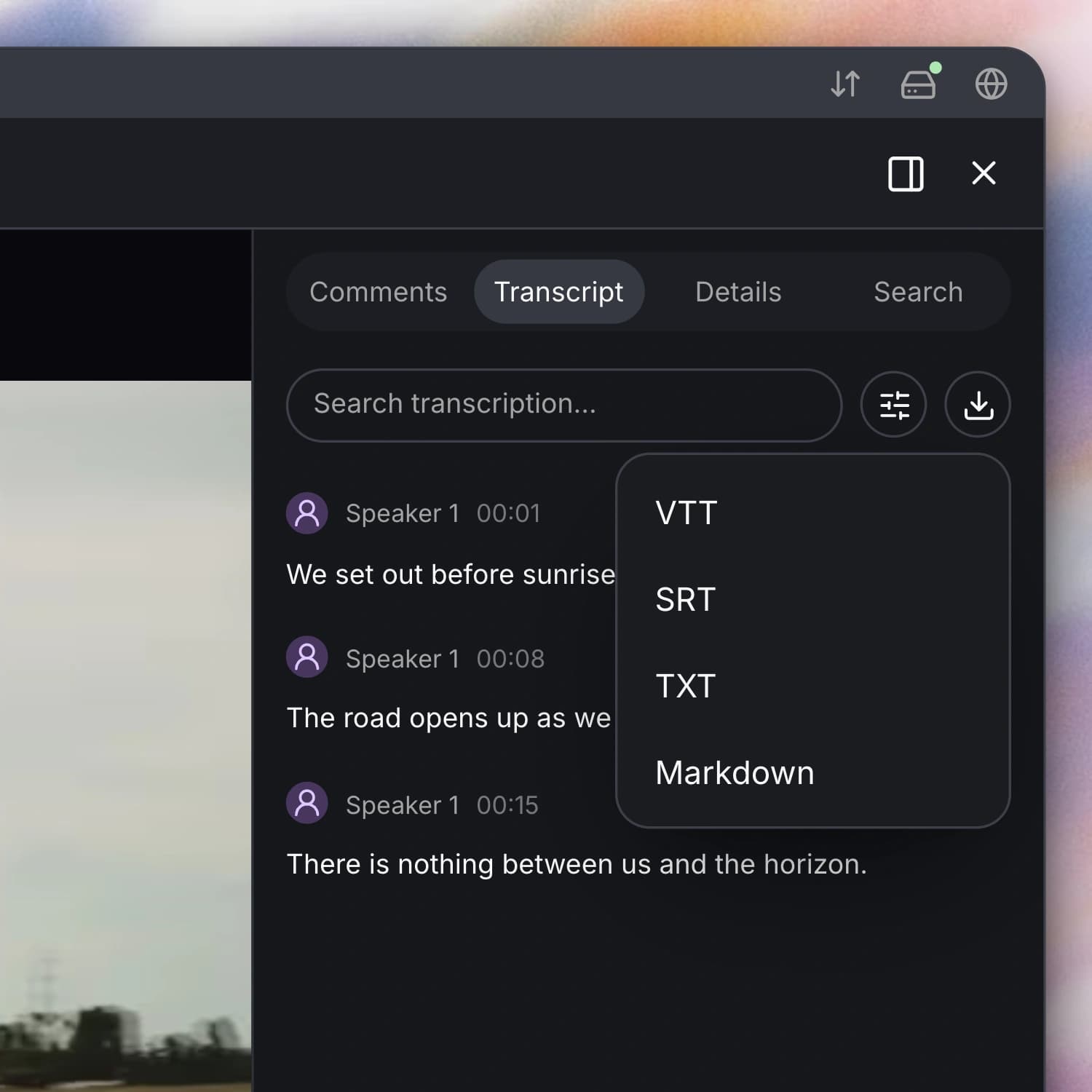
- Export your transcripts. You can now download a transcript as SRT or VTT subtitles, plain text, or Markdown. This lets you move the words and timing into editing, captioning, or writing tools without copying the transcript by hand.
- Embed shared media in another page. You can now copy an embed for a shared asset and place the Aspect viewer in another page. The embedded view supports video, audio, images, and documents, with access still governed by the share link.
- See the shape of your audio. You can now display an audio waveform alongside playback to spot quieter sections, speech, and changes in the recording. You can turn the waveform display on or off from the player controls to suit the way you review.
- Zoom in on media and documents. You can now zoom and pan supported media viewers to inspect a detail more closely. Your document viewing and annotation tools also account for the zoom level, so you can keep feedback attached to the right location.
Improvements
- Inspect supported images at their original resolution. You can now see the original image load over its preview when the format and file size support inline viewing. You can start reviewing the preview immediately, then inspect the sharper original as it becomes available.
- Open and navigate larger PDFs with less waiting. You can now begin viewing a PDF while the needed parts load, with nearby content fetched ahead of time. This reduces the need to wait for the entire document before you start navigating it.
- Keep search information aligned with revised files. When you upload a new content revision, your file can be reprocessed so its searchable information follows the updated content. This helps your library reflect the latest version instead of continuing to rely on the previous file’s index.
Bug fixes
- Navigate watermarked videos more reliably. You can now seek and move between watermarked videos with fewer playback problems. Rotated text watermarks are also less likely to be cut off in the rendered result.