A001C014.mov and A001C015.mov. The final film is easy to find. The original shot, its usable time range, and the permission to reuse it are harder.
Media asset management (MAM) is the work of keeping media files organized, searchable, and useful throughout a production. A MAM system connects a file with information about its contents, where it belongs, and how people can use it. Depending on the product, that can include previews, transcripts, review comments, versions, and access to the original media.
You don't need to abandon folders. You need enough information around them that a colleague can find the right material without relying on your memory.
What a MAM adds to storage
Storage answers “where are the bytes?” A MAM helps answer “which file do I need, what is in it, and what can I do with it?” AWS's introduction to media asset management describes this work across video, images, audio, and other media. You will also encounter digital asset management (DAM). DAM products often emphasize organizing and distributing a company's reusable digital assets, such as campaign images, logos, and approved marketing material. MAM products often emphasize production media and work within long video or audio files. These categories overlap. Evaluate the actual workflow instead of choosing from the acronym alone.| Your question | Capability to check |
|---|---|
| Where do we keep the original camera files? | Storage capacity, access, backup, and recovery. |
| Which interview contains the quote about the workshop? | Transcript search with matching moments. |
| Which shots show the workshop, even when nobody mentions it? | Visual search or maintained descriptions and tags. |
| Can an editor open the original from a result? | A dependable connection between the catalog and source media. |
| Is this version approved, and can we use it in this campaign? | Review history and maintained approval and rights information. |
| Can marketing find the finished film and approved stills? | Clear delivery organization and controlled sharing. |
Follow one project from shoot to delivery
Imagine you're producing a two-minute customer film. Your shoot contains an interview, workshop footage, separate sound recordings, and photographs. We'll use that example throughout the project.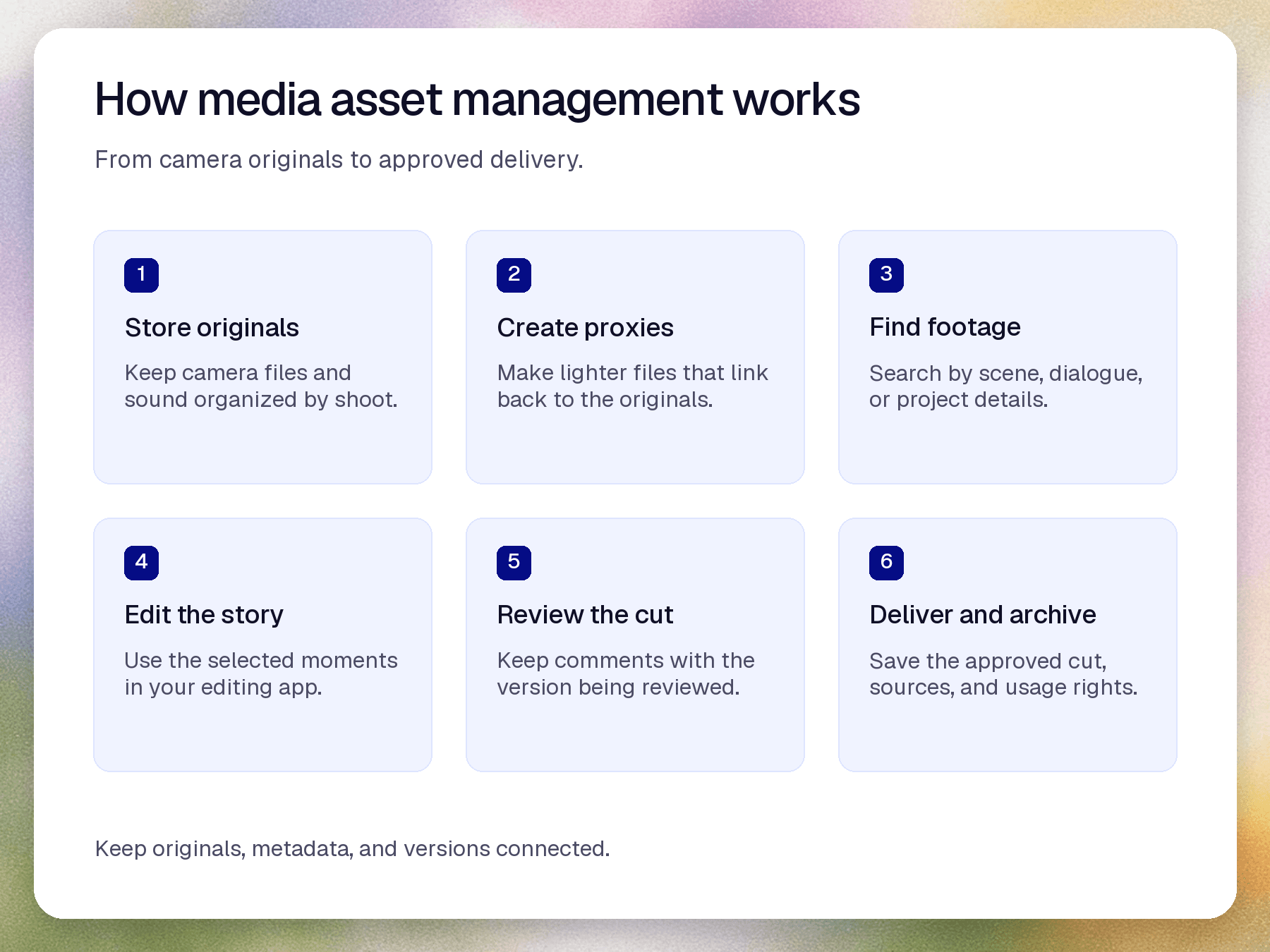
1. Keep the originals identifiable
Start with a structure that preserves the identity of the shoot and camera cards. For example:Customer film/
01 Camera originals/
Shoot 2026-10-12/
Camera A/Card 001/
Camera B/Card 001/
02 Sound/
03 Proxies/
04 Edit projects/
05 Review exports/
06 Approved delivery/
2. Add the information the filename cannot tell you
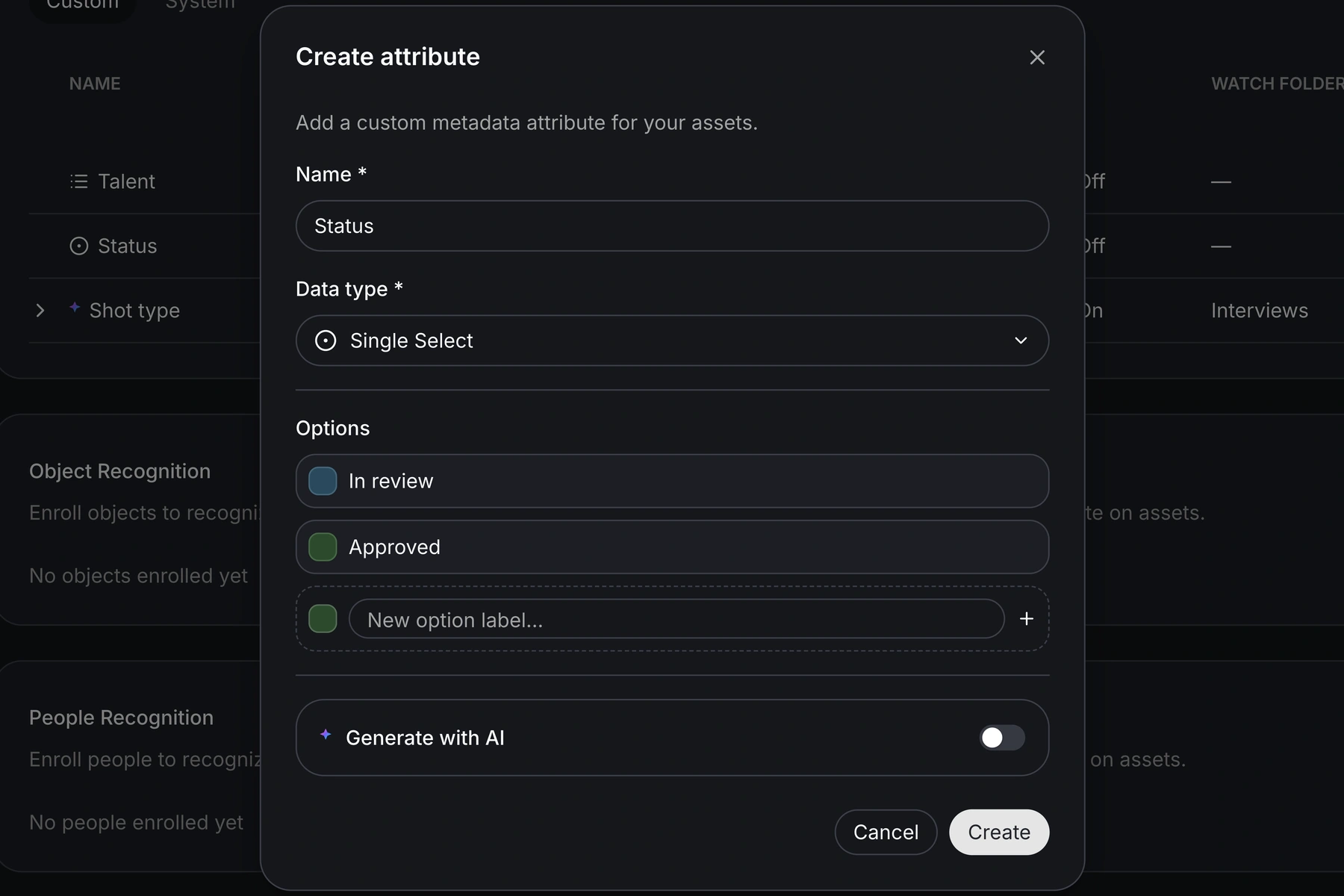
Metadata is information attached to an asset. Some metadata comes from the file, such as duration, dimensions, or frame rate. Other information comes from your team: the customer, subject, campaign, rights restrictions, or review status. Start with a few fields people will actually maintain:| Example field | Example value | Who should confirm it? |
|---|---|---|
| Project | Customer film — autumn | Producer or assistant editor. |
| Content | Workshop exterior; interview | Assistant editor, with AI suggestions checked where used. |
| Usage rights | Website only; check release | Producer or person responsible for releases. |
| Review status | Awaiting client review | Person coordinating the review. |
3. Give each person the media they need
A proxy is a lighter version of a media file, commonly used for smoother playback or editing. A browser preview lets a producer inspect footage without opening the camera original in an editing application. These serve related purposes, but a playable web preview isn't automatically a proxy your editor can relink in their timeline. Check three separate actions: preview a clip, open the original, and reconnect an editing proxy to that original. A useful trial should include the camera formats your team shoots. With Aspect's mounted projects, editors can access shared files through a drive on their desktop. Streaming, caching, and offline access still need to suit the file, connection, and workstation involved. Test representative footage before changing the whole team's process.4. Find a moment and keep its source
Now try the original request: the workshop shot from last month. Search for the visual content, then narrow by the project or shoot date. For an interview quote, search the spoken content instead. A timecode identifies a position in a recording using hours, minutes, seconds, and frames. Some search interfaces show elapsed timestamps or time ranges instead. Either way, check the matching moment and retain enough information for another person to find it in the source. In Aspect AI Search, results can identify matching time ranges. You can inspect the search filters, open a result, or add it to a collection. A collection groups selected assets without requiring you to reorganize their original folders.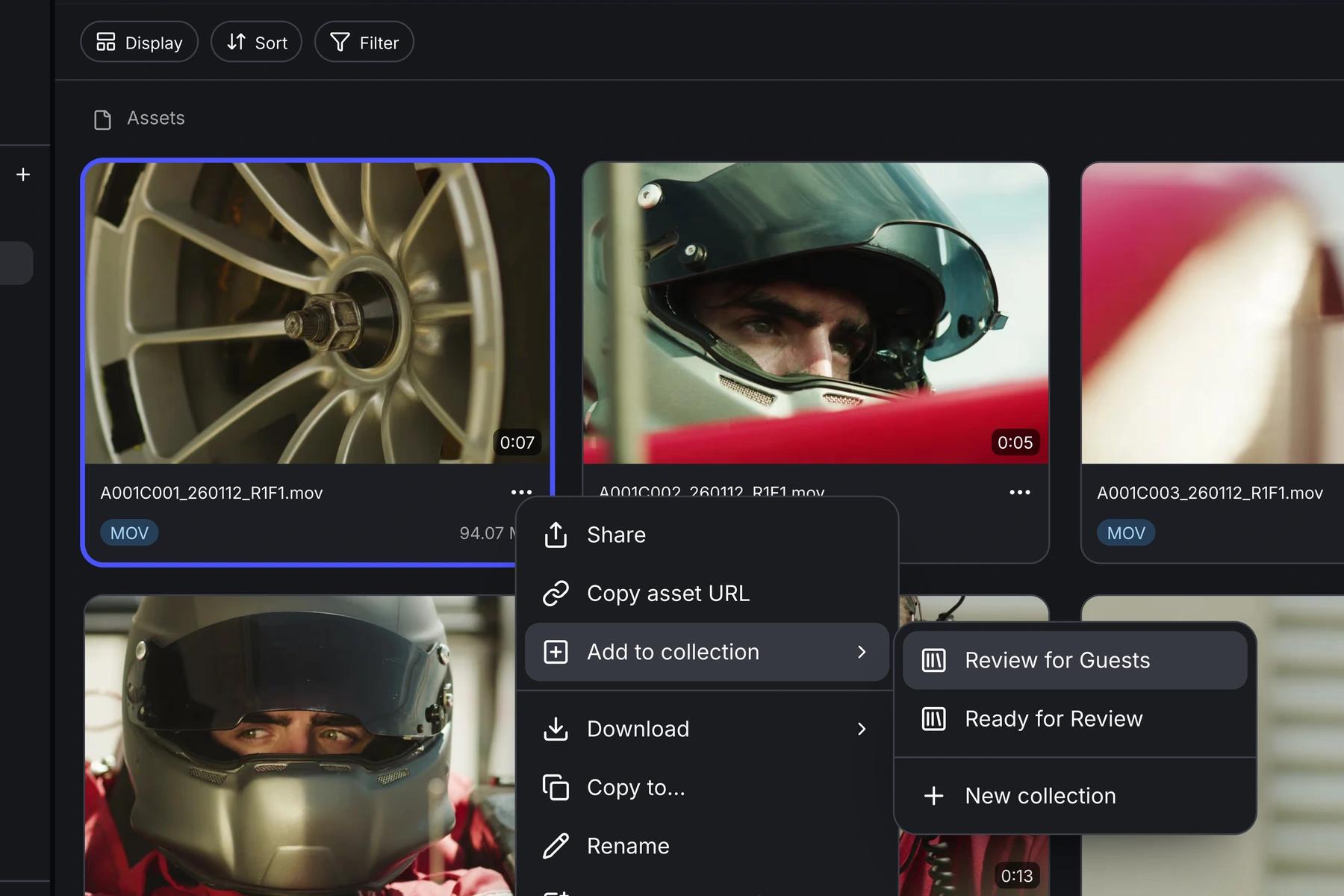
5. Keep review attached to the right version
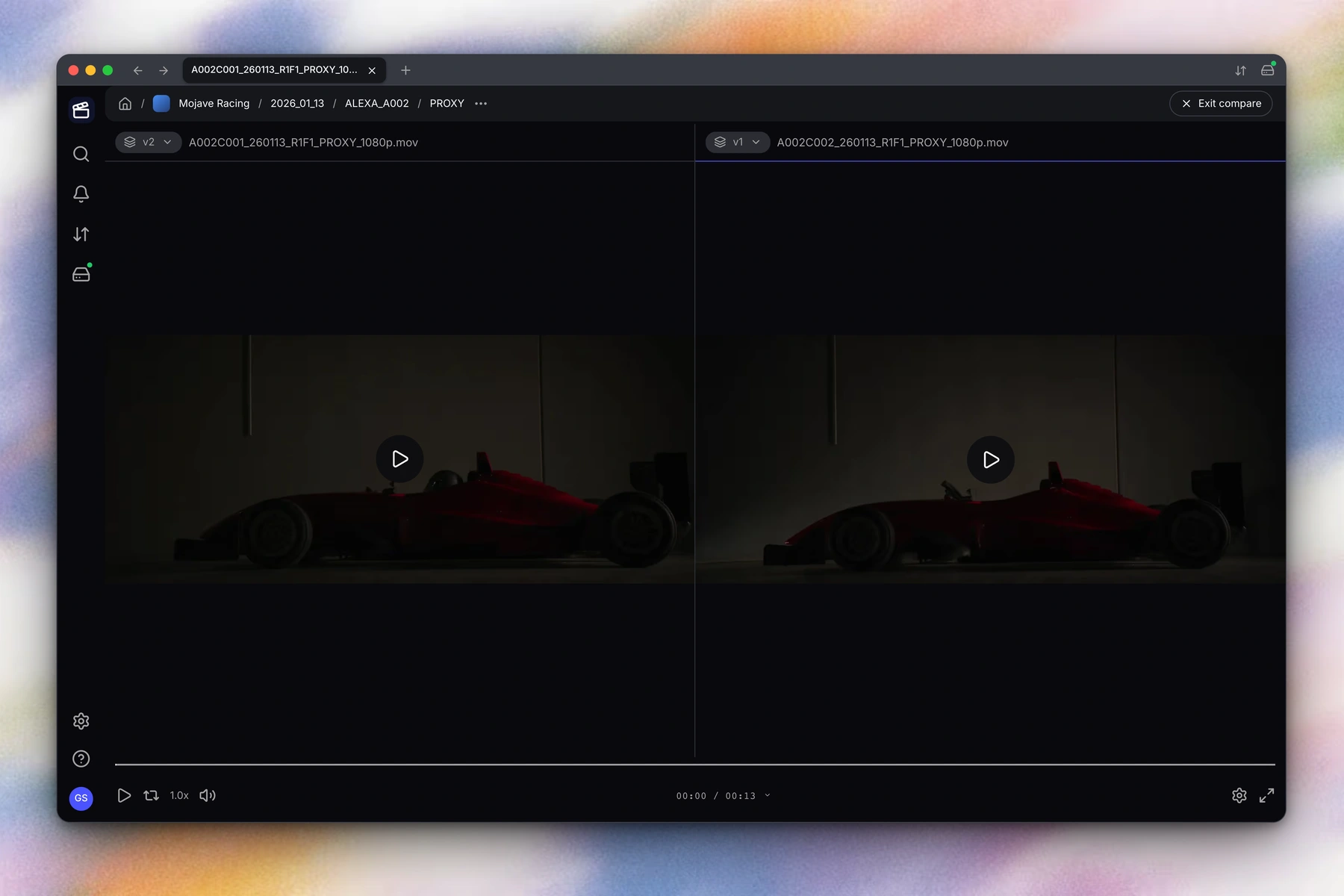
For the customer film, the producer shares a review export. The client asks for a shorter opening and a different workshop shot. Those comments need to stay connected to the version the client watched.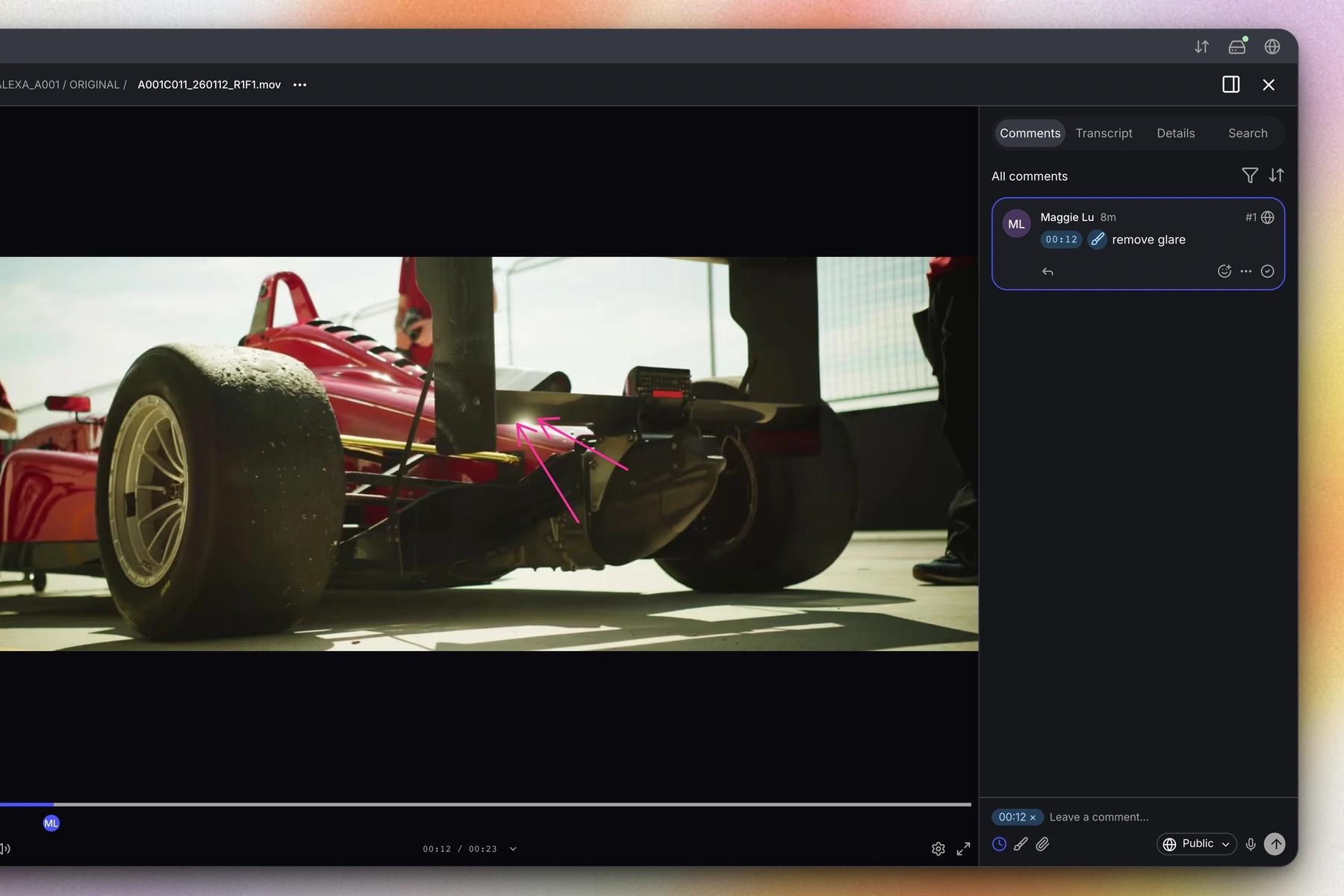
6. Make the finished work reusable
Keep the approved export, the relevant project files, and the original footage identifiable after delivery. Record which version was approved and retain any restrictions on reuse. Then test the archive from a colleague's perspective: can they find the workshop shot, establish whether it can be used, and get the source required for a new edit?Run a small trial before moving the whole library
Choose one completed project whose contents you know. Ask a colleague to try these tasks without relying on you to find the files:- Find a known shot using its content rather than its filename.
- Find a known interview line and play the relevant passage.
- Open the source file from the result on the editor's workstation.
- Identify the latest review version and the person responsible for approval.
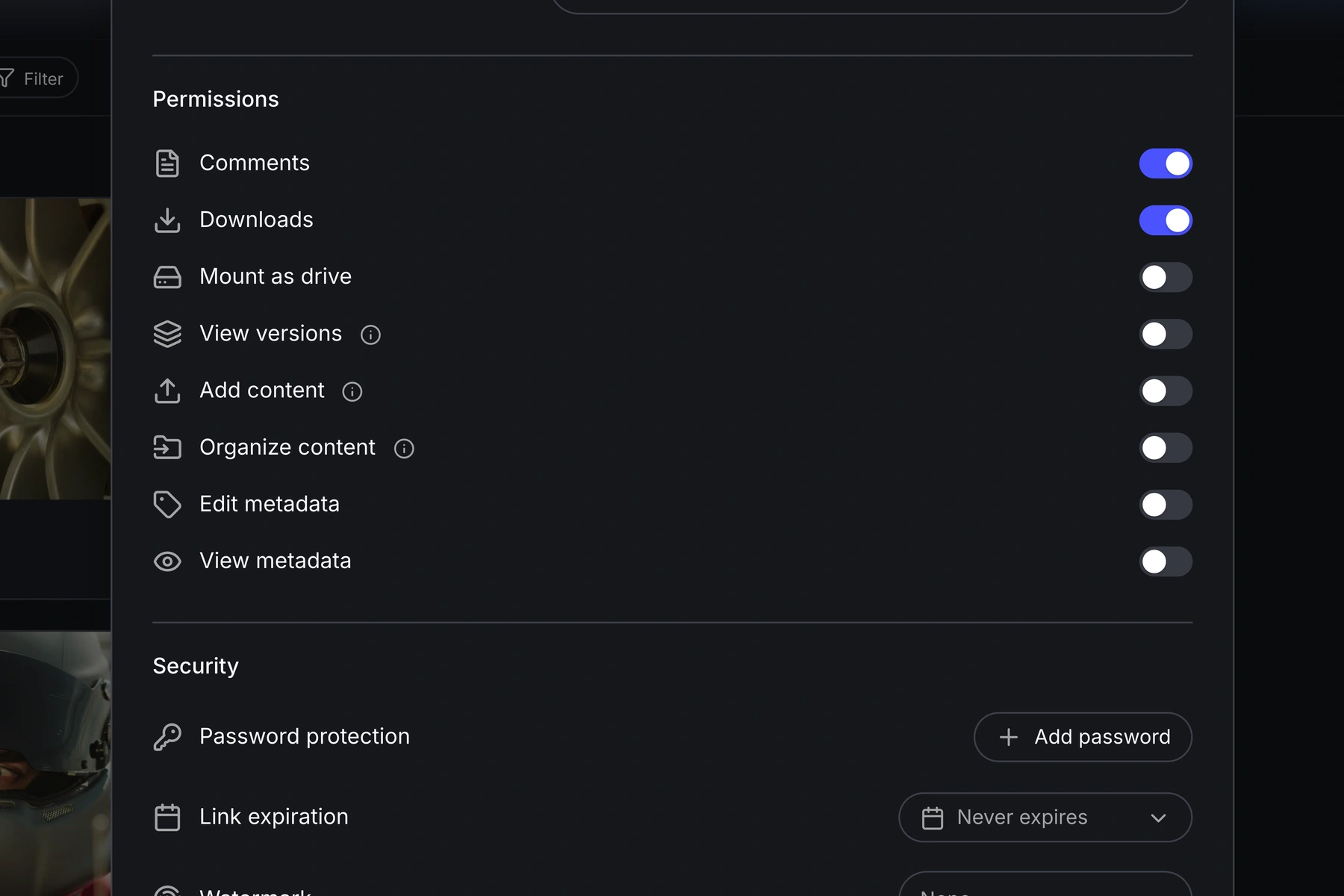
- Share a selection with only the permissions that reviewer needs.
- Export or retrieve the metadata you would need if you changed systems.
Common mistakes
Moving everything before testing one project. A small trial exposes missing formats, inaccessible originals, and confusing permissions while the cost of changing course is still low. Treating a tag as a decision. A generated tag that says “workshop” can help you find footage. A field that says “approved” needs a defined owner and meaning. Separating the catalog from the edit. Test the route from search result to source file. A producer finding the shot is only the first half of the handoff. Making fields nobody maintains. Begin with the information required for retrieval and use. Add more fields when a real task needs them. If your existing folders already support these tasks reliably, you may not need a larger system yet. If they don't, use the trial to choose the missing capabilities. Our media asset management software comparison covers product selection once you know what your team needs. To see storage, search, and review together, bring a representative project to an Aspect demo.FAQ
Cloud storage keeps files available. A media asset management system adds information and workflows around those files, such as searchable content, previews, metadata, and review. Some products combine both; others connect to storage you already have.
Start with a representative project and confirm how the product stores or connects to its media. Some systems require uploads; others can index connected storage. Check original-file access, permissions, and metadata export before planning a library-wide move.
AI can suggest descriptions and help find visible or spoken content. Your team still needs to maintain information the footage cannot establish, including usage rights, client restrictions, and the meaning of an approval status.
Shared folders may be enough when a small team can reliably find its files, identify the current version, and manage permissions. Consider a MAM when those tasks depend on asking one person, searching several tools, or reopening large numbers of clips.