Agree on the delivery before the first card arrives
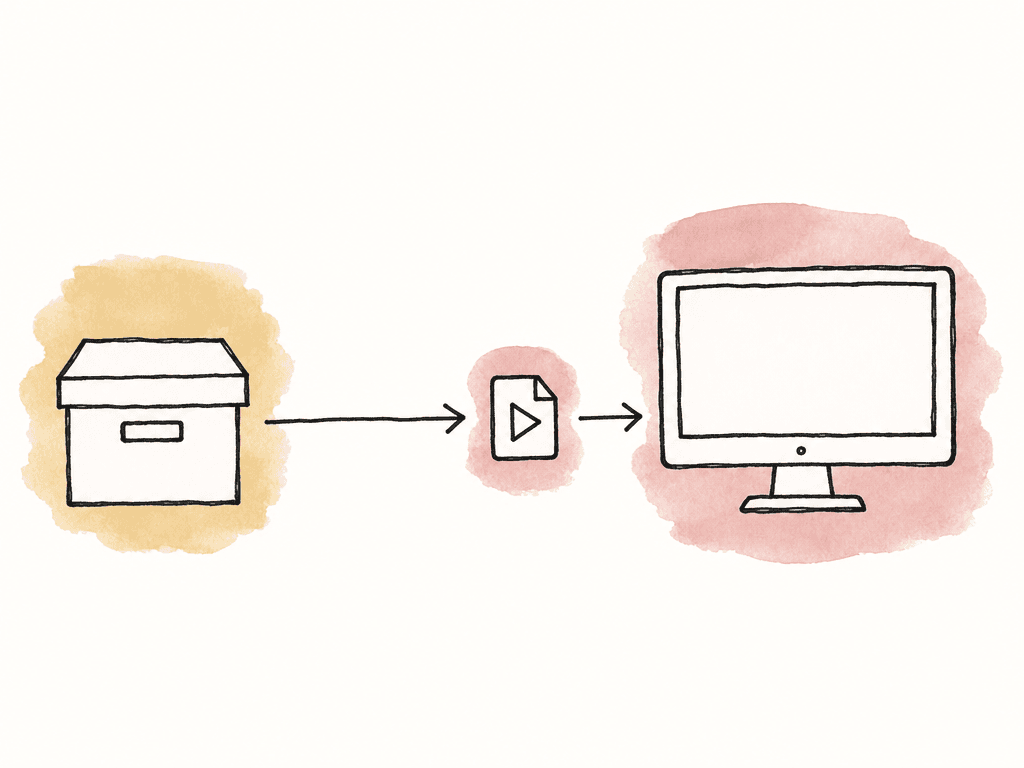
Write a short workflow memo with the post supervisor, camera department, production sound team, and assistant editor. Specify the camera formats, timeline frame rate, sound arrangement, review target, proxy requirements, folder structure, and delivery deadlines. Include the people who can resolve an exception when a roll arrives late or a transfer fails. Assign someone on your team to each stage, even when one person handles several jobs. For example, a two-camera production could divide the work as follows:| Stage | Named owner | Evidence passed to the next person |
|---|---|---|
| Camera and sound offload | Maya, data wrangler | Card inventory, copy destinations, and verification reports |
| Dailies preparation | Luis, dailies operator | Synced viewing files, editing proxies, color references, and exceptions |
| Cloud transfer | Maya | Completed batch inventory and any outstanding transfers |
| Media accepted for editing | Noor, assistant editor | Import, sync, proxy, and source-access checks |
| Card release and unresolved exceptions | Rowan, post supervisor | Recorded decision under the production's media policy |
Offload the complete card and retain the verification record
Maya begins each batch by recording the shoot date, camera or recorder ID, card ID, and source volume name. Each card goes into a uniquely named container that preserves its internal folder structure, filenames, and sidecars. Dailies renders belong outside those original-media containers so later verification has a stable source package to compare. Use a checksum-verifying offload tool. A checksum is a value calculated from a file's contents; comparing the source and destination values helps detect changes introduced during copying. ARRI's data-transfer guidance recommends creating these records when media first leaves the camera card and retaining them through archival. Check the tool's verification mode as well as its completion message. For example, OffShoot distinguishes transfer, source, and source-and-destination verification. Those modes perform different checks, so choose the mode required by the production's media policy rather than assuming every completed transfer includes a destination read-back. In this example, the policy requires two independently verified storage destinations before Rowan can release a card. Maya records both destination results and keeps the source manifest, which lists the files and their checksums, with the handoff records. An error leaves that card on hold until the issue is resolved. The checksum-offload guide covers algorithm selection and verification tooling in greater detail.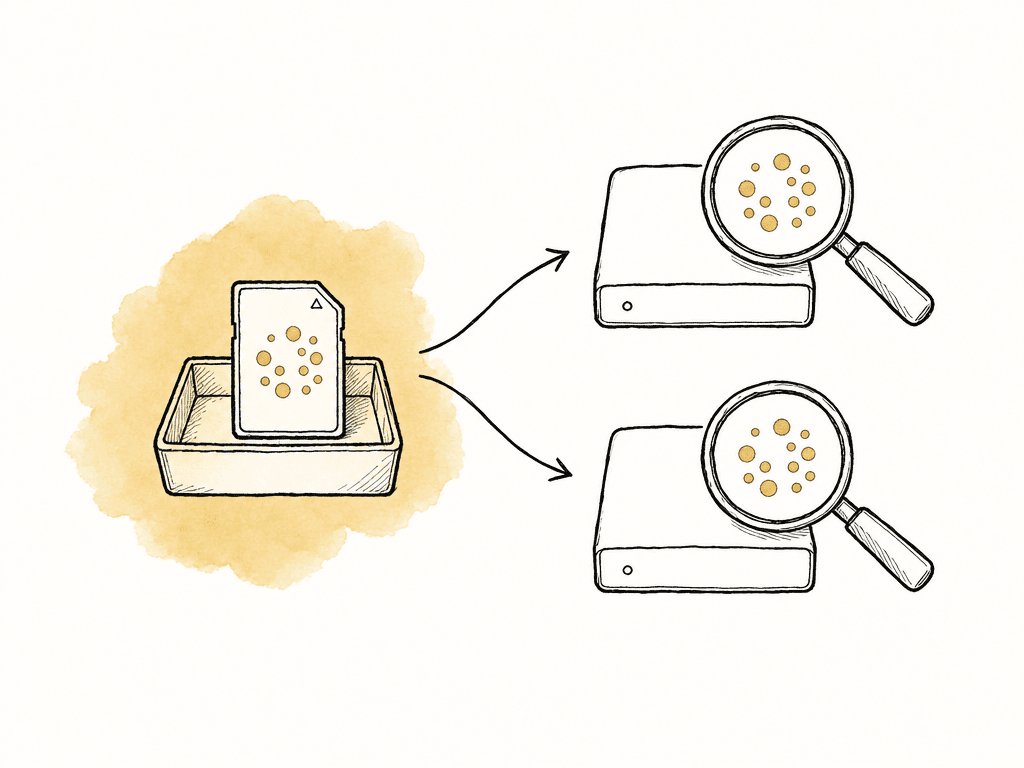
Upload each batch with its file inventory
Use one batch identifier everywhere, such asDAY03_20260928. Keep the camera-card containers intact underneath it, and put derived media and reports in their own locations:
DAY03_20260928/
  Originals/
    Camera_A/A021/
    Camera_B/B014/
    Sound/S003/
  Dailies/
  Editing_Proxies/
  Reports/
  Color_References/
Prepare viewing dailies and editing proxies for their different uses
Luis prepares viewing files for the director and producer, plus proxies that work with the editing application. One set of files can serve both purposes if it has the right picture treatment, source mapping, and audio layout. For review, check that the picture is correctly framed, the sound is synchronized, and the intended color treatment is applied. If the camera recorded separately from the sound recorder, retain the original sound files and record how they map to the camera clips. Check synchronization at multiple points in longer takes; matching at the slate alone may miss drift or an incorrect interpretation of the recording rate. Confirm the camera input, look version, and output viewing target before rendering the batch. When the review needs to show the approved look and shot-level corrections, render dailies with that treatment and compare them with the approved reference stills. The color-managed dailies guide covers the transform order and color handoff in detail. Record each proxy's source camera filename and roll ID in the delivery manifest so the editor can identify its original. Check source timecode, frame rate, duration, image interpretation, and audio-channel layout against the editing application's requirements. Decide whether the editor will use separately synchronized sound or audio carried in the proxy, and test that arrangement before rendering a full day. You can copy uploaded videos as smaller MP4 proxies in Aspect and attach them to originals in Premiere. If the project calls for a particular codec or audio layout, create the proxies in Premiere with those settings. After attachment, toggle between a proxy and its original to check that the picture and sound match.Review a complete, identified set of dailies
Upload completion doesn't mean browser processing has finished. Aspect begins preparing playback, transcripts, and search information after upload, with results appearing as they become ready. Check the processing indicators and open the intended review files before announcing that the viewing set is available. Luis checks the technical delivery before Rowan sends it for creative review. Include clips from every camera and recording mode used on the shoot, check every reported exception, and complete any full-length review required by the production. Record which clips were checked so the recipient knows whether the whole batch was reviewed. Give the review collection a batch name, an explanation of what it contains, and a feedback deadline. Configure sharing permissions for the audience, including commenting, downloads, and visible metadata. Use comments on the relevant frame for picture or sync issues, and identify who will investigate them. Keep technical readiness separate from creative selection. The director's preferred take goes in the selects notes; the transfer record still needs to cover every take in the batch. Track technical readiness in an Aspect custom status field and assign someone to update it: approving a comment and changing an asset's approval status are separate actions.Have the editor check the delivery on their own workstation
Noor checks the receiving end using the account, workstation, and editing application that will be used for the project. This exposes missing permissions, incorrect media paths, or absent support files before the editor starts building a sequence around them. On macOS or Windows, Noor installs the Aspect desktop app, receives project access, and mounts the project. Import the agreed media from that mounted location and keep its folder names stable after acceptance. Shared media access and editing-project collaboration remain separate jobs; use the editing application's project-sharing or ownership controls for changes to the edit. Noor checks the imported clip inventory, attaches the proxies where required, and compares several frames and sound positions against their sources. Confirm that the project reopens with the expected media online. If the originals are still arriving, record which checks remain pending and when they will be completed.
Close the handoff with a specific acceptance record
Keep the delivery details in one note that you and the person receiving the files can both use. Use this checklist for each batch:- Identity: Record the project, shoot date, batch ID, camera rolls, sound rolls, and sender and receiver names.
- Completeness: Compare expected and received camera clips, sound files, total files, and byte counts. List exclusions explicitly.
- Integrity: Include the source manifest, verification method, destination results, and any receiving verification still required.
- Source and proxy matching: Confirm source filenames, roll IDs, timecode, frame rate, duration, proxy relationships, and sound layout.
- Viewing checks: Record the look version, viewing target, sync checks, review coverage, and known picture or sound issues.
- Access: Confirm that the recipient can open the review set and the agreed media for editing with the permissions provided.
- Acceptance: Record the time, accepted scope, unresolved items, next owner, and deadline. Keep camera-card release as its own authorized decision.
FAQ
Include the agreed review files and media for editing, a source-to-proxy mapping, production sound, camera and sound reports, color references, and a delivery manifest. The manifest should identify each camera roll, expected clip counts, file counts and sizes, checksum records, known exceptions, and the people responsible for sending and accepting the batch. Original-media delivery may follow a different schedule, but its status must remain explicit.
No. Upload completion and source-to-destination checksum verification are separate checks. Keep the reports from the original offload, reconcile the uploaded inventory, and perform receiving verification against the source manifest whenever the production requires a verified receiving copy. A playable preview doesn't establish that every original file and sidecar arrived intact.
Browser previews are useful for watching and reviewing footage, but editing proxies must satisfy the editing application's requirements. Aspect can copy videos as smaller MP4 proxies. Before attaching them, check the source relationship, timecode, frame rate, duration, and audio layout. Create separate proxies when the generated copies don't meet the project's requirements.
The production's written media policy should identify the person who can authorize card release and the evidence they require. The offload operator supplies verification results for each required destination and records any errors. Neither a cloud upload notification nor an editor watching a daily replaces that release decision.
Arrange access before the session and make the required media available locally in advance. With Aspect on macOS or Windows, mount the project, pin the needed files or folders, and wait for pinning to finish. Include proxies, sound, graphics, and the project file; pinning the project file alone doesn't download its referenced media. Open the intended sequence and check playback before relying on offline access.