Corporate communications
Get company announcements through review faster.
Aspect keeps executive videos, town-hall recordings, and launch materials with their review history. Communications, legal, and leadership can resolve changes, then prepare versions for employees, board members, and press.







Resolve legal and leadership feedback faster
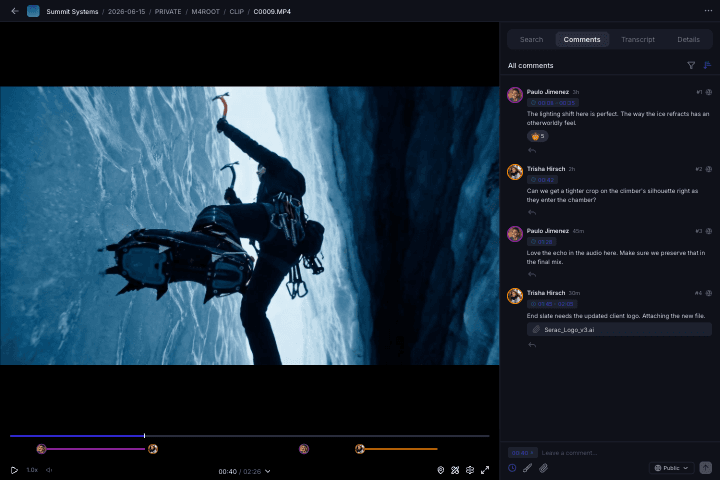
Keep notes on an executive statement, product claim, or announcement visual attached to its version. Reviewers can see the exact wording and frame under discussion.
Deliver the right version to each audience
Prepare separate employee, board, and press packages from the announcement library. Choose who can preview, comment, or download each set of materials.
Find the clip behind the next message
Search a past town hall, executive interview, or company-media library for reusable material. Find the relevant passage or visual without tracking down the original producer.
From working draft to release
Reduce announcement admin with storage, review, and delivery in one place.
A leadership update can involve internal communications, outside counsel, an agency editor, and the press team. Keep source recordings, revisions, and approved release assets in the same workspace as each group completes its part.
Keep reviewers on the current draft
Bring notes about an executive video or company announcement onto the media itself. Stack revisions on the same asset so reviewers can follow how the message changed.
Share sensitive drafts with the right people
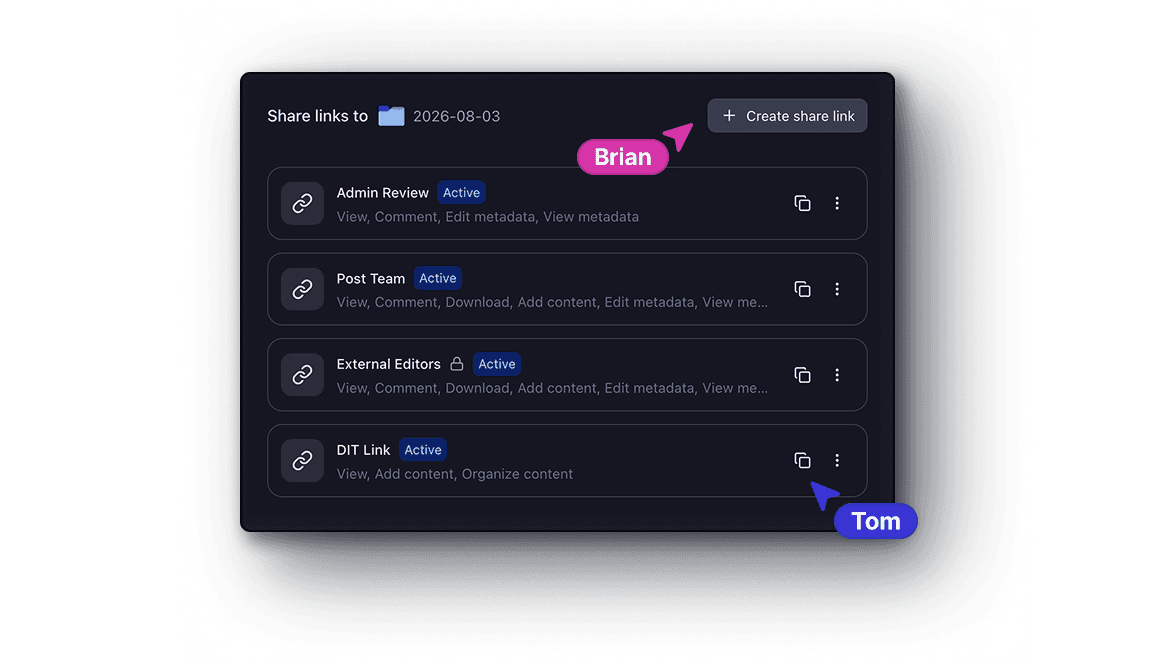
Create separate links for internal stakeholders, outside counsel, and media partners. Set permissions for each delivery, with password protection and expiry where needed.
Find company footage for the next request
Search executive interviews, office footage, and earlier announcements. Use business-unit, spokesperson, and message metadata to narrow the material for an employee update or press request.
Built for communications teams
Get stakeholders to a decision sooner with the relevant draft and feedback together.
Communications owns the message, legal checks the claims, and leadership reviews the delivery. Share the relevant files with each reviewer so the team can follow revisions without circulating the entire working library.
Communications and PR leads
Keep the announcement assets, versions, and open feedback together. Prepare the release set from the same project instead of rebuilding it from attachments and separate review links.
Legal and executive reviewers
Review the selected draft and leave precise comments on what needs to change. Keep the wording, visual detail, and version under discussion visible to the communications team.
Internal communications teams
Find company footage, leadership recordings, and supporting visuals for employee updates. Keep business unit and message context in metadata so useful material is easier to reuse.
Agencies and external partners
Access the media selected for your part of the announcement. Use a review or delivery link with the appropriate permissions while internal drafts remain in the workspace.
Deliver for the intended audience
Prepare the announcement once. Package it for employees, leadership, and press.
Build a press kit with the approved video and headshots, an employee update with supporting media, and a leadership briefing with its own selection. Each collection draws from the same source library with separate access controls.
Make release materials easy to find
Bring the announcement video, headshots, company imagery, and supporting files into a branded collection. Let recipients preview the package before downloading the media they need.
Keep internal and external delivery separate
Choose viewing, commenting, and download permissions for each link. Add a password or expiry date for a time-limited review, and keep internal and external delivery links separate.
Trace the changes behind the final version
Stack revised files with the earlier versions so the team can follow the changes. Keep the release material connected to its history as you prepare the final package.
Get started
Keep revisions traceable
Cut revision delays before an announcement goes public.
Put a wording correction, graphic change, or edit to an executive recording on the media itself. Version history keeps the request and its revision connected so reviewers can check what changed before release.
Pinned comments
Drop a comment on any frame. It stays anchored to that exact timecode and position.
Range markers
Select a range on the timeline to give feedback across an entire segment of video.
On-screen markup
Draw and annotate directly on the frame to highlight exactly what needs to change.