

- What is scheduled, by channel and date?
- What is blocked, and who owns the next move?
- What has already shipped, and how did it perform?
The calendar is the interface, not the system
The most common mistake is treating the calendar view as the system itself. A monthly grid is useful for scanning coverage, but it doesn't create accountability. The underlying record for each content item matters more. Each content item needs enough structure to move through production without forcing people to ask basic status questions in Slack. At minimum, each record should carry:- Publish date
- Channel or destination
- Content type
- Owner
- Current status
- Reviewer or approver
- Campaign, pillar, or business goal
- Source asset or brief
- Distribution plan
- Performance field or reporting destination

Map the workflow before picking the tool
Before comparing software, map the path a content item takes from intake to post-publish review. Keep it honest. Don't map the workflow you wish you had. Map the one people actually follow when a launch is late and legal has comments at 5:30 p.m. Most in-house media workflows include some version of these stages:- Intake or idea
- Prioritization
- Brief
- Production
- Internal review
- Legal, brand, or compliance approval
- Final production or packaging
- Scheduling
- Publishing
- Distribution
- Reporting or archive

When project management tools are enough
For many in-house teams, a project management platform is the best first serious calendar tool. Asana, ClickUp, and monday.com all work well when your team mainly needs to coordinate people, deadlines, and handoffs. Asana is a strong fit when work has repeatable stages and approval gates. Its content calendar guidance centers on creating a dedicated editorial planning project, using calendar view as the default planning surface, structuring work with sections and custom fields, standardizing tasks with templates, and using rules or automation to keep the pipeline moving. That combination works well for teams that need every asset to follow a known path. A good Asana setup for an in-house media team might use task templates for common asset types:- Blog article
- Product launch video
- Customer story
- Webinar promo package
- Social cutdown set
When a database-style calendar is better
Notion and Airtable are good fits when your team needs flexible planning, rich briefs, and multiple ways to slice the same content inventory. They're especially useful when content ideas, research, assets, campaigns, and channel plans need to live close together. A database-style calendar works well for teams that need views such as:- Monthly publishing calendar
- Kanban by production status
- List by campaign
- Table by owner
- Gallery by creative asset
- Filtered view for legal review
- Filtered view for executive communications
- Archive of shipped content with performance notes
When marketing suites and content platforms make sense
Dedicated content platforms such as Contently and enterprise content hubs such as Sitecore Content Hub become more relevant when your team ties the calendar to content creation, asset management, publishing, or analytics. Contently, for example, treats the calendar as a place to see all content assets and planned publication dates, with cards that expose due dates and overdue tasks. It also supports workflow steps, assigned tasks, due dates, review, and analytics. That matters when the calendar isn't just internal planning, but part of a broader content production platform. Sitecore Content Hub’s calendar model is useful for teams that need calendar visibility across defined time ranges and content types. Day, week, work week, and month views support different planning questions. A day view helps when timing is precise. A week view helps with near-term production pressure. A month view helps leadership understand coverage and campaign balance. These platforms tend to make sense when your team already connects content operations to a CMS, DAM, campaign management process, or enterprise governance model. They may be heavier than a small team needs, but they reduce the gap between planning, asset control, and publishing. The decision point is simple: if your calendar keeps pointing people to five other systems to understand the work, you may need a platform that brings more of that workflow together.When newsroom and video production systems matter
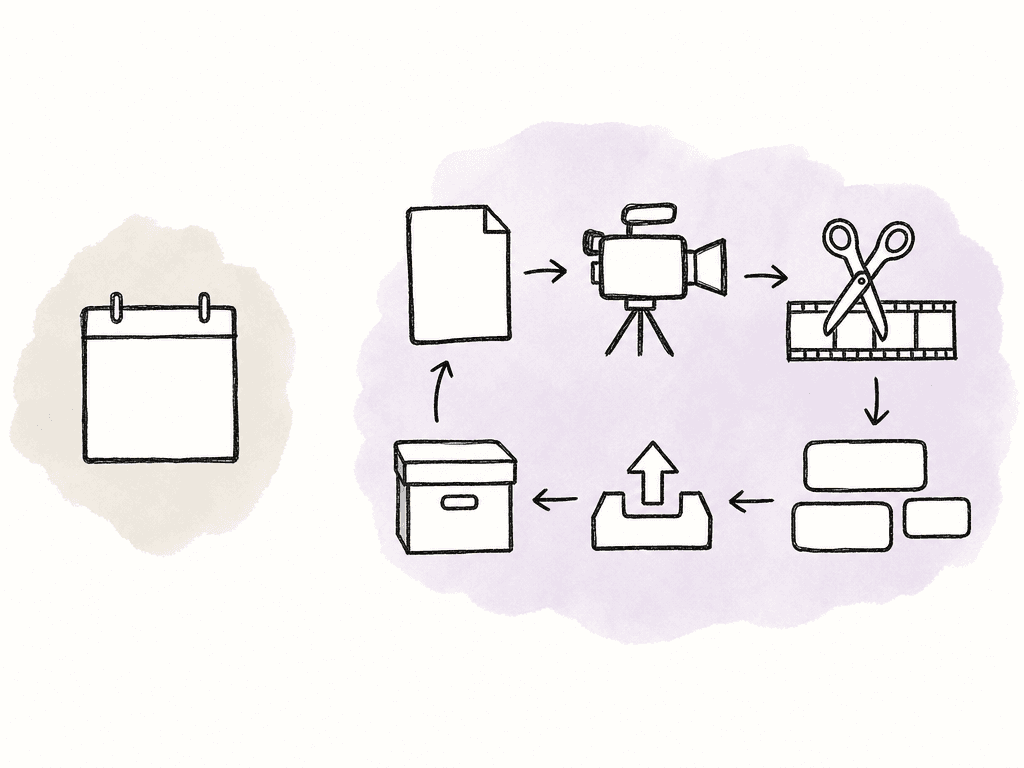
In-house media teams that operate like newsrooms need a different lens. If your team ties your calendar to live production, scripts, rundowns, segments, control rooms, or fast-changing editorial priorities, a general-purpose content calendar may not be enough. Newsroom systems such as Avid MediaCentral are built around production workflows, not just planning grids. MediaCentral connects scripts, rundowns, media, automation, and collaboration in one workflow. A shared rundown can bring scripts, stories, and machine instructions into a running order, helping editorial and production teams stay aligned as coverage changes. That matters for corporate teams running daily shows, executive broadcasts, live events, investor updates, internal newsrooms, or high-volume video desks. In those environments, the calendar may still exist, but the production source of truth is closer to the rundown, script, asset, or edit status. For video-heavy teams, the calendar should map more than publish dates. It should represent the full production chain:- Brief
- Script
- Shoot date
- Edit assignment
- Review round
- Captioning and accessibility
- Thumbnail or creative
- Platform-specific exports
- Approval
- Scheduling
- Archive
Approvals need names, dates, and rules
Corporate media teams rarely miss deadlines because nobody knew the publish date. They miss because the approval path was fuzzy. The calendar should make approval status visible without requiring a meeting. For each asset, define who can request changes, who can approve, and what happens if the reviewer doesn't respond. This matters for legal, compliance, HR, investor relations, product, and executive communications. A usable approval model includes:- Named reviewer for each required function
- Due date for each review stage
- Clear distinction between feedback and approval
- Status that shows which review queue owns the item now
- Version or asset reference under review
- Escalation path when review misses the window
Distribution belongs in the calendar too
In-house teams often coordinate web, social, email, intranet, employee advocacy, PR distribution, executive channels, sales enablement, and paid amplification. If the calendar doesn't show distribution, teams will overproduce content and underuse it. Platform differences matter. A launch announcement isn't the same asset everywhere. The website version, press release, LinkedIn post, executive quote, employee newsletter blurb, short video, and sales follow-up copy may all come from the same story, but they have different formats, owners, review paths, and timing.
Integrations decide whether the system scales
A calendar scales when updates happen where work already happens, but it breaks when one person has to manually reconcile status from chat, docs, CMS, DAM, spreadsheets, analytics, and distribution tools. Useful integrations depend on your stack, but the common categories are stable:- Chat notifications for handoffs and overdue reviews
- CMS or publishing system status updates
- DAM or media asset references
- Cloud storage or edit project links
- Social scheduling tools
- PR distribution tools
- Analytics dashboards
- Intake forms
- API or automation connectors
The fields that matter as volume grows
As content volume increases, the calendar needs better metadata. The fields should help the team make tradeoffs and find work quickly. For corporate media teams, these fields usually earn their place:- Priority
- Risk level
- Business unit
- Campaign
- Audience
- Region or market
- Channel
- Asset type
- Owner
- Reviewer
- Approval status
- Publish date
- Production due date
- Distribution status
- Performance metric
- Archive location
Common failure patterns
Most content calendar failures are predictable because they usually come from weak operating rules. The patterns show up often across in-house teams:- The calendar is full of ideas, but no item has a goal.
- The team tracks publish dates, but not production deadlines.
- Review status has no named owner.
- The calendar is separate from the place where production actually happens.
- The team never connects shipped content to performance.
Choosing the right category
Use the tool category that matches your team’s constraint.| Main constraint | Best-fit tool category | Example tools | Strongest use case | Scaling risk |
|---|---|---|---|---|
| Deadline ownership, handoffs, and approval gates | Project management platform | Asana, ClickUp, monday.com | Repeatable production workflows with assigned owners, due dates, dependencies, and review stages | Can become a colorful spreadsheet if statuses and boards multiply without governance |
| Flexible planning, briefs, and custom editorial views | Database-style calendar | Notion, Airtable | Campaign databases, rich content records, linked assets, filtered views, and editorial planning | Can become inconsistent if no one owns fields, naming, and view structure |
| Enterprise content operations, assets, publishing, and analytics | Content platform or content hub | Contently, Sitecore Content Hub | Connecting planning to creation, asset management, workflow, governance, publishing, and reporting | May be heavier than needed if the team only needs lightweight planning |
| Live production, scripts, rundowns, and video workflows | Media production or newsroom system | Avid MediaCentral and similar systems | Daily shows, broadcasts, executive events, internal newsrooms, and video-heavy production | A general content calendar may hide the real production source of truth |
| Multi-channel publishing and distribution at high volume | Calendar connected to distribution systems | Social schedulers, PR distribution tools, CMS, DAM, analytics, APIs | Coordinating channel-specific assets, scheduling, amplification, and post-publish reporting | Manual status reconciliation will break trust as volume grows |
FAQ
The best tool depends on the team’s hardest workflow constraint. Project management tools like Asana, ClickUp, and monday.com fit teams focused on deadlines, approvals, and handoffs. Notion and Airtable fit teams that need flexible databases and rich briefs. Enterprise content platforms fit teams that need governance, asset management, publishing, and analytics in one system. Newsroom or video production systems fit teams managing scripts, rundowns, edits, and live production.
A useful in-house content calendar should usually include publish date, channel, content type, owner, status, reviewer, approval status, campaign, audience, priority, risk level, production due date, distribution status, asset link, and reporting destination. Teams should avoid adding fields that don't affect routing, governance, prioritization, or reporting.
Approvals should be tied to named reviewers, due dates, and clear status changes. The system should distinguish between feedback and final approval, show which review queue owns the item, and define what happens when a reviewer misses the deadline. A vague status like “pending approval” isn't enough for corporate workflows with legal, compliance, executive, or brand review.
It depends on the complexity of the work. If one story only needs a few simple promotional posts, the channel versions can often be subtasks under one parent item. If each channel asset has separate owners, deadlines, formats, approvals, or performance reporting, each should be its own linked record. Product launches, PR campaigns, executive communications, and video campaigns often need separate records by channel.
A calendar scales when it uses consistent metadata, clear ownership, filtered views, workload visibility, and integrations with the tools where work already happens. Useful integrations may include chat, CMS, DAM, cloud storage, social scheduling, PR distribution, analytics, intake forms, and automation platforms. The goal is to reduce manual status updates while keeping accountability visible.
Keep the calendar focused on who owns the next review and when it's due, then move asset-specific feedback into a review layer where comments stay attached to the exact cut. Aspect supports annotations, replies, notifications, and frame-accurate comments.


