Why HDR changes the scope decision
SDR scopes trained a lot of us to think in relative signal terms. Keep legal levels under control, protect the blacks, balance the channels, and watch saturation. HDR adds a more literal measurement problem. With PQ, also known as ST 2084, code values map to absolute brightness values. A pixel isn't just “high on the waveform.” It corresponds to a specific luminance level in nits. That's why HDR scopes with a nit scale are so useful. You can see whether diffuse white is sitting around your intended level. You can also see whether speculars are reaching 600, 1000, or 2000 nits, and whether a trim or output transform is flattening the highlight structure you meant to keep.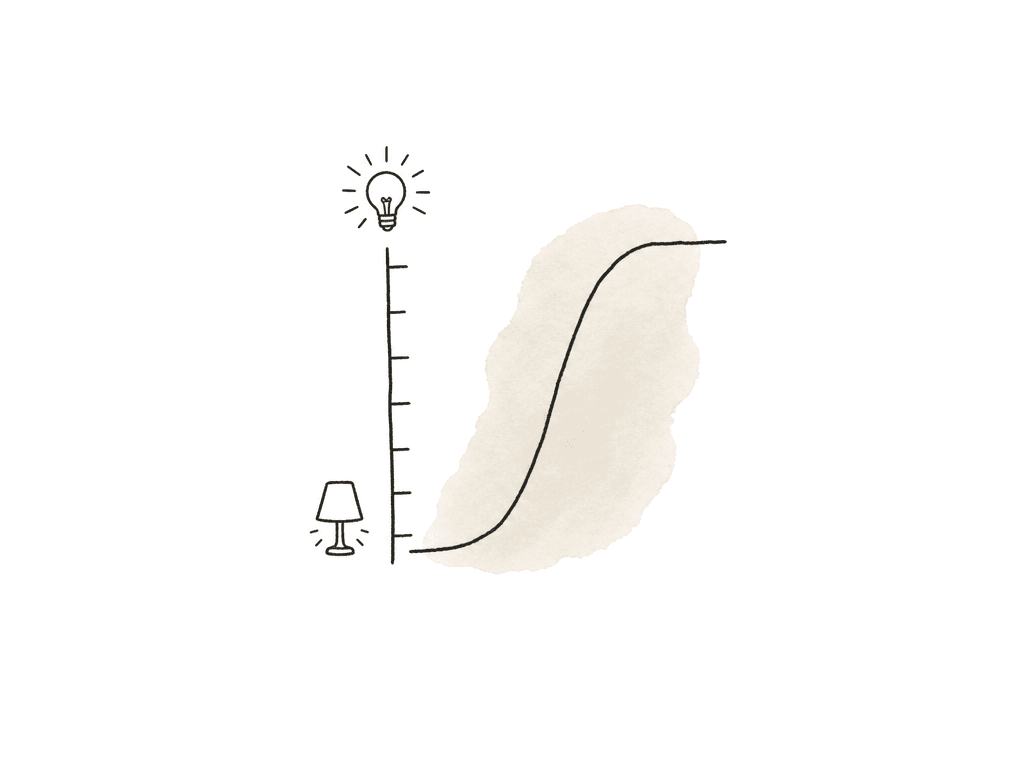
- Luminance scale in nits for PQ work
- Correct support for Rec.2100 PQ and Rec.2100 HLG
- RGB parade and waveform modes that reflect the monitored output
- Vectorscope targets appropriate to the output gamut
- CIE/chromaticity or gamut boundary view for wide color work
- 10-bit signal handling at minimum, with 12-bit support useful in higher-end rooms
- Full vs legal range visibility, especially if the delivery spec is strict
- Ability to monitor after LUTs, output transforms, and I/O conversion
Software scopes are where most HDR grades start
Software scopes are for the room that grades in one system and controls its own output. That describes most HDR work. DaVinci Resolve’s built-in scopes are strong enough for serious HDR work when you configure the project correctly. Resolve gives you waveform, parade, and vectorscope views, plus a histogram, a CIE-style chromaticity view, and HDR-aware display options such as ST 2084 nit scaling. The important part is that the scopes must be looking at the right part of the pipeline. In Resolve, set the project color management, timeline space, and output color space before the grade has momentum. If you're mastering PQ, set the output to ST 2084 with the correct target container, commonly P3D65 in a Rec.2020 container or Rec.2020 depending on the spec. Dolby’s own workflow guidance expects a PQ HDR master first, then metadata analysis and trims from there. So the scopes need to reflect the monitored HDR output rather than a halfway working state that happens to look nicer on the GUI. Resolve also has some scope options that are easy to ignore until you need them. Low pass filtering can make noisy chroma easier to judge. Extents can reveal occasional excursions that an average trace hides. Display qualifier focus can help isolate a sampled hue or skin region on the scope. The HDR nit scale changes how you read clipping, because you're no longer guessing where “bright” lives. Final Cut Pro can also work in wide-gamut HDR projects, and Apple’s HDR documentation is clear about the shift. Modern wide-gamut HDR workflows preserve more log source dynamic range in the working space. You then have to reduce or shape it for the intended output using grading controls, LUTs, or HDR tools. In that environment, scopes are useful only if the library, the project, and the media interpretation all agree with the display output. If log footage is being tone-mapped earlier than you think, the scopes may look safe while the creative latitude has already been compressed. Premiere Pro and other NLEs can handle HDR workflows too, but the same rule applies. Don't trust the scope until the sequence color space, the clip interpretation, and the output transform all agree with the monitoring path. Software scopes are a good fit when:- You're grading in one main system and the output is controlled
- You need fast shot-to-shot balancing, exposure placement, and gamut awareness
- The budget doesn't justify a dedicated external analyzer
- You can route a clean video output to a calibrated HDR reference monitor
- Another team or a separate pass handles delivery QC
Hardware scopes are for independent confidence
Hardware scopes are for rooms that have to prove the signal to somebody else, whether that is a broadcaster, a streamer, or a QC vendor. A hardware scope sits outside the grading application, which is its main value. It measures the signal after it leaves your system, usually over SDI, and it can show you what is really being sent to the monitor or recorder.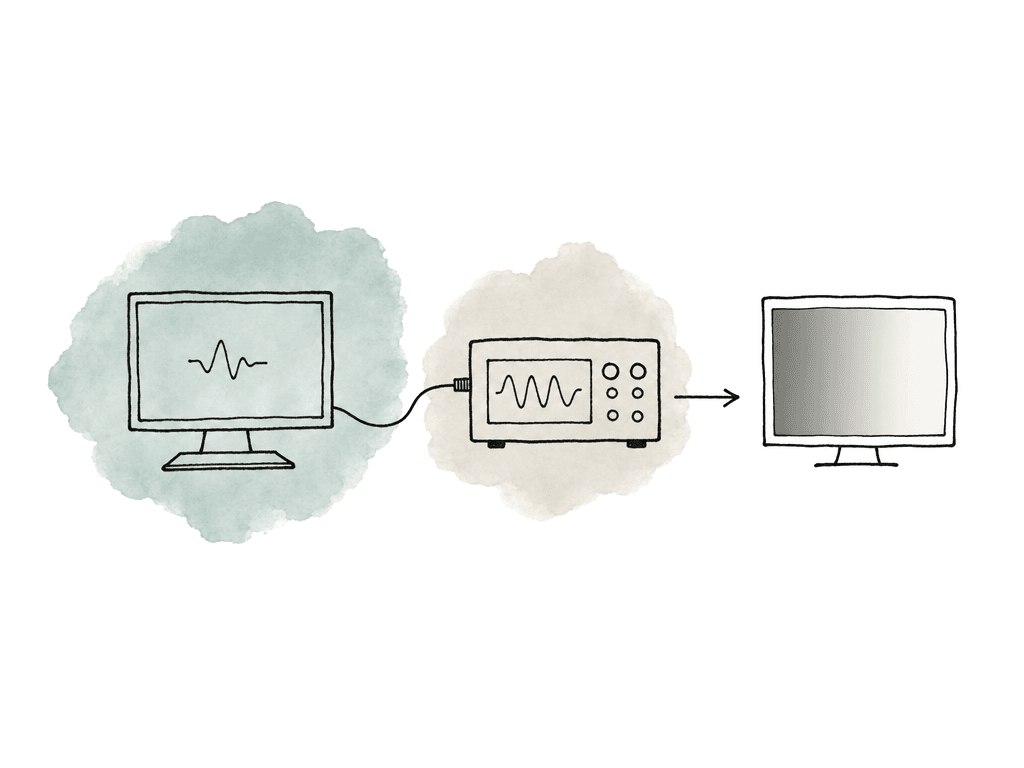
- Is the SDI output really Rec.2100 PQ?
- Are we sending full range or legal range as intended?
- Is the LUT being applied before or after measurement?
- Are highlights clipped in the signal or only tone-mapped by the display?
- Are multiple rooms or bays matching at the output level?
The monitor is part of the scope decision
HDR scopes and HDR monitoring are inseparable. A scope can tell you that a highlight reaches 1000 nits. Only the monitor tells you whether that highlight feels like polished metal, a hot window, or a distracting blob in the grade. A true HDR grading display isn't just a screen that accepts an HDR signal. It needs peak luminance, black level, and contrast that match the work. It also needs color accuracy, bit depth, and calibration controls you can rely on. HDR displays are expected to reach far higher brightness than SDR displays, often above 1000 nits for serious reference use, while maintaining low blacks and high contrast. That combination is what lets you see specular detail and shadow separation at the same time.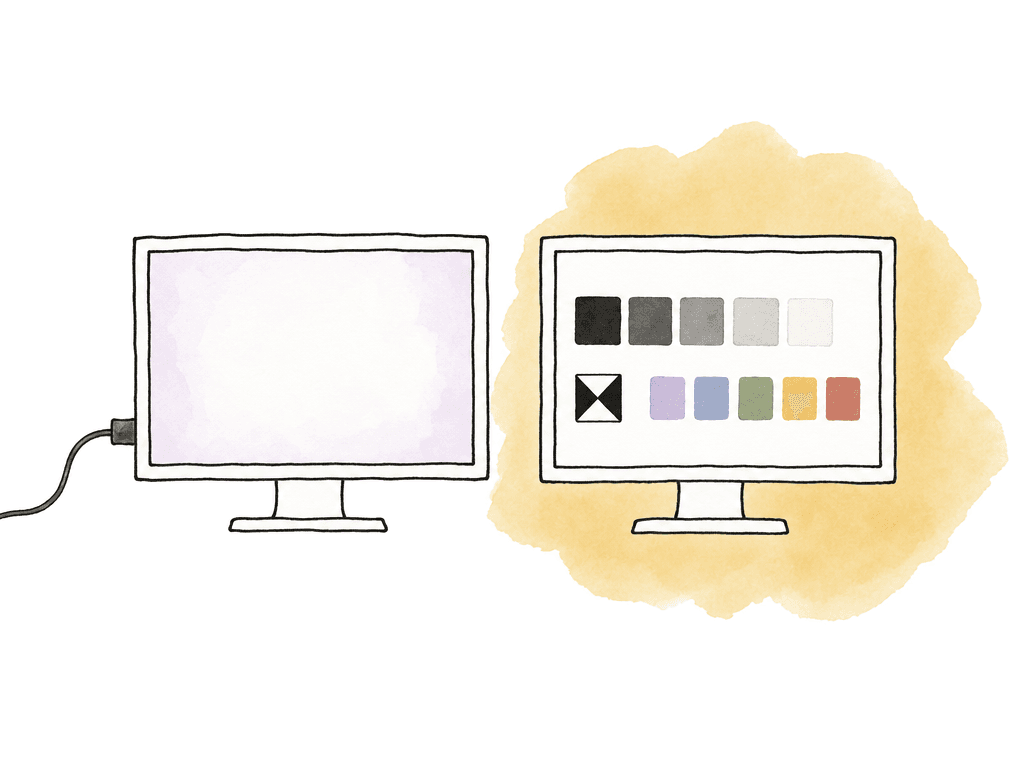
- The reference monitor is the screen you trust for the master decision
- The client monitor is the screen you use for creative review and translation
- The GUI viewer is the screen you use for interface work, not final HDR judgment
- Scopes are the measurement layer that keeps all of the above honest
Popular scope options and where they fit
There's no single “best HDR scope” for every room. The best choice depends on whether you need grading speed, portability, or engineering confidence in the delivery. Here is how the main options break down:| Scope option | Best fit | Main strength | Main tradeoff |
|---|---|---|---|
| DaVinci Resolve scopes | Resolve-based HDR grading and finishing | Fast creative feedback with waveform, parade, vectorscope, CIE views, and HDR nit scale support | Trust depends on correct project color management and output monitoring setup |
| Final Cut Pro scopes | Editor-driven wide-gamut HDR projects | Useful when library, project, media interpretation, and HDR tools stay inside Final Cut | Less ideal as the final authority for complex mastering or facility pipelines |
| Premiere Pro Lumetri scopes | Editorial HDR work and finishing-light review | Convenient inside the NLE and good for sequence-level exposure and gamut awareness | Accuracy depends heavily on sequence color space, clip interpretation, and output setup |
| Dedicated software scopes, such as Nobe OmniScope | Multi-app rooms that want flexible layouts or a separate scope interface | More configurable than many built-in NLE scopes and useful across applications | Still only as trustworthy as the signal path feeding the software |
| Hardware waveform monitors and rasterizers, such as the Leader LV5600 or PHABRIX Qx around $9,500, or the AJA HDR Image Analyzer 12G around $24,000 | Broadcast, Dolby Vision, streamer QC, facility routing, and SDI validation | Independent measurement of the signal after it leaves the grading system | Higher cost, more engineering overhead, and often less fluid for creative grading |
| Built-in monitor scopes and false color | On-set HDR review, quick exposure checks, and clipping awareness | Immediate feedback at the display and useful for camera or review workflows | Usually not a replacement for full software or hardware scope analysis |
- DaVinci Resolve scopes are the default pick for colorists already grading in Resolve. Strong creative feedback, HDR nit scale support, multiple scope views, and no extra hardware cost beyond the workstation and monitoring I/O.
- Final Cut Pro scopes and HDR tools suit editor-driven HDR workflows, especially when the project is fully managed inside Final Cut. Less ideal as the final authority for complex mastering pipelines.
- Premiere Pro Lumetri scopes suit editorial HDR work and finishing-light environments. As with any NLE scope, accuracy depends heavily on sequence color management and output setup.
- Nobe OmniScope and similar software scope apps are the pick when you want a dedicated scopes interface, more layout flexibility, or monitoring across applications. They still depend on the signal path feeding them.
- Hardware waveform monitors and rasterizers are the pick for facility-level confidence, QC-style monitoring, SDI validation, and multi-source rooms.
- Built-in monitor scopes and false color are for quick exposure and clipping awareness, especially on set or during review. Not a replacement for full software or hardware scope analysis.
The hardware, by name and price
Most guides in this category stop at "hardware waveform monitors" as though that were a product. It is a shortlist of four or five instruments, and they are far enough apart in price that naming them changes the decision.| Instrument | Street price | Form factor | SDI capability |
|---|---|---|---|
| Leader LV5600 | About $9,450 | 7-inch touchscreen, 3RU with built-in display | 12G-SDI single link, 3G-SDI dual and quad link, HD-SDI quad link, plus 10G/25G IP |
| Leader LV7600 | About $8,980 | 1RU rasterizer, feeds an external display | Same signal capability as the LV5600 without the built-in screen |
| PHABRIX Qx | About $9,940 for the base analyzer | 1RU or portable, depending on model | Four HD/3G-SDI inputs standard, 6G and 12G-SDI optional, single, dual, and quad link |
| AJA HDR Image Analyzer 12G | About $24,260 | 1RU with a dedicated analysis UI | Four 12G-SDI inputs, up to 8K and UltraHD2 at 60p |
How to wire scopes into the monitoring chain
Keep the GUI display and the reference video signal separate when finishing. Avoid desktop HDR judgment when possible. Use a video I/O device from the grading system, then feed the reference chain over SDI or another professional path that bypasses operating system color management.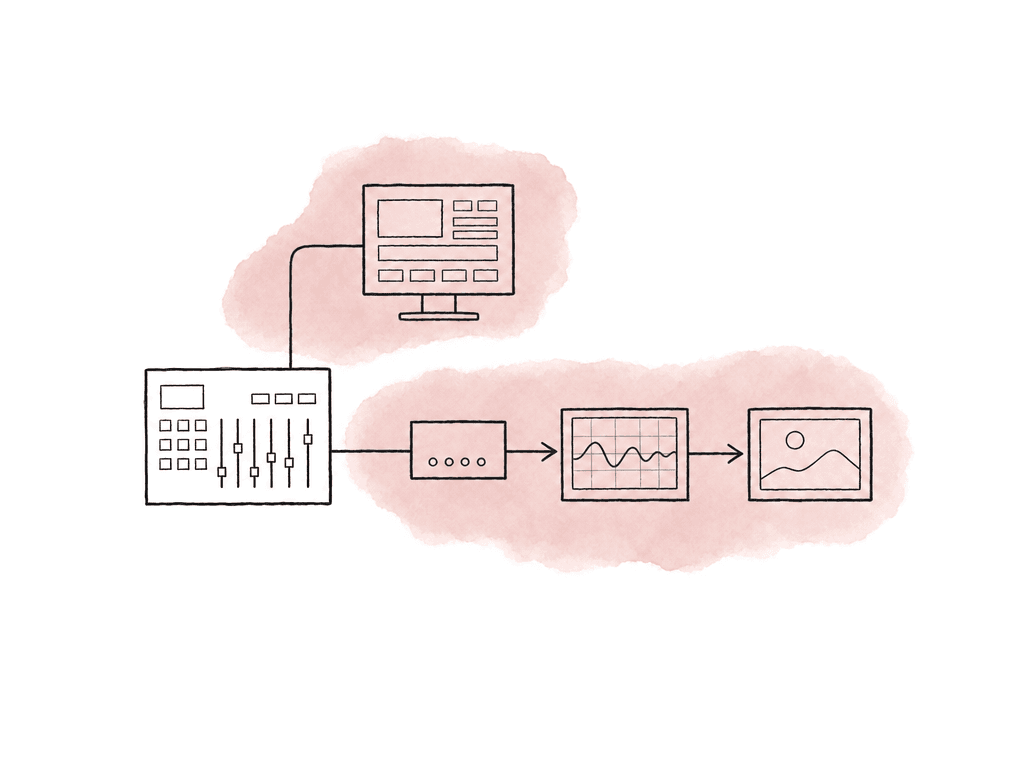
- Grading workstation
- Video I/O device, such as a DeckLink, UltraStudio, or AJA output
- Hardware scope or signal analyzer, either inline or fed by a distribution amplifier
- LUT box if needed, placed intentionally
- HDR reference monitor
- Optional client monitor downstream or on a separate converted feed
Failure modes that waste the most time
Most HDR scope problems are setup problems wearing a creative disguise. The image looks “off,” the client asks for more pop, the waveform looks confusing, and an hour later someone discovers the monitor was tone-mapping a signal that was already transformed. The usual culprits are:- Project set to one HDR standard while scopes or monitor expect another
- P3 graded inside a Rec.2020 container but monitored as the wrong gamut
- Output LUT applied twice, once in software and once in the monitor
- Legal/full mismatch between app, I/O hardware, scope, and display
- Monitor set to an HDR picture mode with dynamic contrast or tone mapping enabled
Making the buying call
For a small room under deadline pressure, the starting point is the strongest software scopes in your grading system, a calibrated HDR monitor you actually trust, and a clean video output path. That setup gets you through a lot of real work if you're disciplined about color management. Dedicated hardware scopes make sense when the cost of being wrong is higher than the cost of the instrument. That happens when you're delivering to strict HDR specs, doing Dolby Vision metadata work, or acting as the final technical gate before delivery. It also happens in facilities supporting multiple suites and feeding external recorders. When comparing two purchases, the bottleneck should decide:- If you can't see HDR accurately, the monitor is the upgrade.
- If you can't measure HDR in the right units, the software scope setup needs improvement or dedicated scope software.
- If you can't trust the signal leaving the system, hardware scopes are the relevant addition.
- If every job has a different routing surprise, the monitoring chain is the problem to fix before buying more displays.
FAQ
Yes, software scopes can be accurate enough for serious HDR grading. The condition is that project color management, output color space, and monitoring I/O are configured correctly, and that the reference display is one you trust. They are strongest for creative grading decisions: exposure placement, RGB balance, and highlight control, plus general gamut awareness. They become less sufficient when you need independent validation of the SDI signal, facility-wide routing confidence, or broadcaster compliance and final QC accountability.
A hardware HDR scope is worth considering when you need to validate the signal after it leaves the grading application. That applies to Dolby Vision and to HDR10 broadcast or streamer delivery. It also applies to multi-suite facilities with SDI routing and external recorders, and to strict QC environments. Hardware scopes are less about making better creative choices and more about proving that the output signal, its levels and colorimetry, its metadata, and the monitoring chain are correct.
The most important feature is a luminance scale that reads in nits, because ST 2084 maps code values to absolute brightness. After that, you want Rec.2100 PQ support, RGB waveform and parade views, and vectorscope targets for the intended gamut. For wide color, add CIE or chromaticity views, 10-bit or better signal handling, and clear visibility of full versus legal range behavior.
A vectorscope is useful, but it is not enough by itself for HDR wide-gamut finishing. HDR work often needs a gamut or chromaticity view that can show how colors sit relative to Rec.709, P3, and Rec.2020 boundaries. That is especially important with saturated lights, LED walls, and neon or product colors, which may exceed the intended display gamut after the output transform.
Place the hardware scope where it measures the signal you need to trust. If it sits before a LUT box, it measures the pre-LUT signal. If it sits after the LUT box, it measures the transformed signal that may be closer to what the reference monitor receives. In mastering, many rooms want to know exactly what the reference monitor is receiving, while keeping a way to inspect earlier points in the chain when troubleshooting.
Treat the HDR master and its reference stills, the LUTs, and the QC notes as shared production assets instead of passing copies between bays. Aspect gives the team one shared cloud filespace, so each room can validate the same files and reduce the risk of grading against an outdated render.