

Where SSD cache fits in a media storage stack
Most post environments already use tiers, even if nobody calls them that. There's fast online storage for active work, larger nearline storage for material that needs to stay accessible, and archive storage for long-term retention. SSD cache sits between those ideas, and it lets a spinning disk tier behave more like flash for hot data without moving the whole project to an all-SSD pool. That makes it attractive for large shared arrays where the working set is smaller than the full capacity. A 300 TB HDD array might only have 5 TB to 20 TB of truly hot data during a given week: project files, bins, databases, proxies, frequently referenced selects, VFX pulls, audio turnovers, and conform sources. If the cache can hold the active working set, the system avoids many expensive disk seeks.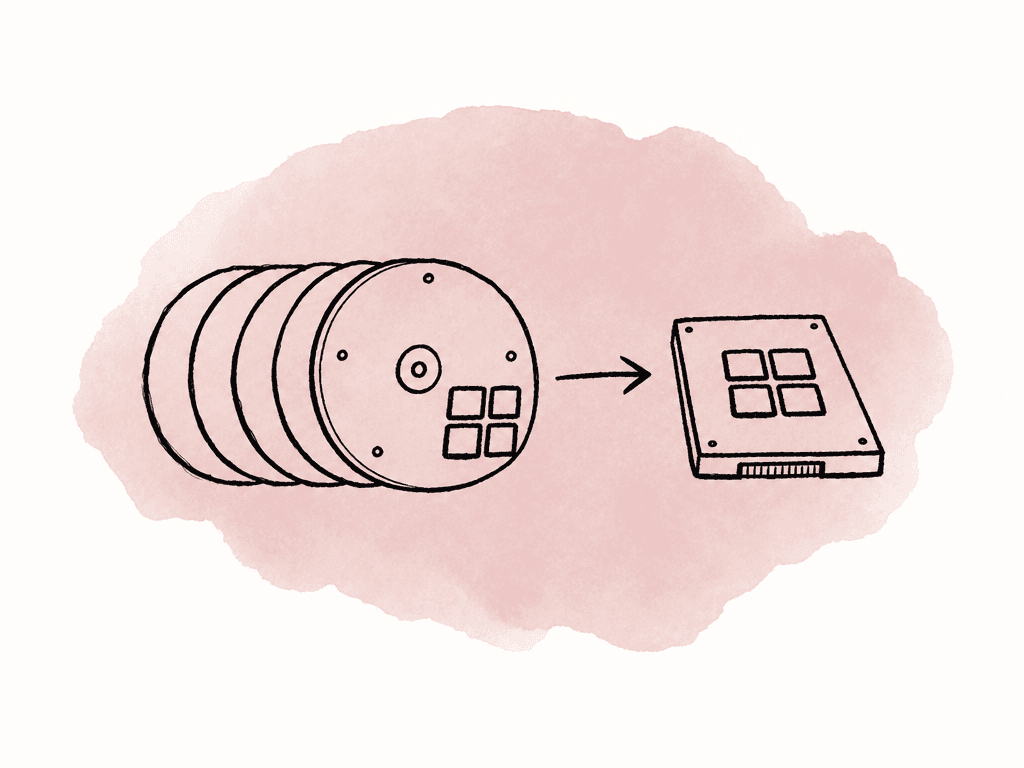
- Repeated access to the same source clips, proxies, graphics, plates, or audio assets
- Timeline scrubbing with frequent jumps rather than continuous playback
- Opening large project structures with lots of small files
- Relinking, conforming, indexing, searching, and thumbnail generation
- Shared editorial environments where multiple clients touch the same media set
Where it won't save you
The cleanest way to think about SSD cache is this: cache reduces latency for hot data, but it doesn't create unlimited back-end bandwidth. If eight editors are each pulling a 1.2 GB/s stream from a disk group that can only sustain 4 GB/s after parity overhead, cache doesn't solve the math. If a 10 GbE client needs more than the network can deliver, cache doesn't solve that either. If an application is writing huge renders sequentially to the array, a small SSD cache may absorb bursts, but the system still has to write the data safely to durable storage.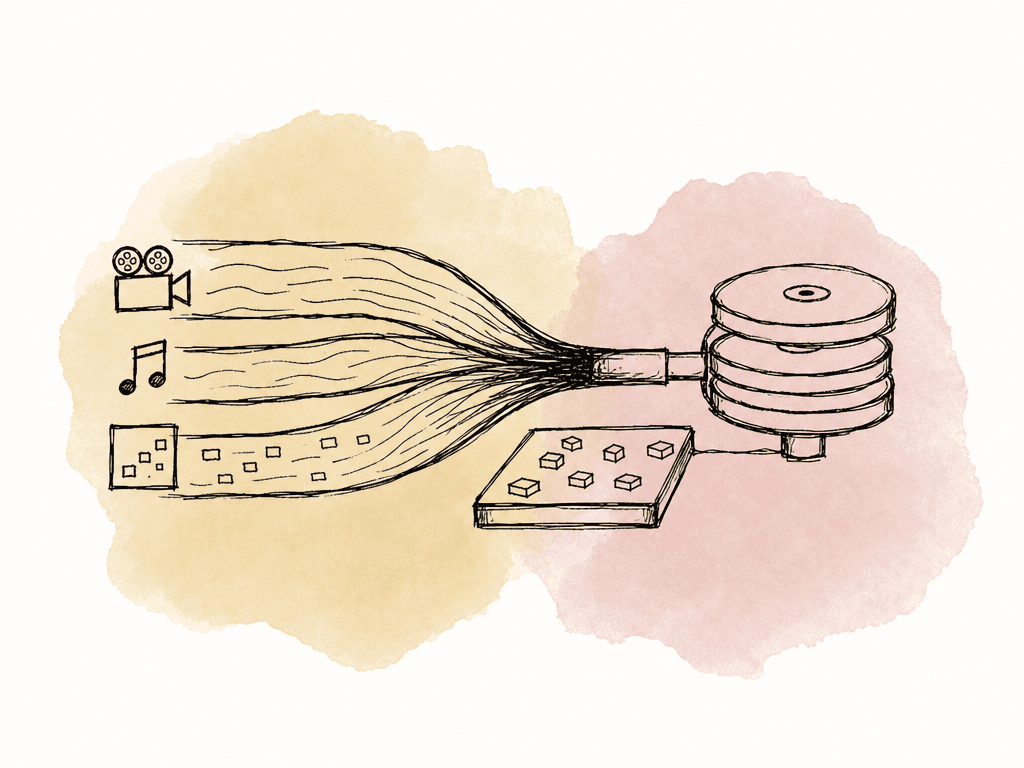
- Consistently poor playback of long, high-bitrate streams that are read once sequentially
- Oversubscribed Ethernet, Fibre Channel, or client connections
- Too few HDD spindles for the number of concurrent rooms
- Bad RAID layout for the workload
- Workflows that need guaranteed all-flash performance all the time
Read cache versus write cache
Read cache is the safer and more predictable place to start. In many enterprise storage systems, SSD cache is specifically designed for host reads. NetApp’s SANtricity SSD Cache, for example, treats SSD cache as a controller-managed read cache for hot data. The system copies frequently accessed data into SSD and serves later reads from flash when that improves performance.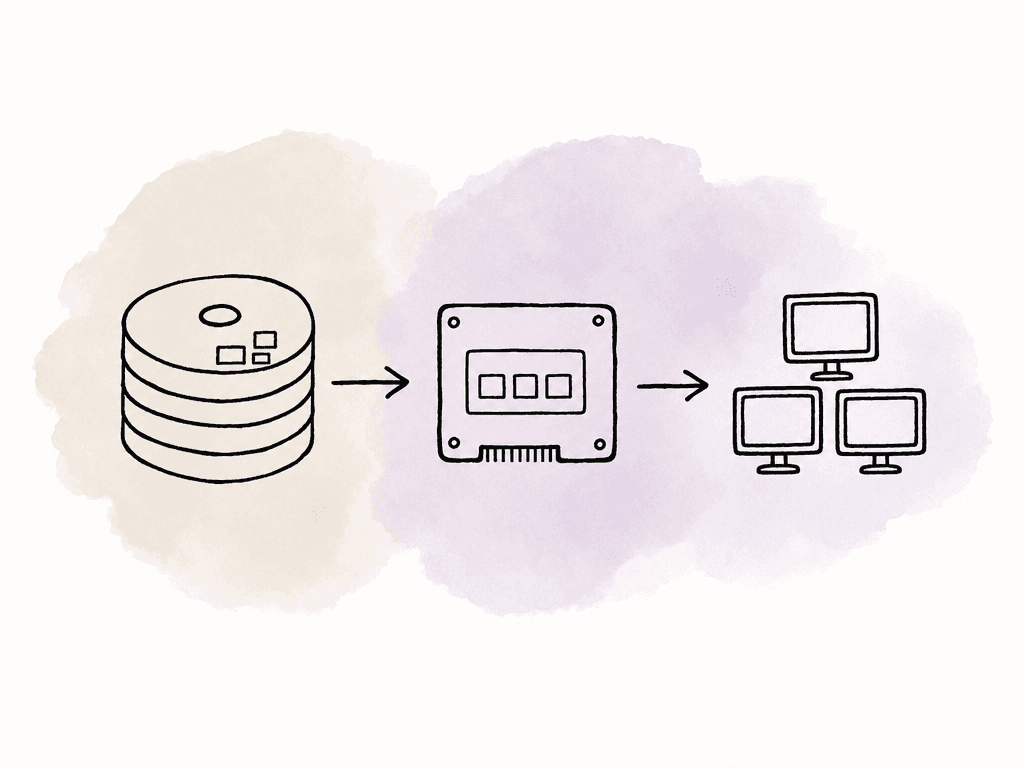
| Cache mode | Best fit in post workflows | Main benefit | Main risk or limit |
|---|---|---|---|
| Read-only cache | Shared editorial, proxy, graphics, sound library, and active project volumes with repeated access | Safer acceleration for hot reads, metadata, project opens, relinks, and scrubbing | Does not improve sustained writes and may not help cold sequential playback |
| Write-through cache | Environments that want conservative write behavior with some smoothing of small writes | Writes are not acknowledged until protected storage has the data | Usually cannot hide slow HDD performance during long renders, transcodes, or ingest sessions |
| Write-back cache | Carefully protected systems with bursty writes, strong cache redundancy, power-loss protection, and clear vendor support | Can improve small random write latency and absorb short write bursts | Dirty data can be at risk if cache protection, controller failover, or power-loss handling is weak |
- Write-through cache can smooth write behavior but usually won't hide slow disks for long sustained writes.
- Write-back cache can absorb bursts and improve small random write latency, but your team must protect it with redundancy, power-loss protection, and controller design.
- Read-only cache is usually safest for shared editorial volumes because the system can rebuild cached data from the HDD tier.
- Some storage platforms automatically choose read and write behavior based on media type, resiliency, or pool design.
- Some platforms restrict cache modes depending on RAID level, pool type, or whether the volume is mirrored, parity-based, encrypted, or thin provisioned.
Cache isn't the same as tiering
Caching and tiering often get blended together in storage marketing, but they're different operational models. A cache keeps a copy of hot data on fast media, and the authoritative copy still lives on the backing tier, unless the system is using write-back and has dirty data waiting to flush. With read cache, losing the cache shouldn't lose media, but it may make the array slower until the cache warms again. Tiering moves data between storage classes, and hot blocks or files may physically live on SSD, while colder data lives on HDD. That can work well, but it also means placement policy matters more. If the system tiers the wrong data, or if a project suddenly becomes active after sitting cold, performance may lag until the tiering engine catches up. For post workflows, caching is often easier to reason about for shared HDD arrays that need help with hot reads. Tiering is more useful when the storage platform has mature policy controls and you want active data to live on flash rather than merely be copied there. An all-SSD pool is still the cleanest option when the workload needs consistently low latency and high throughput with no warm-up period.Pick the right volumes to cache
Don't blindly cache the entire array if your platform lets you choose volumes, workspaces, or shares. Cache the areas where hot data actually lives. In an editorial facility, good candidates are usually active workspaces, proxy volumes, shared project support volumes, graphics libraries, sound libraries, and recent episodic media that your team references often. Less useful candidates include cold camera originals that are rarely touched, backup targets, archive staging areas, and render dump volumes where your team writes files once and moves them away. A simple volume strategy helps the cache do useful work:- Keep active projects separate from cold storage and backup targets.
- Split online, nearline, archive staging, and render output into distinct workspaces or shares.
- Keep application-generated local cache files on workstation SSDs when the application recommends that.
- Avoid mixing tiny project/database files and huge one-time ingest streams on the same hot workspace if you can separate them cleanly.
- Use permissions and workspace boundaries to reduce accidental scans across massive cold directories.
Size the SSD cache around the hot working set
Cache sizing is where teams often guess too small. A pair of 1 TB SSDs may sound generous until you realize the facility has five active episodes, a shared graphics package, a music library, turnovers, proxies, and multiple assistants generating waveforms and thumbnails. The cache doesn't need to equal total storage capacity, but it needs to cover enough of the hot working set to produce a high hit rate during real work. For media teams, project structure and schedule usually drive that working set, not just capacity. Useful sizing inputs include:- Total size of active proxy media for current shows
- Size of the most frequently reused source clips or selects
- Number of active projects or episodes at once
- Number of editors, assistants, producers, and finishing systems touching the same storage
- Typical relink, search, and conform behavior
- Whether hot data stays hot for hours, days, or weeks
- Cache overhead, RAID protection, overprovisioning, and vendor capacity limits
Build the cache with failure behavior in mind
An SSD cache tier is still storage hardware, and it needs the same boring reliability thinking as the rest of the array. For read cache, the biggest failure impact is usually performance loss. The system can discard the cache and continue serving data from HDD. That's why read cache is attractive: it improves latency without becoming the only copy of the media. For write cache, the failure model is much more serious. Dirty writes must survive SSD failure, controller failover, and power loss. If they don't, you risk corrupted renders, damaged databases, or lost media. Production teams should treat unprotected write-back cache as unsafe for shared post storage.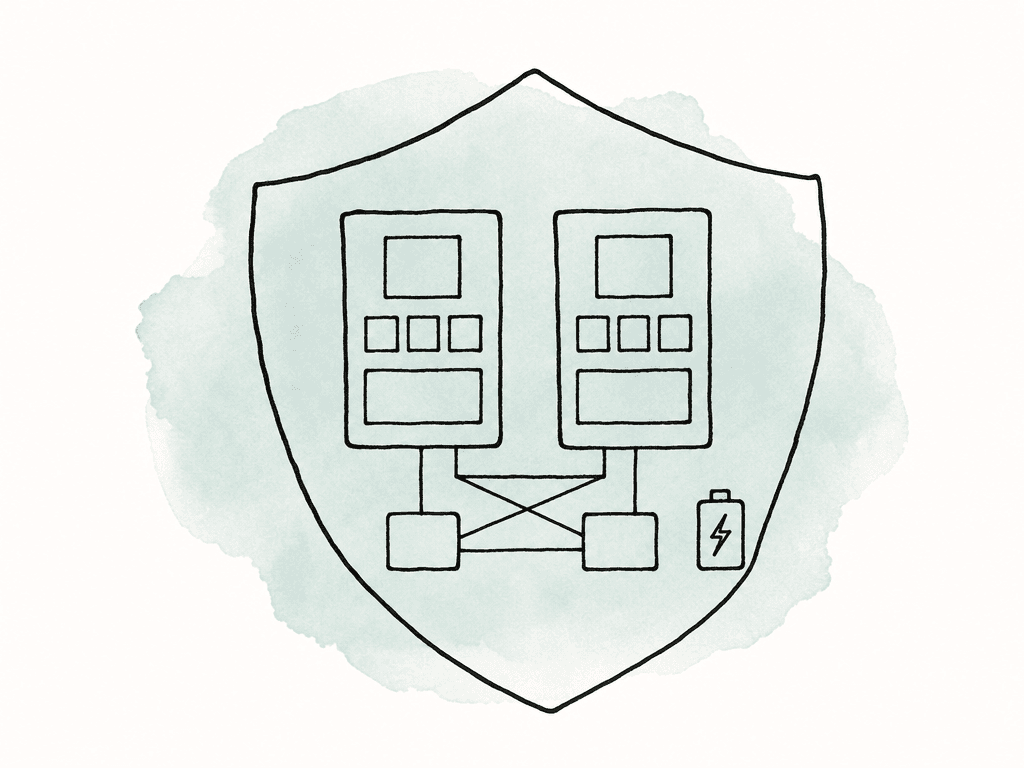
- Enterprise SSDs with power-loss protection
- Mirrored or otherwise redundant cache devices
- UPS coverage for storage, switches, and clients where required
- Controller failover support if the storage system is dual-controller
- Firmware and drive compatibility that the storage vendor has validated
- Monitoring for SSD wear, media errors, temperature, and cache device health
- A documented behavior for cache rebuild, cache disablement, and degraded operation
Configure for the actual post workload
The exact UI differs by platform, but the underlying choices are consistent: you're binding a small pool of fast media to one or more HDD-backed volumes, then choosing whether it accelerates reads, writes, or both. The main configuration decisions usually include:- Which SSDs or NVMes are eligible for cache
- Whether the cache is read-only, write-through, or write-back
- Which volumes, shares, aggregates, pools, or workspaces use the cache
- How the cache devices are protected
- Whether the cache is shared across volumes or dedicated to one workload
- Whether the system automatically warms and evicts cache data
- Whether changing cache size flushes or erases existing cache contents
Watch hit rates
The storage will feel faster when cache is working, but you need to monitor whether the cache is actually serving useful I/O. The key metric is cache hit rate: the percentage of read requests the system serves from SSD instead of HDD. A high hit rate during real work means the cache is holding the right data. A low hit rate means the workload is streaming cold data, the cache is too small, the wrong volumes are cached, or the access pattern isn't cache-friendly. Useful metrics to watch together include:- Read cache hit rate and miss rate
- Cache occupancy and eviction rate
- HDD read latency during edit sessions
- SSD cache latency and queue depth
- Back-end disk throughput
- Front-end network throughput per client
- Write cache dirty data level, if your team enables write-back
- SSD wear and remaining life
- Rebuild, flush, or warm-up events after maintenance
Keep client-side caches local
Shared storage SSD cache isn't a replacement for application cache on the workstation. Many NLEs, finishing tools, and asset workflows generate local cache files, preview files, peak files, waveform files, thumbnails, and databases. Some of those can safely live on shared storage, but many perform better on a local SSD or NVMe drive. For Premiere Pro Productions, shared storage guidance includes paying attention to NAS protocol choice, consistent paths across macOS and Windows, and cache rules. In practice, that means you shouldn't assume every cache-like file belongs on the central NAS. For many teams, the best setup is shared media on the array, shared project structure where appropriate, and application media cache on fast local client storage. This reduces noisy small-file traffic on the array and keeps the server cache focused on shared hot data that benefits multiple users.A sane starting design
For a spinning disk media array that's already healthy, the safest starting point is a protected read cache that your team assigns only to active editorial and proxy workspaces. Size it for the active working set, not total capacity. Leave backup, archive, and one-time ingest targets uncached unless monitoring shows a reason. After that, measure. If read hit rates are strong and editors feel improvements during project opens, searches, relinks, and scrubbing, keep tuning volume placement and cache size. If hit rates stay low, the workload may be mostly sequential or too large for the cache. In that case, spend the next dollar on more HDD spindles, faster networking, better workspace separation, or an all-flash online tier. Write cache should come later, if at all. Use it only when the platform’s protection model is clear and the workflow actually benefits from accelerated writes. For most editorial shared storage problems, read cache plus clean storage organization gets you most of the gain with far less risk. Treat SSD cache as a targeted tool: it's good at taking hot, random, repeated reads off a spinning disk array, but it's mediocre at fixing raw bandwidth shortages. Once you separate those two problems, the setup decisions get a lot easier.FAQ
SSD caching helps most when the workload involves hot, repeated, random access rather than simple linear playback. Common examples include opening large projects, scanning folders, relinking media, generating thumbnails, scrubbing with frequent jumps, reading project databases, and multiple users repeatedly accessing the same clips or proxy media.
Usually not by itself. Dropped frames during straight playback are often caused by insufficient sequential disk bandwidth, an oversubscribed network, too few drive spindles, or client-side limitations. SSD cache can help if playback is being disrupted by random metadata and small-file activity, but it doesn't replace properly sized storage and network throughput.
Read cache is usually the safer starting point for shared editorial storage because the authoritative media still lives on the HDD tier. If the read cache fails, performance may drop, but the media should remain intact. Write-back cache carries more risk because recently written data may exist only in cache until it's flushed, so it needs strong protection against SSD failure, controller failure, and power loss.
Size the cache around the hot working set, not the total capacity of the array. Estimate how much data is repeatedly touched during a normal day and week, including proxies, project files, bins, graphics, audio assets, selects, and active episode media. A cache that's too small may churn constantly and produce a low hit rate, while a cache sized closer to the active working set can deliver more consistent gains.
There's no universal ideal number, because it depends on the workload. A high read hit rate during real editorial work usually means the cache is serving useful data. A low hit rate may mean the workload is mostly sequential, the cache is too small, or the wrong volumes are cached. Compare hit rate with practical outcomes such as project open time, relink speed, search performance, scrub response, and dropped-frame reports.
An SSD read cache on the array can help when multiple users repeatedly touch the same files, but it only helps inside that storage system. For teams working from cloud storage or across locations, Aspect can also run a facility cache so the first person pulls the file once and everyone else on that network reads it at full LAN speed from an on-site cache node.


