

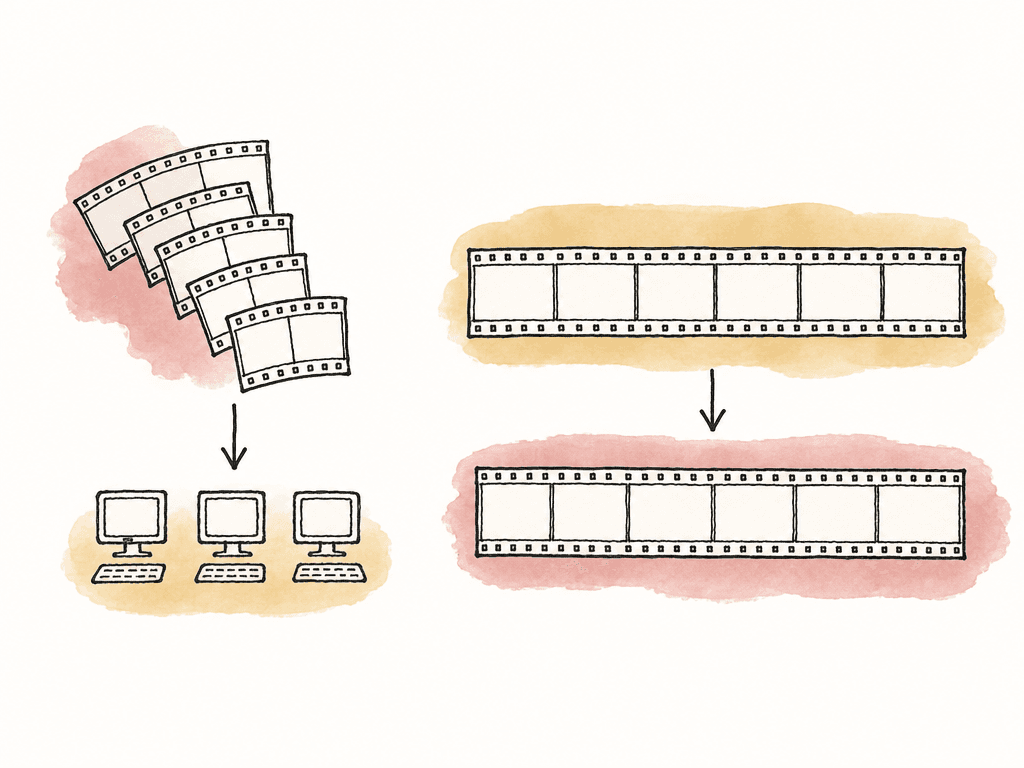
- In batch distribution, each machine gets whole files from a queue. This is best for proxy generation, dailies, archive transcodes, deliverable batches, and libraries with many clips.
- In chunked single-file encoding, one long source file is split into segments, each machine encodes a chunk, and the system reassembles the result. This is best for very long encodes where one file is the problem, such as a feature-length master, concert capture, lecture archive, or longform AV1/H.265 encode.
| Split model | Unit of work | Best fit | Operational advantage | Main risk |
|---|---|---|---|---|
| Batch distribution | Whole files | Proxy generation, dailies, archive transcodes, deliverable batches, clip libraries | Failures are isolated to individual files and relinking stays straightforward | Large batches can still overwhelm shared storage if too many workers read and write at once |
| Chunked single-file encoding | Segments from one long source file | Feature-length masters, concert captures, lecture archives, longform AV1 or H.265 encodes | One very long encode can run across multiple machines in parallel | Reassembly can introduce frame mismatches, audio drift, GOP boundary issues, metadata loss, or visible seams |
How the distributed workflow actually works
A distributed encoding setup has four moving parts: a coordinator, workers, source media access, and an output location. The coordinator is the machine or service that owns the queue. It decides which worker gets which job, tracks progress, retries failures, and records output status. In simpler desktop tools, the coordinator is hidden inside the application. Apple Compressor, for example, lets multiple Macs participate in a shared computer group, then sends portions of a batch to available computers and writes completed outputs to the chosen destination. Workers are the machines doing the encode. They need access to the same encoder stack, the same presets, the same fonts or LUTs if those are burned in, and the same source paths or a way to receive source data. In FFmpeg-based systems, each worker is usually just a host with FFmpeg installed, reachable over SSH, HTTP, or an agent process. The source media access model matters more than people expect. If every worker is pulling 8K camera originals from the same NAS over 1 GbE, the storage can become the choke point immediately. If workers stream media from a coordinator, the coordinator’s outbound bandwidth becomes the choke point. If workers copy whole files locally before encoding, the startup time grows, but encoding may be more stable once the file is local. Each worker should compute the same output path from the job id and artifact type. Distributed encoding creates enough complexity already, so don't make workers guess where to put finished files, partial segments, logs, and temp renders. Use an output structure with separate directories for intermediates and approved deliverables.Choose the split based on the job
For post teams, the safest distributed setup is often whole-file distribution. If you have 900 camera clips to convert into editorial proxies, give different clips to different machines. If one worker fails, one clip fails, and the rest of the batch keeps moving. Relinking is also easier because each output maps to one source clip. This fits the normal ingest reality of production. Broadcasters and post teams often try to standardize on capture formats and mezzanine codecs, but real projects still receive odd frame rates, mixed resolutions, overshot shooting ratios, and media from many sources. That kind of mess is exactly where batch distribution helps. You can normalize a large volume of incoming media without tying up one assistant editor’s workstation all night. Chunked single-file encoding is different. The coordinator or script cuts one source into segments, sends those segments to workers, encodes them in parallel, then concatenates or remuxes the encoded chunks into one file. Tools such as distributed FFmpeg scripts and small distributed video encoders use this pattern, often over SSH. Some newer coordinators support different splitting strategies, including fixed segments, tile-based approaches, or GOP-aware splitting. For chunked encoding, the split point is everything. Cutting on arbitrary frame boundaries can cause reassembly problems. Cutting on GOP boundaries is safer because interframe codecs depend on neighboring frames. If the system decodes each chunk with enough overlap and trims correctly, it can avoid missing frames, duplicated frames, and sync errors, but that depends on the tool. Use chunked encoding for sources where one file is the unit of pain. A 2-minute social export doesn't need it, but a 4-hour ProRes master being encoded to AV1 might.Network and storage requirements that decide whether this works
Distributed encoding is a storage workflow as much as an encoding workflow. The workers are only useful if they can read, write, and report status without waiting around.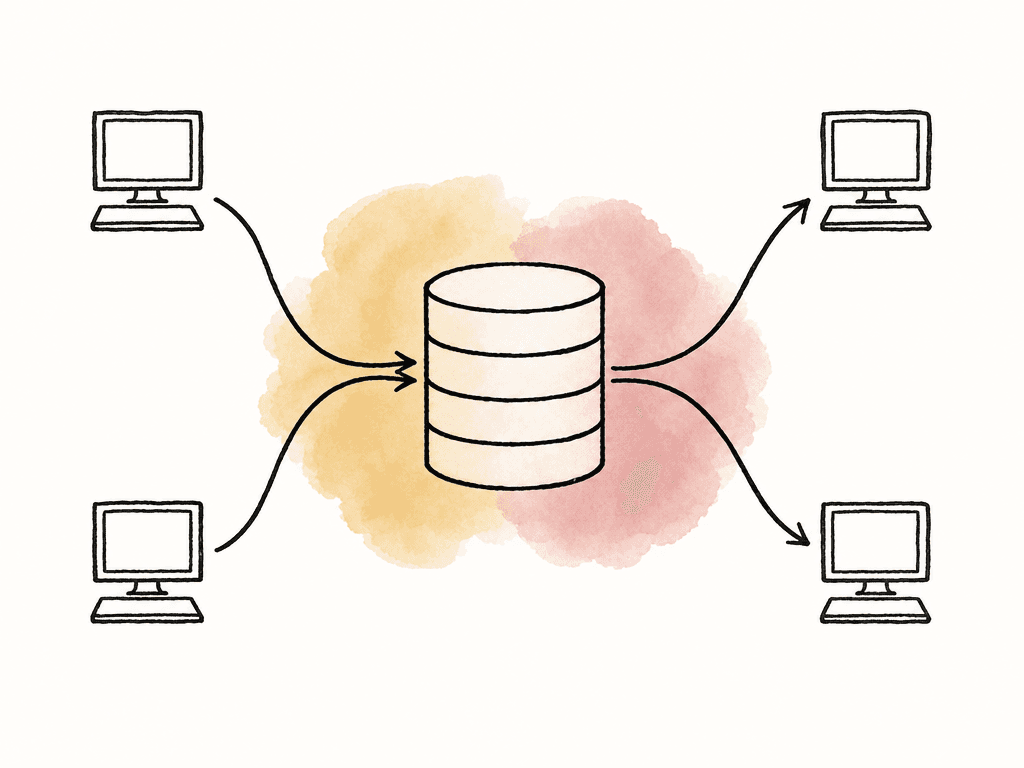
- With shared storage, all machines mount the same NAS, SAN, or shared volume and see the same paths.
- With coordinator streaming, workers stream the source from a central manager directly into the encoder.
- With local staging, workers copy the source or segment to local scratch, encode locally, then upload the result.
- With object storage, workers read and write segments through a bucket-style storage layer, common in larger automated systems.
Keep every worker boringly identical
Distributed encoding fails in weird ways when machines are “mostly the same.” One worker has a different FFmpeg build. Another has an older GPU driver. One has the LUT folder mounted under a different path. One preserves color tags, another drops them. The output passes a quick eyeball test, then an editor notices that only some proxies relink cleanly or only some files report the wrong audio layout.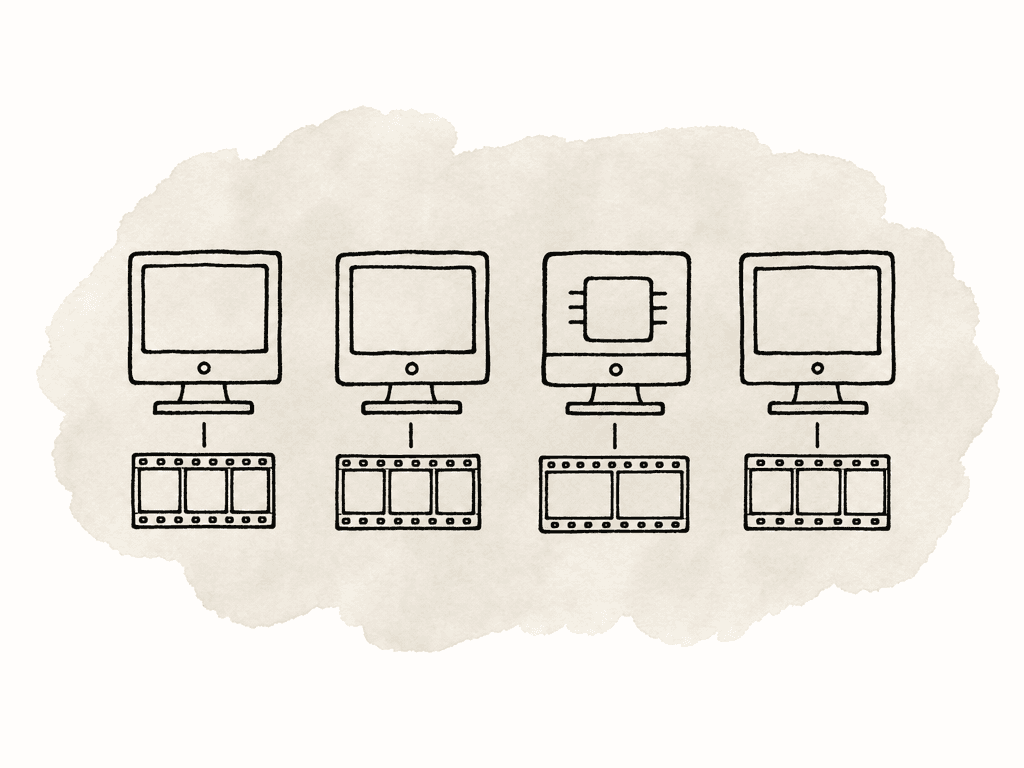
- Same operating system family where possible, especially for desktop-app-based clusters.
- Same encoder version, or at least a tested version range.
- Same codec libraries and hardware acceleration support.
- Same fonts, LUTs, plugins, color management settings, and audio channel mapping rules.
- Same network paths, permissions, and mount names.
- Same time zone and clock sync for logs and job tracking.
Chunking and reassembly without surprises
When a system splits a long file, it needs to preserve the things editorial and finishing teams care about:- frame count and duration
- timecode and audio sync
- color metadata
- captions
- track layout
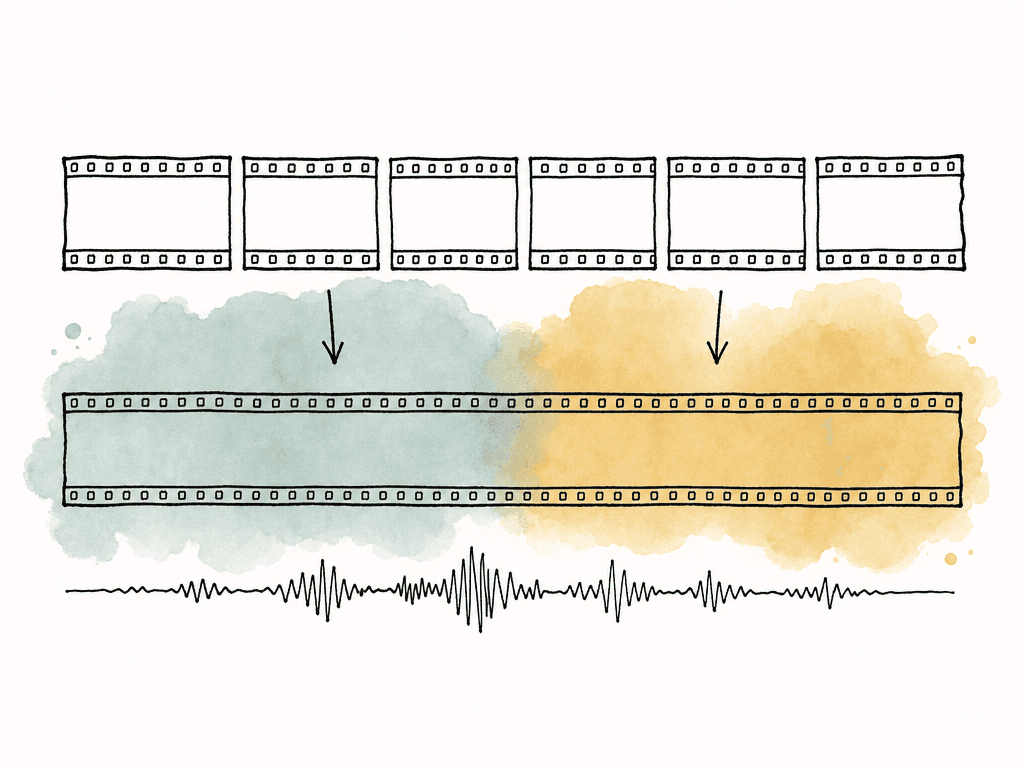
- Segment length affects load balancing; shorter chunks improve load balancing but increase overhead and reassembly risk.
- Boundary strategy matters because GOP-aware cuts are safer than arbitrary frame cuts for interframe codecs.
- Audio handling may involve encoding audio as one continuous stream, copying it separately, or splitting it with padding that must be trimmed.
- You need to explicitly handle metadata preservation for color primaries, transfer characteristics, matrix coefficients, timecode, captions, and rotation tags.
- Rate control mode matters because two-pass, CRF, CBR, and capped VBR behave differently when split across chunks.
- Lookahead and scene detection can change because encoders that make decisions across a long window may behave differently per chunk.
- duration
- frame count where possible
- audio stream count and channel layout
- captions and color tags
- a few boundary points where the system joined chunks
Tool patterns that fit different teams
The best tool depends on whether you're operating inside a post application, building an FFmpeg farm, or running a more automated media pipeline. Common orchestration patterns include:- Desktop shared groups, such as Compressor, can distribute batches across multiple Macs with a relatively simple setup.
- Server and node systems use a central server to own the queue, while nodes poll for work, run encodes, and return results.
- SSH-based scripts let the coordinator connect to workers over SSH, send chunk jobs or commands, and gather outputs.
- Agent-based clusters have each worker run a small agent, so the manager can talk to hosts without direct SSH workflows.
- HTTP streaming workers stream source media from a manager into FFmpeg and upload the result back.
Proxies, dailies, and editorial media
Distributed encoding is especially useful for proxy and dailies creation because the jobs are naturally parallel. Each camera clip can become a separate job. The output can preserve source names, reel names, timecode, and audio layout, then be written to a known folder for editorial. This is where workflow discipline matters. Your team should keep camera originals in their original structure and names. The distributed system should create derivative media, not mutate the source folder. If an assistant editor needs to attach proxies, reconnect full-resolution media, or move a production between systems, predictable naming and metadata are more valuable than a slightly faster encode. For proxy workflows, test relinking early. Generate proxies from a few representative clips, attach them in the edit application, toggle between proxy and full-res, and confirm timecode and audio mapping. Then scale the batch. Don't discover after a 12-hour farm run that stereo guide tracks were mapped differently on one worker or that spanned clips were treated as separate unrelated files.Delivery encodes and longform masters
For delivery encodes, distributed processing can help, but the tolerance for mismatch is lower. A failed proxy is annoying. A failed master is expensive. If you distribute whole deliverable jobs, keep each output on one worker unless you have a tested reason to chunk it. For example, one machine handles the UHD ProRes master, another handles an H.264 review file, another handles an audio-only export, and another handles captions packaging. That's distributed throughput without splitting a single essence stream. If you chunk a final delivery encode, use a workflow that has already proven itself on the same codec, frame rate, HDR or SDR format, audio layout, and wrapper. Inspect reassembled files in the toolchain that will receive them, not only in a player. Some players are forgiving. Delivery validators aren't.Failure modes worth designing around
Most distributed encoding problems are predictable. Make the coordinator detect them and keep the damage small. The common failure modes are:- Worker disappears mid-job because of sleep, reboot, network drop, or user activity.
- Worker has a different encoder build and produces incompatible output.
- Shared storage slows down and every worker appears “stuck.”
- Temp disk fills and creates partial files that look valid at a glance.
- Permissions differ between machines, so outputs are written by the wrong user or can't be overwritten.
- Chunk boundaries create duplicated frames, missing frames, or audio drift.
- Segment encoding or final muxing strips metadata.
- Failed jobs retry forever without surfacing the real error.
A setup that works for most small teams
For a small post team, start with whole-file batch distribution on two or three machines. Use one coordinator. Put sources on shared storage or stage them locally. Write outputs to a separate derivative-media area. Standardize FFmpeg, Compressor, or whatever encoder stack you use. Cap each worker to a sane number of concurrent jobs so storage doesn't get crushed. Run a representative mini-batch first: mixed frame rates, long clips, short clips, multichannel audio, clips with LUTs, and anything from the camera department that has caused trouble before. Confirm that outputs relink, preserve timecode, play smoothly, and match the expected naming. Then increase the queue size. Only move to chunked single-file encoding when whole-file distribution doesn't solve the problem. When you do, treat chunking as its own workflow with its own validation, not as a faster version of the same preset. The machines may be doing the same encode command, but the pipeline is now responsible for splitting, scheduling, joining, and proving that the final file is continuous. Distributed encoding is worth it when it turns idle machines into predictable throughput. The goal is to get media ready for editorial, review, archive, or delivery without tying up the wrong workstation and without creating files your team can't trust.FAQ
Distributed encoding is worth using when encoding time is limited by compute and the work can be split cleanly across machines. It works especially well for proxy batches, dailies, archive transcodes, and large libraries with many clips. It's less useful if shared storage, network bandwidth, licensing, or codec behavior is the real bottleneck.
Batch distribution sends whole files to different workers, so each machine encodes separate clips from a queue. Chunked encoding splits one long source file into segments, sends those segments to workers, then reassembles the encoded chunks into one output. Batch distribution is usually safer and easier to troubleshoot, while chunked encoding can speed up a single long encode but requires stronger validation.
There's no single required speed because it depends on source bitrate, output bitrate, worker count, and whether media is streamed, staged locally, or read from shared storage. A practical test is whether one worker can read the source faster than real time while also writing output. If one worker can't do that reliably, adding more workers will usually make the storage or network problem worse.
Distributed encoding depends on consistent output from every worker. Different FFmpeg builds, GPU drivers, LUT paths, fonts, color settings, audio mapping rules, or codec libraries can create files that look similar but behave differently in editorial, finishing, or delivery validation. Standardizing the worker environment reduces relink issues, metadata mismatches, failed chunks, and inconsistent image or audio results.
A reassembled file should be checked for more than basic playback. Compare duration, frame count when possible, timecode, audio stream count, channel layout, captions, color metadata, and wrapper metadata against the source and delivery requirements. Also inspect the join points between chunks, since missing frames, duplicated frames, sync drift, or visible compression seams often appear there.
If every worker reads the same large source files from remote storage, bandwidth can become the real bottleneck. Aspect can run an on-site cache node, so once one machine pulls a file, the rest of the facility can read it at LAN speed instead of redownloading the same media.


