

Start with throughput, not terabytes
A good on-set RAID build starts with a simple sizing question: can the system ingest cards faster than camera department fills them? That depends on the number of cameras, codec, shooting ratio, card size, reader speed, and how many simultaneous copies you need to make. A single-camera interview day shooting compressed 4K doesn't need the same setup as a multi-camera reality day, a commercial with high-speed bursts, or a drama shooting ARRIRAW, REDCODE, X-OCN, or ProRes 4444 XQ. Think in sustained write speed, not advertised interface speed. Thunderbolt 3 may offer a 40 Gb/s pipe, and many pro shuttle RAIDs advertise performance well above 1 GB/s depending on configuration, but real ingest is limited by the slowest part of the chain:- Camera card reader speed
- Host port and cable
- RAID level
- Drive type and drive count
- Verification method
- Number of simultaneous destinations
- Thermal throttling
- Filesystem overhead
- Copy software behavior
Match the chassis to the job
Portable RAID systems generally fall into a few useful categories.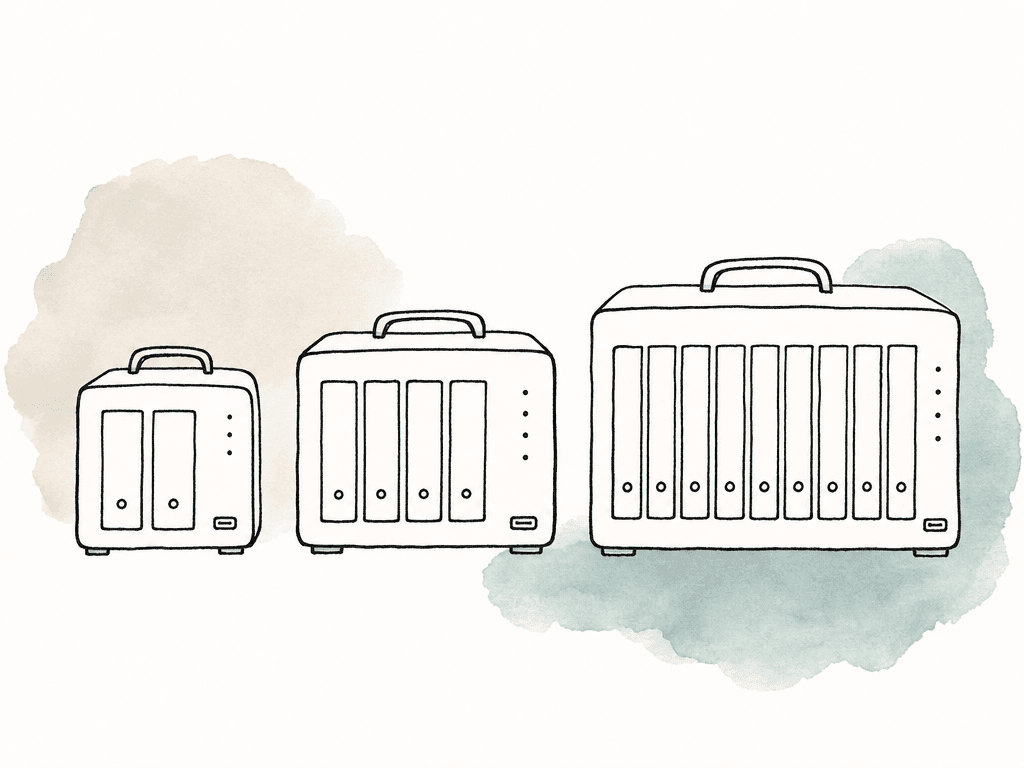
Choose RAID level for failure behavior
RAID level is really a decision about what kind of failure you can tolerate.| RAID level | Minimum drives | Usable capacity | Fault tolerance | Good fit | Main caution |
|---|---|---|---|---|---|
| RAID 0 | 2 | 100% of raw capacity | None | Scratch space or an extra temporary copy when speed matters | Any single drive failure can lose the whole volume |
| RAID 1 | 2 | 50% of raw capacity | 1 drive | Small two-bay shuttle sets and lightweight field mirrors | Capacity is cut in half and write speed is not the main benefit |
| RAID 5 | 3 | Total capacity minus 1 drive | 1 drive | Four-bay portable RAIDs balancing speed, capacity, and redundancy | A degraded array is vulnerable during rebuild, especially with large HDDs |
| RAID 6 | 4 | Total capacity minus 2 drives | 2 drives | Larger hard-drive arrays, especially eight-bay shuttles | Lower usable capacity and potentially slower writes than RAID 5 |
| RAID 10 | 4 | 50% of raw capacity | Usually 1 drive per mirrored pair | SSD arrays, high-performance workflows, and fast rebuild needs | Capacity cost is high compared with RAID 5 or RAID 6 |
| JBOD | 1 | Varies by implementation | Usually none for spanned volumes | Separate disk presentation or specific controlled workflows | Failure behavior depends on the enclosure and layout |
- RAID 0: Maximum speed and capacity, no redundancy. Avoid for primary on-set backup unless it's only an additional temporary copy.
- RAID 1: Two-drive mirror. Simple and resilient against one drive failure, but only half the raw capacity is usable.
- RAID 5: Good capacity efficiency with single-drive fault tolerance. Common default for four-bay and larger shuttle systems.
- RAID 6: Dual-drive fault tolerance. Better for larger arrays, especially eight-bay units, but writes can be slower than RAID 5.
- RAID 10: Fast and resilient, built from mirrored pairs. Good performance, but half the raw capacity is usable.
- JBOD: Separate disks or a concatenated layout, depending on implementation. Useful only when you have a clear reason and understand the failure behavior.
Hardware RAID, software RAID, or NAS RAID
Most production-friendly shuttle units use hardware RAID or enclosure-managed RAID. The host computer sees one volume, while the enclosure handles the drive set. This is usually the right choice for on-set work because it's portable between machines and doesn't depend as heavily on a specific operating system configuration. The advantages are straightforward:- Simple mounting on macOS or Windows after formatting
- Vendor utility for RAID changes, drive status, and firmware updates
- Clearer behavior when the unit is moved between workstations
- Fewer moving parts for the media manager to explain at wrap
Drive selection is about consistency
For hard-drive arrays, use drives that are intended for RAID or NAS workloads, not bargain desktop disks. You want consistent behavior under sustained writes, vibration tolerance, and firmware that doesn't disappear for long error recovery cycles. Capacity-matched drives from the same class simplify setup and replacement.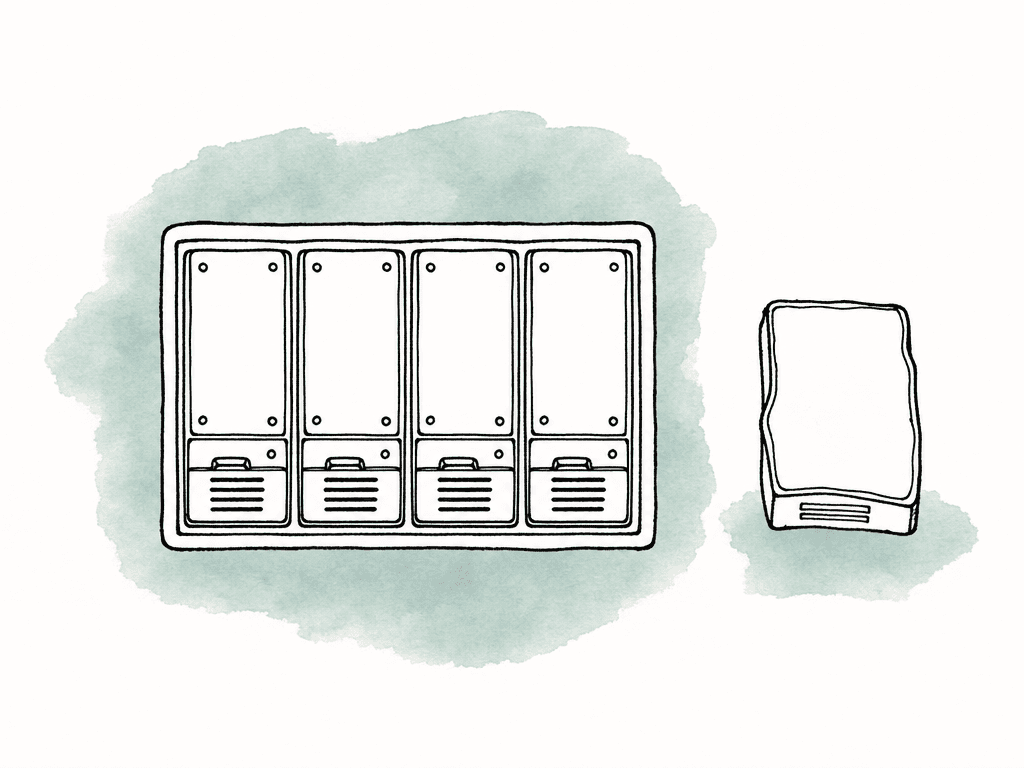
- CMR recording, not SMR, for hard-drive RAID sets
- 7200 RPM where sustained throughput matters
- RAID or NAS-rated firmware
- Adequate workload rating for repeated ingest days
- Matching capacity across bays
- Available spares in the same model family or approved compatibility list
- Clear labeling by bay and serial number
Power is part of the storage system
A portable RAID is only as reliable as the power feeding it. Bus-powered devices are convenient, but spinning disks need stable power, and even 2.5-inch drives can draw enough current to cause trouble when multiple devices share a hub or laptop bus.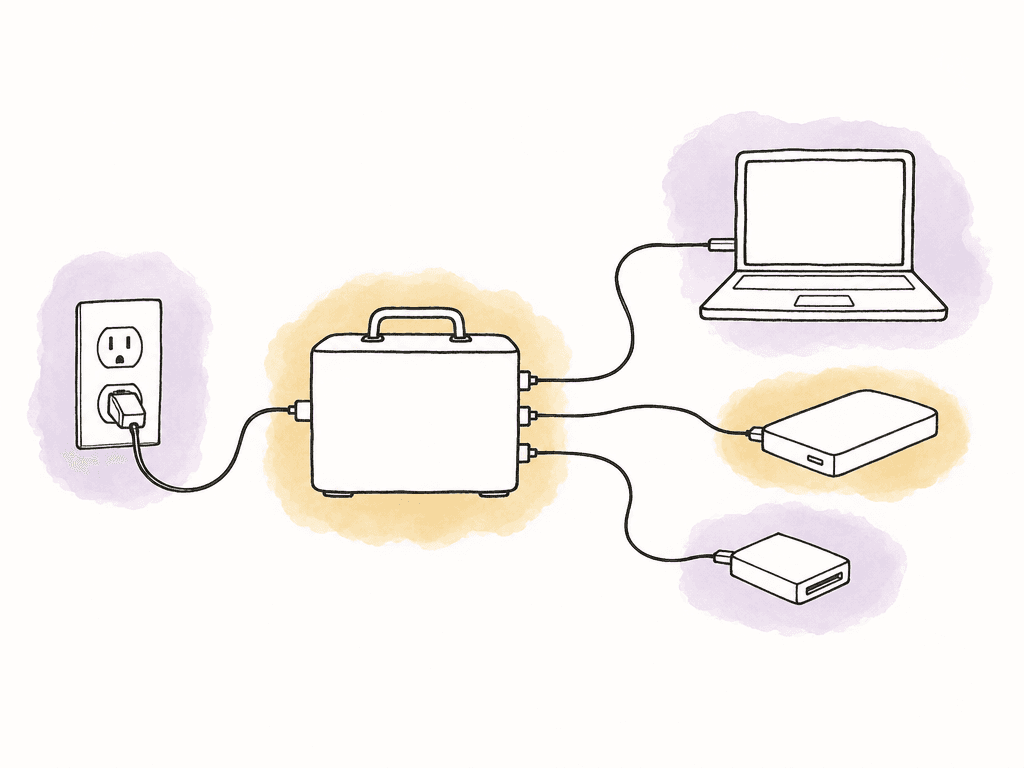
- RAID enclosure wattage under load
- Laptop or workstation power draw
- Camera card readers
- Powered USB or Thunderbolt hubs
- Monitor, router, and network switch if used
- UPS runtime under real load
- Safe shutdown procedure
- Cable routing where crew won't kick it
Ports, cables, and filesystems matter
USB-C is a connector shape, not a performance guarantee. A USB-C cable may support USB 2.0, USB 3.x, USB4, Thunderbolt 3, or Thunderbolt 4 depending on the cable and devices. Test Thunderbolt shuttle RAIDs with known-good Thunderbolt cables, not random charging cables from the pouch. The same goes for host ports because two ports that look identical on a laptop may not share the same capabilities or bus behavior. If the cart relies on simultaneous card reader input and RAID output, test the exact port layout. Some setups perform better when the reader and RAID are on different buses. Others bottleneck through a dock. Your team should decide filesystem choice with post, not guess on set. Common choices include:- APFS for modern macOS-heavy workflows
- HFS+ for older macOS compatibility
- exFAT for cross-platform shuttle use, with fewer professional filesystem features
- NTFS for Windows-first workflows
- SMB shares for NAS-based systems
Heat and movement are normal set conditions
Most portable RAIDs are designed for desks, carts, and transport cases, not direct sun on asphalt next to a generator. Make thermal management part of the build. Hard drives and SSDs both dislike heat, but they fail differently. Hard drives are sensitive to vibration, shock, and sustained high temperature. SSDs can throttle hard when the controller gets hot, turning a fast offload rig into a slow one halfway through the day. Aluminum enclosures help, but only if air can move around them. Use the RAID in open air, not inside a closed foam case while powered, and don't stack drives tightly because it looks tidy. Keep vents clear, and keep the unit out of direct sun and away from heaters, rain covers with no airflow, dusty ground, and generator exhaust. If the chassis has fans, listen for changes. A fan clogged with dust or fabric can turn a safe array into an oven.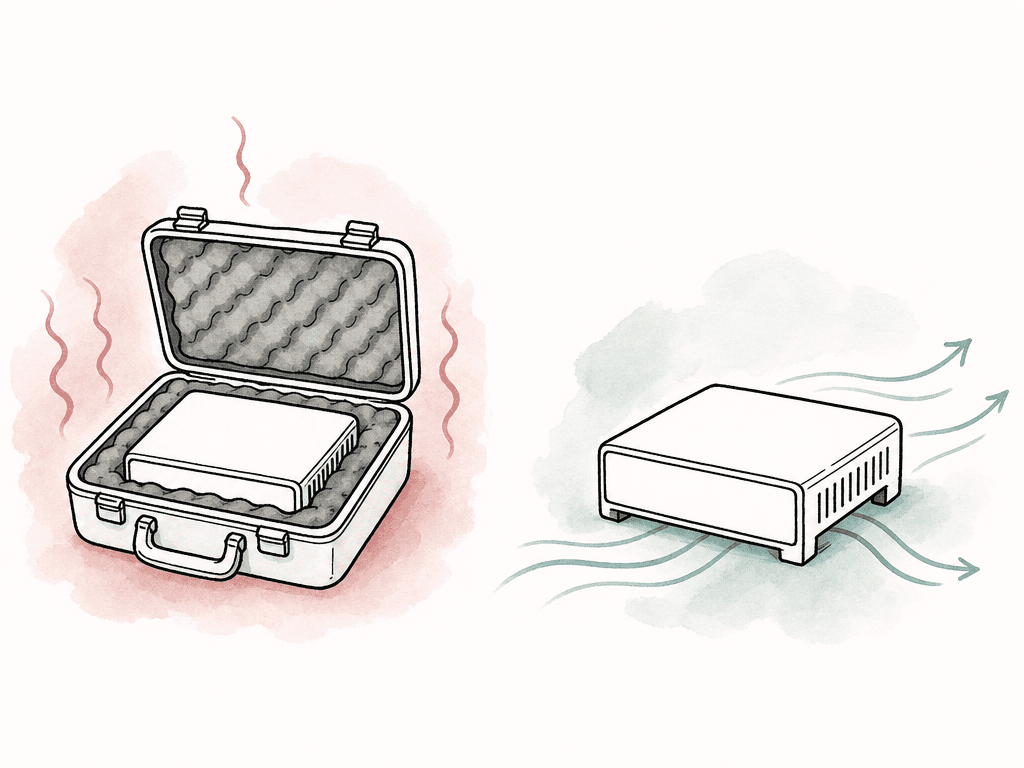
Build the copy workflow around verification
The cleanest RAID build still fails the job if your team formats cards after an unverified drag-and-drop copy. Treat every camera card as being in one of three states: full, copied, or verified. “Copied” means files exist somewhere else. “Verified” means checksum verification confirmed the copy byte for byte. A reliable on-set flow usually looks like this in practice:- Camera department delivers a card, and your team marks it as full
- Offload software copies to the primary RAID and a second destination
- Your team creates and verifies checksums
- Your team saves reports with the day’s media
- Your team releases only verified cards for formatting
- Your team sends one copy off location or starts upload when bandwidth allows
Organize the RAID for post, not just set
Portable RAIDs often become the bridge between production and editorial, so folder structure matters. Use a clear project workspace layout that separates camera originals, sound, reports, LUTs, stills, proxies, and editorial deliverables. Keep each shoot day and camera unit distinct, and avoid dumping everything into one giant “Footage” folder and expecting assistants to untangle it later. A simple structure might include folders for:- Camera originals by shoot day, camera, and card
- Production sound by shoot day and recorder roll
- Offload reports and checksum manifests
- CDL, LUT, and color metadata
- Proxies or dailies exports
- Documentation and camera reports
Common failure modes to design out
Most on-set RAID problems are ordinary problems your team didn't plan for. Watch for these failure modes during the build:- Using RAID 0 as the only fast copy
- Using cheap SMR drives in a write-heavy RAID
- Feeding multiple drives and readers from unpowered hubs
- Connecting Thunderbolt devices with charge-only USB-C cables
- Leaving the RAID management utility off the workstation
- Running the enclosure inside a closed case
- Working without a UPS during unstable power conditions
- Formatting cards after copy but before checksum verification
- Letting one person carry all copies in the same bag
- Starting without a tested plan for a degraded array
A sane build for most productions
For many real productions, a solid portable RAID setup is a four-bay or eight-bay Thunderbolt shuttle, populated with RAID-rated CMR drives or SSDs, configured as RAID 5 for four bays or RAID 6 for larger hard-drive arrays. It runs on stable AC power with UPS protection, connects with known-good cables, and is monitored through the vendor utility. It receives verified camera offloads through dedicated copy software, while a second drive, LTO target, NAS, or cloud transfer creates another independent copy. Smaller productions can scale this down to a rugged two-bay mirror plus shuttle drives. Larger productions can scale it up to multiple RAIDs, NAS storage, LTO, and cloud delivery. The logic stays the same: fast enough to keep up, redundant enough to survive a device failure, organized enough for editorial, and never treated as the only copy of the footage.FAQ
No. RAID protects against certain drive failures, but it isn't a complete backup strategy. A RAID 5 or RAID 6 array may keep working after one or more drive failures, but it won't protect footage from accidental deletion, theft, enclosure damage, corruption, bad power, or formatting the wrong card. Treat the portable RAID as one copy in a larger workflow that includes at least one additional verified copy, ideally with one copy stored offsite or geographically separate.
For most four-bay portable RAIDs, RAID 5 is a practical default because it balances usable capacity, speed, and single-drive fault tolerance. For larger eight-bay hard-drive arrays, RAID 6 is often worth considering because it can tolerate two drive failures, which is useful when rebuilds take a long time. RAID 10 is strong for performance and redundancy, especially with SSDs, but it uses only half of the raw capacity. RAID 0 shouldn't be used as the only on-set backup target because a single drive failure can take down the whole volume.
Hard drives are still cost-effective for large-capacity camera-original storage, especially when a production generates many terabytes per day. Use RAID-rated or NAS-rated CMR drives rather than SMR desktop drives. SSDs are better for speed, travel, silence, and resistance to movement, but they cost more per terabyte and can throttle if the enclosure gets hot. Many productions use hard-drive RAIDs for high-capacity verified storage and SSDs for working media, dailies, proxies, or fast editorial handoff.
A UPS is strongly recommended for AC-powered RAIDs, especially on carts using generators, temporary power, or busy locations where cables may be bumped. The UPS doesn't need to power the entire set. It should give the workstation and RAID enough time to finish or pause transfers and shut down cleanly. Sudden power loss during a copy, verification pass, or RAID write can create corruption risks and may force time-consuming troubleshooting.
Choose the filesystem based on the systems that will actually mount the RAID in post. APFS is common for modern macOS workflows, HFS+ may be needed for older Mac compatibility, NTFS fits Windows-first environments, and exFAT can work for cross-platform shuttles but has fewer professional filesystem features. If the RAID is a NAS, access may happen through SMB shares instead. The key is to confirm the requirement with post before formatting, not after the first shoot day.
Keep the RAID organized by shoot day, camera, reports, sound, and deliverables, then share only the folders or collections each person needs. Aspect supports view, download, comment, and edit controls for granular sharing permissions.


