A003_C014_0812G7.mov, and where is it?”
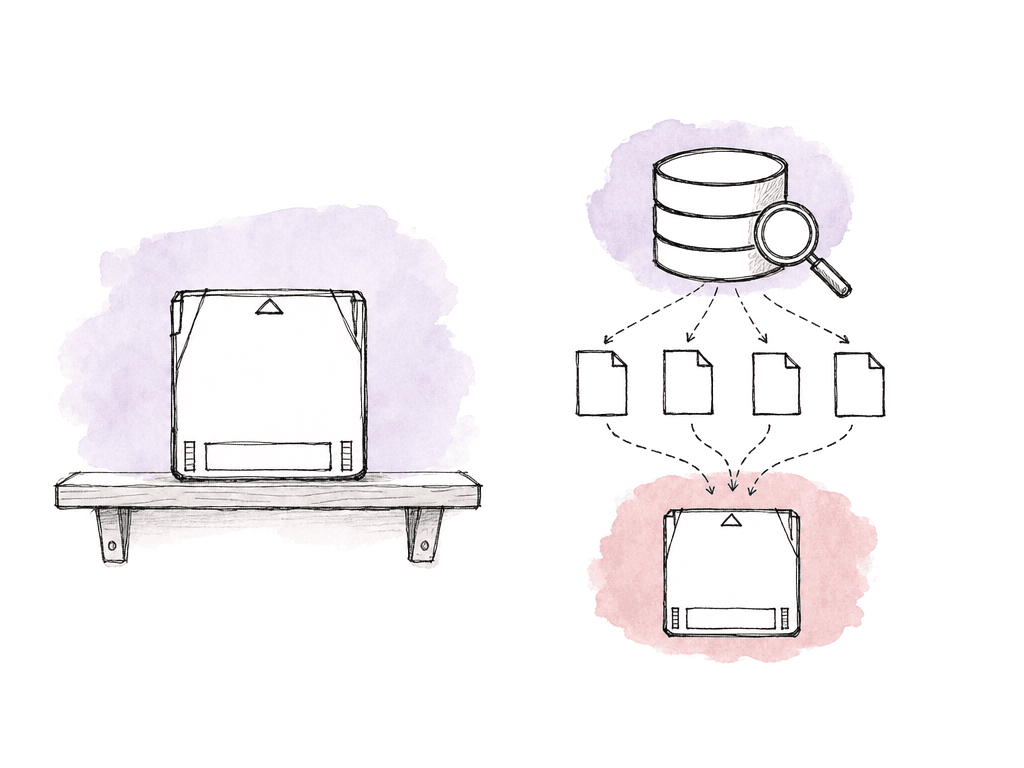
The pattern that answers that without buying a full archive platform has three parts. Use LTFS as the tape format. Capture the tape index every time you write or eject. Ingest that index into a small database that lives off-tape. Everything after that is implementation detail.
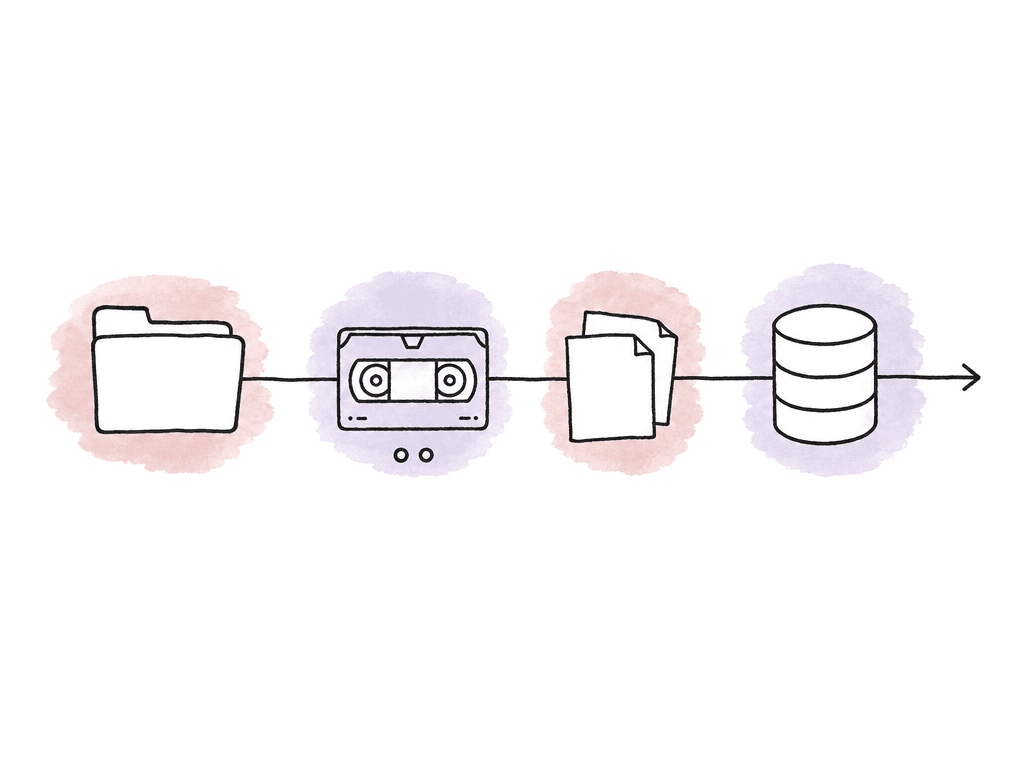
Build the catalog as part of the write. If it depends on somebody remembering to scan a tape after the rush, it will drift. The automation should be dull and fixed: write, verify, export index, ingest index, search.
The basic architecture
A practical open-source LTO catalog workflow has four layers:- LTFS formatting and mounting for the tape filesystem
- A write tool or script that copies media and verifies it
- An exported tape index, usually XML, JSON, CSV, MHL, or a filesystem scan
- A searchable database that stores tape IDs, paths, sizes, hashes, dates, and project metadata
Pick the right tool level
There are several open-source or open-ish approaches, and they fit different teams.| Tool level | Good fit | Catalog behavior to rely on | Caveats |
|---|---|---|---|
| Standard LTFS tools | Teams that want a transparent, scriptable base for formatting, mounting, copying, and ejecting tapes | LTFS exposes the tape as a filesystem, then your scripts export or scan the index for ingest | LTFS alone is not a searchable offline catalog, so you must build verification, index export, and database ingest |
| LTOpers | Post teams that want LTFS-specific helpers without buying a full archive platform | Can export an XML schema on eject and update the schema when a tape is amended | Put the index directory somewhere backed up and shared, not in one user profile |
| ltfs-tools | Python-friendly archive stations that want hashing, MHL output, index backup, and offline catalog experiments | Can combine transfer verification, manifests, LTFS index backup, and catalog functions | Test carefully before production use, especially with camera originals |
| TapeHoard | Mixed offline archives with LTO, shuttle drives, USB disks, and S3-compatible storage | Index-first search across multiple offline storage types | Useful as a broad catalog, but not a replacement for a controlled LTFS write and verify workflow |
| Bareos, Bacula, or Proxmox Backup Server | Tape libraries, autochangers, and backup-style restore operations | Tracks volumes, slots, inventories, and restore catalogs | Strong for backup operations, but not designed around post-production asset metadata |
mkltfs and ltfs commands. This is the right base when you want scripts you can understand and rebuild.
For media-archive-specific helpers, look at LTOpers. It ships commands for formatting, mounting, and writing, plus schema ingestion and LTO metadata search. The useful part is what happens on eject: it can export the tape’s LTFS index as an XML .schema file to a configured index directory. If a schema file already exists for that tape, LTOpers updates it with the new data. That is exactly the behavior you want for amended tapes.
ltfs-tools is a newer Python toolkit aimed at cross-platform LTFS archive workflows. It covers source hashing, transfer verification, and MHL output, plus automatic LTFS index backup and an offline catalog system. It also describes a CatalogFS style approach, where catalogs can be mounted as a virtual filesystem. Treat this kind of project carefully in production. Some open-source LTO tools are experimental and say so plainly, so test them on non-critical tapes before trusting them with camera originals.
For a broader offline-media index, TapeHoard takes an index-first approach across offline HDDs, USB drives, and S3-compatible storage as well as LTO. That helps when your archive is mixed, which is normal in real post houses. Not everything old is on LTO. Some shows are on shuttle drives, some on nearline NAS, some on cloud cold storage. The catalog still has to find the shot.
For an actual tape library and backup-suite behavior, Bareos, Bacula, or Proxmox Backup Server may make sense. These are backup systems rather than post-production archive tools in the Canister or YoYotta sense. What they do understand is tape inventory: volumes and slots, tape catalogs and restores. Bareos, for example, needs volumes in its catalog and slot information for autochangers. Proxmox separates known tapes from media catalog content and uses the catalog to locate restore data. That model is useful even if you build something smaller.
What to capture at write time
At minimum, capture enough data to find and trust the file later. A catalog that only stores filenames will fail the first time two cameras use the same clip name. For each file you write to tape, store these fields:- Tape ID or barcode
- LTFS volume UUID, if available
- Project or production code
- Archive job ID
- Full path on tape
- Original source path
- Filename
- File size
- Modified time from source
- Write date
- Checksum, ideally from the verified source copy
- Checksum algorithm
- Archivist or workstation
- Tape generation, such as LTO-7, LTO-8, or LTO-9
- Notes for spanning, excludes, or partial writes
- Show code, episode, and shoot date
- Camera, card, and roll
- Scene, vendor, and asset type
A_CAM or B_CAM, roll IDs, and codec markers make both the filesystem and the catalog more searchable.
Don't rename camera originals to make the catalog nicer. Preserve the original folder structure and names, then add metadata beside them in the database.
A simple open-source implementation
You can build a small but reliable setup from LTFS and Python, with SQLite or PostgreSQL behind it. The ingest script either runs on a schedule or fires on an event. The write station needs a predictable directory layout:/archive_station/
incoming/
manifests/
tape_indexes/
logs/
mhl/
catalog.db
mount LTFS tape
read tape identity
copy selected source folders
generate or import checksums
verify written files
export LTFS index
write MHL or manifest
ingest index into database
unmount or eject tape
/tape_catalog/indexes/LTO123.schema
/tape_catalog/indexes/LTO124.schema
/tape_catalog/manifests/LTO123_2026-08-01.mhl
/tape_catalog/logs/LTO123_2026-08-01_write.log
CREATE TABLE tapes (
  id INTEGER PRIMARY KEY,
  tape_label TEXT UNIQUE NOT NULL,
  barcode TEXT,
  volume_uuid TEXT,
  generation TEXT,
  status TEXT,
  first_seen_at TEXT,
  last_indexed_at TEXT,
  location TEXT
);

CREATE TABLE files (
  id INTEGER PRIMARY KEY,
  tape_label TEXT NOT NULL,
  path TEXT NOT NULL,
  filename TEXT NOT NULL,
  size_bytes INTEGER,
  modified_at TEXT,
  checksum TEXT,
  checksum_algorithm TEXT,
  project_code TEXT,
  archive_job_id TEXT,
  indexed_at TEXT,
  deleted_from_latest_index INTEGER DEFAULT 0
);

CREATE INDEX idx_files_filename ON files(filename);
CREATE INDEX idx_files_path ON files(path);
CREATE INDEX idx_files_checksum ON files(checksum);
CREATE INDEX idx_files_project ON files(project_code);
CREATE INDEX idx_files_tape ON files(tape_label);
Handling amended tapes
LTFS makes it possible to add files to a tape later, but your catalog logic has to understand that a tape index changes over time.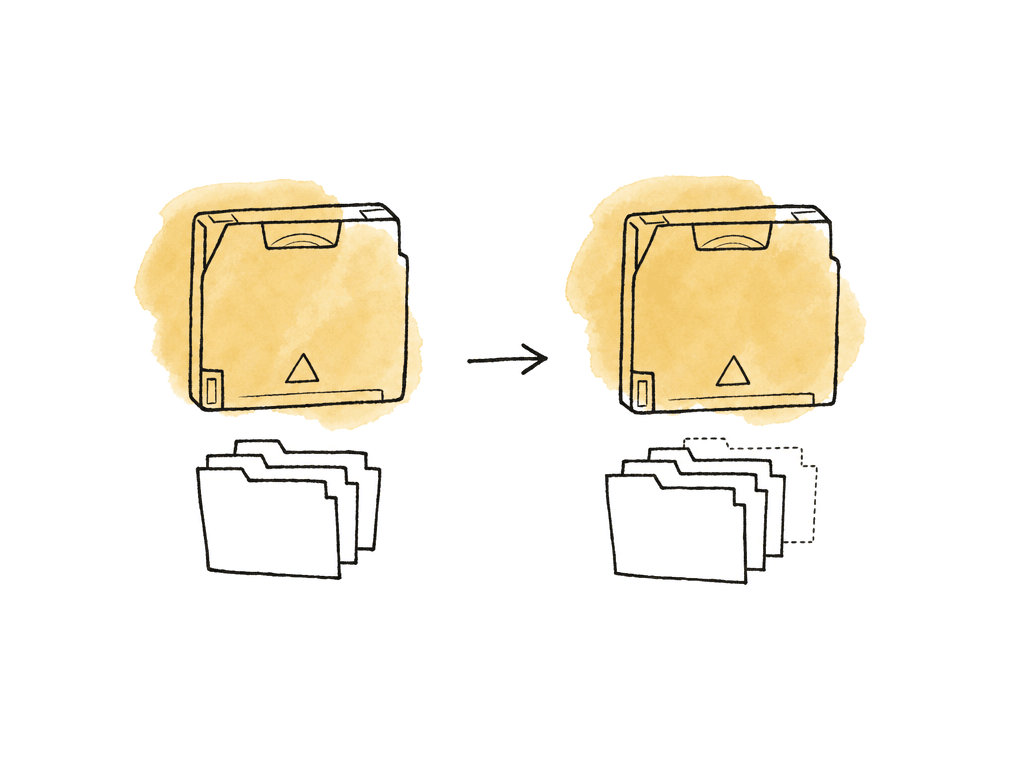
- New files added to the tape
- Files still present and unchanged
- Paths that no longer appear in the latest index
- Files with the same path but different size or checksum
- Metadata changes, such as modified time or LTFS generation
Searching across tapes
Search should match how people ask for media. Editors rarely know the full archive path. They ask for a camera roll, a scene, or a date. Sometimes it is a filename fragment, an audio day, or “the VFX plates from episode 104.” At minimum, support these search patterns:- Exact filename
- Partial filename
- Folder path contains
- Project or show code
- Shoot date or archive date
- Camera, card, or roll ID
- Checksum
- Tape label or barcode
lto-search --filename A003_C014
lto-search --project SHOW104 --camera A_CAM --date 2026-07-18
lto-search --checksum 9f2c...
Found 2 matches

Tape: LTO123
Location: Vault Shelf B4
Path: /SHOW104/OCF/2026-07-18/A_CAM/A003/A003_C014_0812G7.mov
Size: 87.4 GB
Checksum: xxh64:9f2c...
Indexed: 2026-08-01 19:42

Tape: LTO128
Location: Offsite Box 12
Path: /SHOW104/CONFORM_PULLS/A003_C014_0812G7.mov
Size: 87.4 GB
Checksum: xxh64:9f2c...
Indexed: 2026-08-04 10:15
Verification belongs in the same workflow
Cataloging is not verification. A catalog proves that your workflow indexed a path. It proves nothing about whether the file was written correctly unless you store and validate fixity. Generate checksums before or during transfer, verify after the write, and store the result with the catalog record. MD5 is still common in media workflows because many MHL and camera offload tools support it. xxHash64 is much faster and useful for large volumes. Some teams use both: MD5 for interchange compatibility, xxHash64 for speed. MHL output is especially useful in post because it's a familiar sidecar format for media integrity. When your archive tool can emit MHL, keep it beside the tape index and ingest the checksum values into the catalog database. Store failed verification attempts too. If a write job fails halfway through, the catalog shouldn't pretend nothing happened. It should record the archive job with a failed status, plus the log path, tape label, and point of failure. That prevents someone from reusing a questionable tape without context.Common LTFS failure modes that affect catalogs
Tape catalog automation depends on tape operations succeeding: mounts, writes, reads, ejects. LTFS problems create stale catalogs. A few failure modes deserve special handling in scripts and logs:- LTFS changes the tape to read-only because the drive reports too many write errors
- The tape formats successfully but fails to mount
- A tape library slot inventory doesn't match the expected barcode
- The tape was ejected before the index export completed
- The catalog database ingested an older index after a newer one
Library and barcode handling
If you use a single desktop drive, you can type or scan the tape label. If you use an autoloader or tape library, you need to separate physical slot inventory from content catalog. The system should track:- Barcode label on the cartridge
- LTFS volume name or serial
- Library slot
- Drive serial or device path
- Tape status, such as blank, active, full, suspect, retired, or vaulted
- Physical location when outside the library
SHOW_ARCHIVE_01. Use barcode-style labels with unique IDs, and store friendly project names as metadata. Productions wrap, drives get replaced, and shelves get reorganized, but unique tape IDs survive all of that.
Make the catalog rebuildable
Back up the catalog database. Also keep it rebuildable from files stored outside the database. Keep these artifacts for each tape:- The exported LTFS index
- The write manifest or MHL
- The archive job log
- The tape barcode and location record
- A copy of the ingest script version or tool version used
tape_indexes folder, ingest every index, and recreate the searchable catalog. Test that process before you need it. Discovering mid-restore that the only searchable catalog was a laptop database that left with a freelancer is too late.
What to run on a small post team
For a small production company, dailies lab, or editorial department, start with this stack:- LTFS or OpenLTFS for formatting and mounting
- LTOpers or a Python LTFS workflow for writing and index export
- MHL or checksum manifests for fixity
- SQLite for a single archive station, PostgreSQL for shared search
- A simple CLI or internal web page for search
- A backed-up folder of exported tape indexes as the durable record
FAQ
LTFS keeps an index on the tape, but that index is only readable while the tape is mounted. Once the cartridge is on a shelf or in a vault, you need an off-tape catalog. It should store the tape ID, paths, file sizes, and checksums, plus dates and project metadata, so you can find media before loading a cartridge.
SQLite is usually enough for one archive workstation or a small single-operator setup. PostgreSQL is a better choice when multiple users need network access, when you want a web search interface, or when the catalog will grow across many productions and years.
The catalog should ingest a new tape index after every amendment and compare it with the previous known index. A simple setup can replace the current file list for that tape, but a safer setup keeps each index generation, marks which files are present in the latest version, and flags files that disappeared or changed.
Capture what identifies the tape: label or barcode, LTFS volume UUID if available, and tape generation. Capture what identifies the file: full tape path, source path, filename, file size, modified time, checksum, and checksum algorithm. Capture what identifies the job: write date, project code, archive job ID, operator, workstation, and any note about partial writes or spanning. For media workflows, add show, episode, shoot date, camera, roll, card, scene, vendor, and asset type.
The automation shouldn't update the tape’s current catalog as if the job succeeded. It should keep the last known good index and record the failed job with its logs and status. Mark the tape as suspect if the drive reports serious errors such as read-only fallback, label read failures, or repeated write errors.
Keep the LTFS index files and MHLs in your rebuildable archive records, but mirror the human-facing restore context somewhere the team already searches. Aspect can help by attaching tape label, project, episode, roll, restore status, and other fields as custom metadata.