Think in lifecycle stages, not folders
Folders describe organization. Lifecycle stages describe responsibility. A folder namedArchive doesn't mean the asset is preserved. A project folder on a shared volume doesn't mean every clip inside it's safe for edit. A cold object storage bucket doesn't mean legal, rights, or delivery materials are complete. The stage should describe both storage behavior and team behavior.
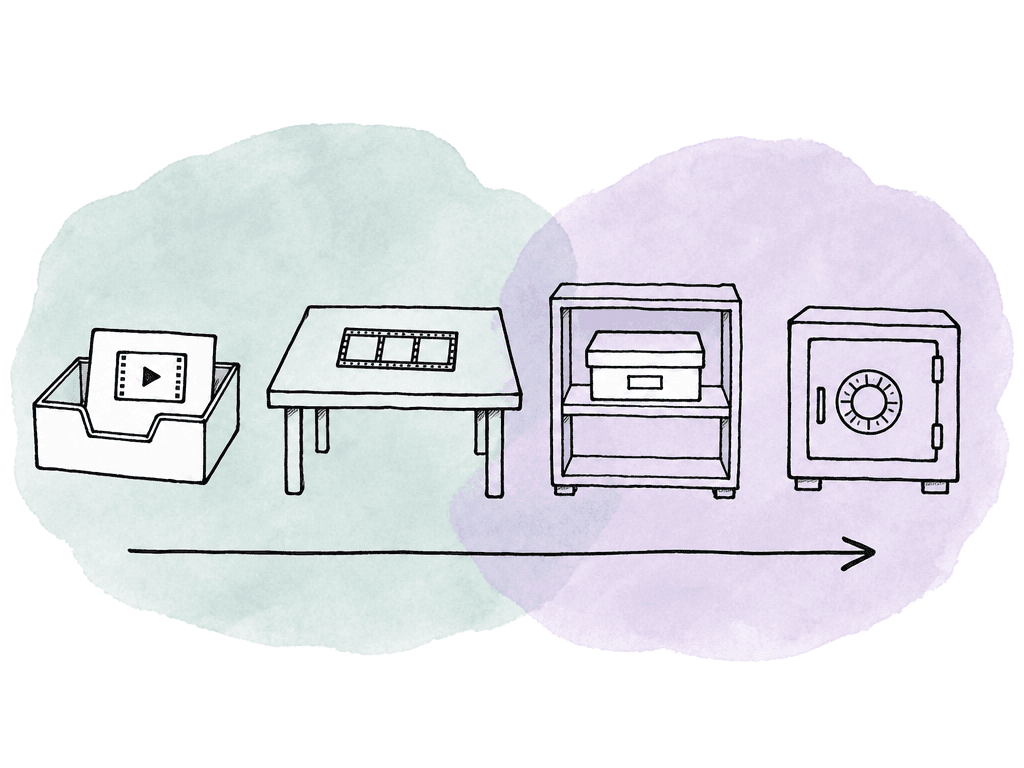
For most production and post teams, four stages are enough:
- Ingest: newly arrived media that your team hasn't yet fully validated, organized, enriched, or released to editorial.
- Active: media currently needed for edit, conform, finishing, review, delivery, or fixes.
- Nearline: media that isn't in daily use but still likely to be restored quickly for revisions, localization, promos, social cutdowns, legal review, or pickup work.
- Archive: media your team preserves for long-term retention, reuse, compliance, or historical value, with slower retrieval expectations and stronger documentation requirements.
Ingest is where the policy starts
Ingest isn't a copy operation. It's the first controlled checkpoint in the lifecycle. At ingest, the team is deciding whether incoming media is trustworthy enough to enter the production system. That means preserving original structure, verifying copies, recording provenance, and separating problems from usable assets. If the ingest stage is sloppy, every later lifecycle action becomes risky because nobody knows what the asset really is or whether your team ever validated it.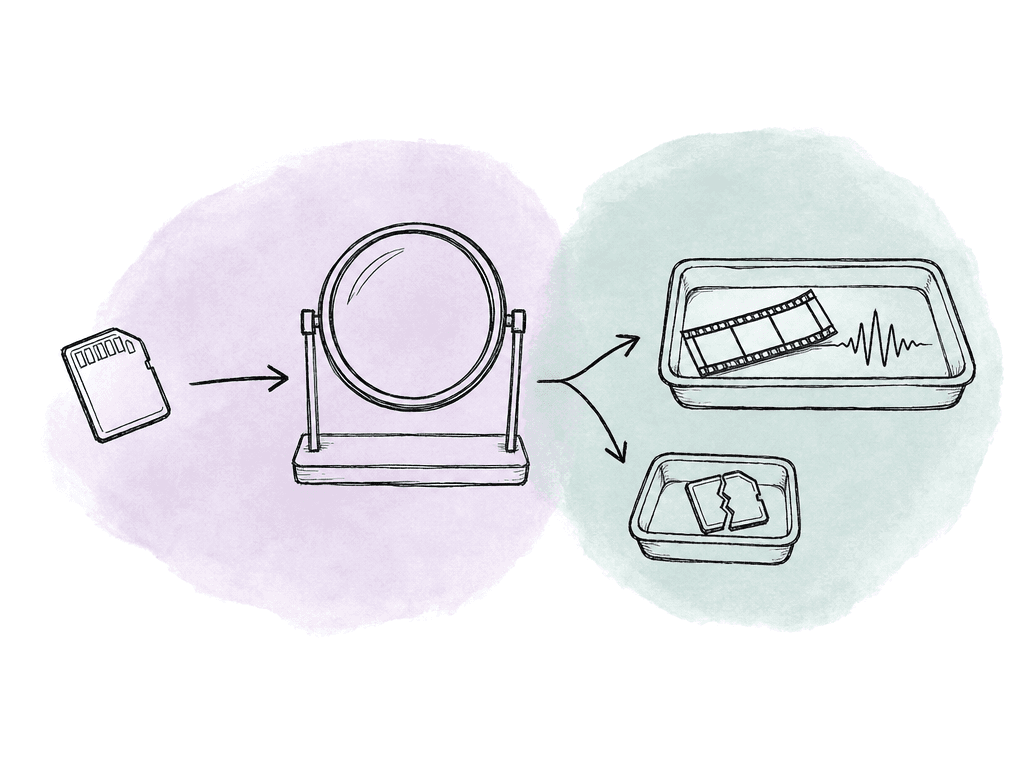
- Source identity: camera card, field drive, upload, feed, vendor delivery, archive restore, or generated asset.
- Copy verification: checksum report, transfer log, or equivalent proof that the destination matches the source.
- Structure rules: whether original camera folder structures must remain read-only and unmodified.
- Basic technical validation: container readability, stream presence, duration, file size, codec, frame rate, audio channels, and obvious corruption checks.
- Metadata captured at arrival: project, shoot date, unit, camera, roll, scene, rights notes, contributor, and owner.
- Error routing: where failed, partial, duplicate, or suspicious assets go instead of silently entering editorial.
Active storage is for work, not comfort
Active storage is the most expensive and most politically difficult tier because everyone wants to keep everything there “just in case.” The policy has to be honest about what active means. An asset belongs in active storage when somebody is using it, about to use it, or responsible for keeping it immediately available for a scheduled task. That could include:- edit media and project files
- current graphics and licensed music
- review exports and color references
- VFX pulls and sound turnovers
- delivery masters in progress
- Daily news, social, and fast-turn promos may only need a short active window after publish.
- Commercials may need a longer window because agency, brand, and legal revisions can arrive after delivery.
- Episodic and feature work often need active access through final delivery plus a buffer for QC fixes, international versions, captions, M&E, and archival deliverables.
- Branded libraries and evergreen content may have no clean end date, so the active definition should depend on current campaign use rather than project closeout.
Nearline is the pressure release valve
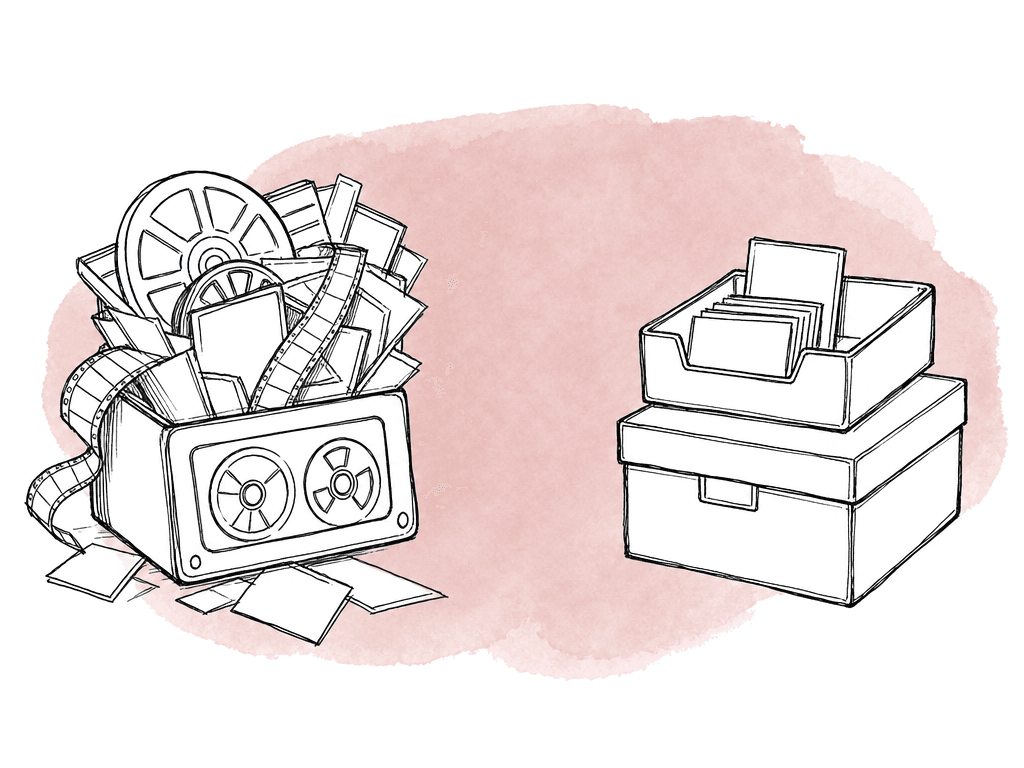
Nearline is where many teams either save money or create chaos. Done well, nearline storage gives editors and producers a way to retrieve recently delivered work without treating every old job as active. It's usually cheaper than active shared storage, faster to restore than deep archive, and suitable for media that may come back for revisions or reuse. Done badly, teams turn nearline into a dumping ground. They move files there with no manifest, no ownership, no retention date, and no way to know whether they're the only copy. Tie nearline policy to restore expectations. If producers expect a project to come back in hours, nearline needs to support that. If a restore can take a day or two, cheaper storage may be fine. Your team should state the retrieval expectation in language production understands, not just storage terminology. Nearline works best for:- Delivered projects still inside a revision or warranty window.
- Recently wrapped seasons, campaigns, or events likely to need promos or compilations.
- High-value b-roll, interviews, plates, selects, graphics, and reusable elements.
- Project files and references that support future conforms or re-exports.
- Assets waiting for archive completion, rights clearance, or retention review.
Archive is a package, not a place
Teams often treat archive as the final move: push the project to cold storage, tape, object archive, or an archive management system and call it done. An archive is only useful if the team can understand and restore it later. The policy should define what belongs in the archive package, what your team can exclude, and what metadata must travel with it.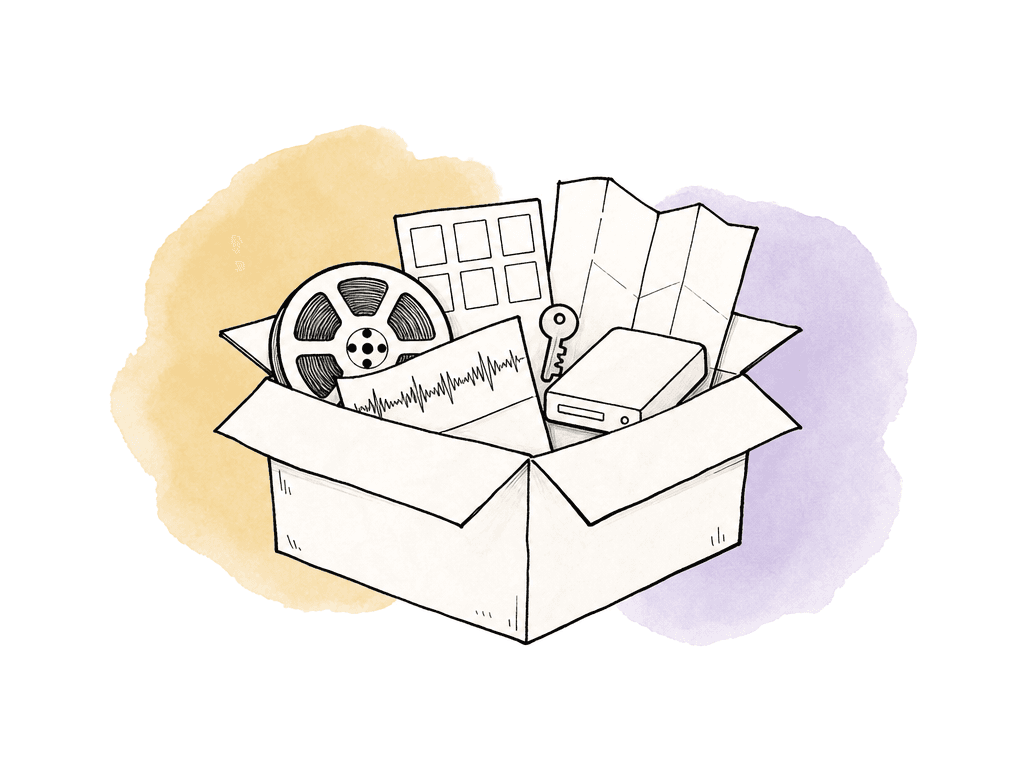
- Camera originals and production sound in original structure.
- Final approved masters and platform-specific deliverables.
- Project files from edit, color, sound, graphics, and finishing systems.
- EDL, XML, AAF, OMF, LUTs, CDLs, fonts, licenses, cue sheets, captions, subtitles, and delivery specs where applicable.
- Final reference exports with burn-ins when useful for reconstruction.
- QC reports, checksum manifests, folder manifests, and restore notes.
- Rights, clearance, release, and usage documentation.
- Archive notes explaining what the job was, what is included, and what was deliberately excluded.
Set retention periods around events
Age-based lifecycle policies are common in storage systems: move objects after 30 days, expire after 180 days, delete after a year. Those rules are useful, but media workflows rarely map cleanly to file age. A file may be created on day one of a shoot and stay active for nine months. A final master may be created near the end of the job but need permanent retention. A proxy may be created after a restore but only needed for a week. If the policy only looks at creation date, it will move or delete the wrong thing. Use event-based retention wherever possible. The lifecycle clock should start from meaningful workflow events such as:- ingest validation and editorial release
- picture lock and final delivery
- client approval and platform acceptance
- campaign end and rights expiration
- archive package completion
| Lifecycle area | Clock starts | Typical duration | Next action |
|---|---|---|---|
| Ingest quarantine | Media arrives or an ingest issue is found | Until validation passes or the ingest owner resolves the issue | Release to active storage or route to error handling |
| Active production | Editorial release or scheduled project work begins | Until final delivery, formal pause, or another defined production milestone | Keep active, pause access, or start the post-delivery buffer |
| Post-delivery active buffer | Final approved delivery, client approval, or platform acceptance | 14, 30, 60, or 90 days based on project type | Move to nearline when the buffer ends |
| Nearline revision window | Active buffer ends or the project wraps | 6 to 24 months based on expected reuse and contractual needs | Archive, renew an exception, or prepare approved deletion |
| Archive retention | Archive package completion | Fixed term, indefinite retention, or until rights, legal, or business rules allow deletion | Preserve, restore when requested, or route deletion for approval |
| Disposable derivatives | Source preservation is confirmed | Short term, based on edit, review, or restore needs | Expire proxies, temp renders, and intermediate transcodes |
- Ingest quarantine: hold until validation passes or the ingest owner resolves the issue.
- Active production: retain until final delivery or formal project pause.
- Post-delivery active buffer: retain on active storage for 14, 30, 60, or 90 days depending on project type.
- Nearline revision window: retain for 6 to 24 months depending on expected reuse and contractual needs.
- Archive retention: retain for a defined term, indefinitely, or until rights, legal, or business rules allow deletion.
- Disposable derivatives: expire proxies, temp renders, and intermediate transcodes after source preservation is confirmed.
Automate movement, keep approvals human where risk is high
Lifecycle automation is worth doing because manual storage cleanup doesn't scale. Modern object storage, MAM systems, archive managers, and workflow tools can move assets between storage classes, trigger proxy generation, apply retention rules, and expire objects after a maximum age. Some systems can apply policies per container, bucket, folder, asset type, or metadata value. Automation is best for repeatable, low-judgment actions: moving validated assets to the right tier, expiring disposable proxies, moving old review exports to cheaper storage, or flagging projects that have reached a retention milestone. Deletion deserves more care. Automatic deletion can be safe for clearly disposable assets, but it's dangerous for originals, masters, project files, and anything tied to legal, rights, or client obligations. For higher-risk deletion, automation should create a review task, not silently remove the asset. A healthy automation pattern is:- Detect: lifecycle rule identifies assets that match a stage, age, status, or metadata condition.
- Notify: owner, post supervisor, or archive manager receives a review request when needed.
- Move: system migrates assets and records the action.
- Verify: checksums, manifests, or storage reports confirm the asset arrived intact.
- Update: metadata changes to show the new tier, restore expectation, retention date, and policy version.
- Report: exceptions, failures, and pending approvals remain visible.
Document the policy where work happens
A lifecycle policy that lives only in a PDF will be ignored. The policy needs a written source of truth, but its rules also need to appear in the tools and handoffs people already use. Document the stages, triggers, retention periods, owners, and exception process in plain language. Then reflect those rules in project templates, ingest presets, MAM metadata fields, storage policies, archive request forms, and delivery wrap procedures. The team documentation should include:- Stage definitions and what storage locations correspond to each stage.
- Required ingest evidence before media becomes active.
- Retention periods by project type and asset type.
- Which assets are permanent, reviewable, disposable, or rights-limited.
- Who can approve migration, deletion, restore, and exceptions.
- Restore expectations for each tier.
- Naming, metadata, and folder rules that affect lifecycle automation.
- What reports or manifests your team must keep with the project.
Handle long-running projects without breaking the system
Every facility has projects that don't fit the normal lifecycle. Documentaries run for years. Reality series keep returning to old scenes. Sports and news libraries feed future packages. Legal matters freeze deletion. Brand campaigns revive footage from two agencies ago. These exceptions are real, but they shouldn't become an excuse to keep everything active forever. Make exceptions visible and renewable. Instead of saying “don't archive this,” require a reason, owner, scope, and review date. The scope is important because a producer may need interviews and selects available, but not every camera card, render cache, and old review export on top-tier storage. For long-running work, split the project into lifecycle groups. Current editorial media can remain active. Older shoot days can move to nearline. Camera originals can be archived once verified and represented by proxies or selects. Research materials may follow different retention rules from licensed music or release forms. This avoids treating a multi-year project as one giant storage exception. Schedule exception reviews around production reality. A quarterly review may work for an ongoing doc. A season wrap review may work for episodic. A campaign renewal date may work for branded content. Record the business reason for each exception so the review doesn't depend on someone remembering it.Common failure modes
Most lifecycle problems are predictable because they usually come from unclear ownership, missing metadata, or automation configured around storage instead of workflow. Watch for these patterns:- Ingest accepts files without validation, then broken media fails later during transcode, conform, or delivery.
- Active storage becomes the default home for everything because nobody trusts archive restores.
- Teams retain proxies, renders, and review exports like source media because nobody defined disposable asset rules.
- Archive packages omit project files, licenses, LUTs, fonts, or delivery specs, making restoration incomplete.
- Lifecycle rules use file age instead of workflow state and move media while the job is still active.
Start small and make the rules enforceable
You don't need to solve the entire archive on day one. Start with one project type that creates recurring pain: commercials after delivery, episodic seasons after wrap, social campaigns after publish, or long-running docs clogging active storage. Define the four stages for that work. Pick retention triggers that match actual production events. Decide which asset types are permanent, which are nearline candidates, and which are disposable. Add the minimum metadata needed to drive those rules. Then automate the low-risk movements and route higher-risk decisions to the right owner. A lifecycle policy succeeds when the team stops asking, “Can we delete this?” and starts asking, “What stage is this asset in, what rule applies, and is there a documented reason to override it?” That shift is where storage management becomes workflow management, and where archives become usable instead of merely full.FAQ
A media lifecycle policy defines how media moves through ingest, active storage, nearline storage, and archive. It states who owns each stage, how long assets stay there, what evidence is required before movement, and when deletion or exception approval is allowed.
The active retention period should be tied to a clear event, such as final client approval, platform acceptance, or network delivery. Some teams keep projects active for 14 to 90 days after approval, depending on revision risk, project type, delivery complexity, and contractual obligations.
Generated proxies, render caches, temporary transcodes, duplicate review exports, and superseded intermediate files can often be deleted after source media, final masters, project files, and reconstruction materials are safely preserved. The policy should define these rules clearly so disposable files aren't treated like camera originals.
Yes, but automation should match the risk level. Low-risk actions like moving validated assets, expiring disposable proxies, or flagging retention milestones are good automation candidates. High-risk actions like deleting originals, masters, legal materials, or project files should usually require human review and recorded approval.
Long-running projects shouldn't be treated as one permanent active-storage exception. Split them into lifecycle groups. Current editorial media may stay active, older shoot days can move to nearline, verified camera originals can be archived, and exceptions should have an owner, reason, scope, and review date.
Treat review exports and approvals as lifecycle evidence, not just temporary communication. The policy should define which review versions are disposable, which approvals trigger the post-delivery retention clock, and where comments or annotations are preserved. Aspect keeps frame-accurate notes, annotations, and versions together inside the review workflow.