Turn the request into a search brief
Before opening the archive, the producer writes down the intended use: a player feature for the club's own social channels, the requested publication dates, the sponsor, the desired format, and the person responsible for confirming permission. If a paid advertising version is also requested, it gets its own usage check. The team shouldn't carry a decision about one distribution context into another without review. The request also specifies what the video needs: a recognizable opening shot of Torres, one playing sequence, a celebration, and a current sponsor end card. Search for each of these separately so it's clear what's still missing. Keep this brief with the request's selects and decision record. The rights lead can then review the actual proposed use, while the editor can see why a technically good shot was excluded.Organize originals around events and sources
If the same people need access to all your season footage, keep game folders, interviews, training footage, and reusable graphics in one season project. Within each game, separate camera originals, the recorded program feed, isolated camera feeds, and production documents. Those sources may show the same play, but they carry different pictures, audio, and provenance. A path such as2025-26/Games/EVT-2026-031/Camera-originals/Card-004 keeps each recording with its event and source card. Preserve camera card structures where the editing workflow requires them; avoid renaming their contents simply to put an athlete's name in every filename.
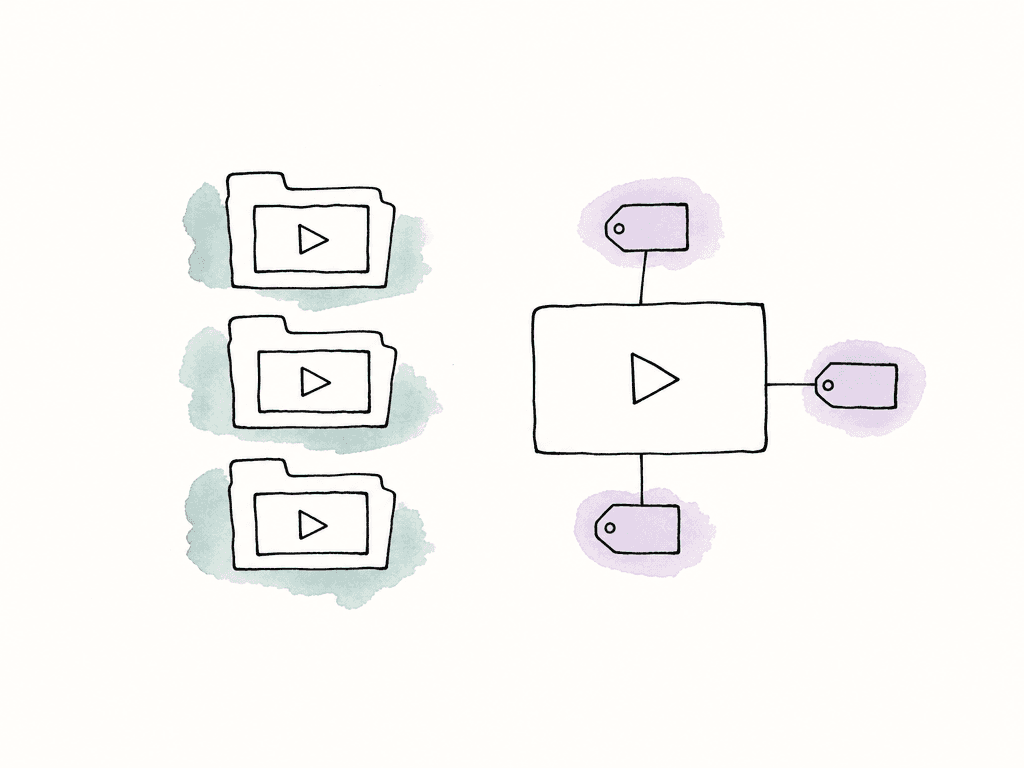
Athletes should usually be metadata values rather than the only folder structure. One clip may contain several athletes, and one athlete may appear across games, interviews, and training. Copying the same clip into a folder for each person creates more copies to track when its description or rights information changes.
Give athletes, games, and sponsors distinct records
Use a stable athlete identifier alongside the display name. For example,ATH-0042 — Maya Torres remains useful when a roster changes or another player has the same name. Keep name variants and the athlete's team and jersey number for the relevant event in a maintained roster reference. Keep the athlete ID even when you record a jersey number, since different players may wear that number across teams and seasons.
Give each event a stable ID too. Record the competition, season, teams, venue, and actual local game date. Keep the time zone when dates may cross midnight in another location. An upload date is useful for tracking ingest, but a file uploaded on Monday may contain Sunday's game.
Create these custom fields for the season library, then adjust the values to match your event records and roster.
| Field | Suggested type | What it records |
|---|---|---|
| Event ID | Text | A stable reference to the game record. |
| Season | Single select | The season used by the production team. |
| Teams | Multi select | The teams participating in the event. |
| Game date | Date | The event date, separate from upload date. |
| Source type | Single select | Camera original, program feed, isolated feed, interview, or graphic. |
| Verified athletes | Multi select | Controlled athlete IDs and names checked by a person. |
| Identity review | Single select | Unchecked, checked, or needs clarification. |
| Rights reference | Text | The reference or location of the governing source record. |
| Visible sponsors | Multi select | Brands actually visible in the material. |
| Sponsor asset status | Single select | Current, retired, or awaiting confirmation. |
Log the game context and the media location separately
During ingest, the assistant checks the source list against the files received and assigns the event and source information. Batch updates work well for information shared by a verified group of files, such as the event ID for one camera card. Athlete labels need a different level of care because every file on the card may show different people. Useful sports moments also need locations within the recording. A log entry such as “fourth quarter, 01:12 remaining” helps a basketball producer understand the play, but it doesn't tell an editor where to find it in a two-hour source file. The clock stops, periods repeat clock values, and a program feed may show replays after the live action. Record the source asset, period, game clock, and playback position or source timecode together. State whether a time is elapsed playback time or embedded source timecode, then verify the source timecode and frame rate when preparing the edit handoff. Mark a replay as a replay, and preserve its connection to the event rather than treating its position later in the recording as a second occurrence of the play.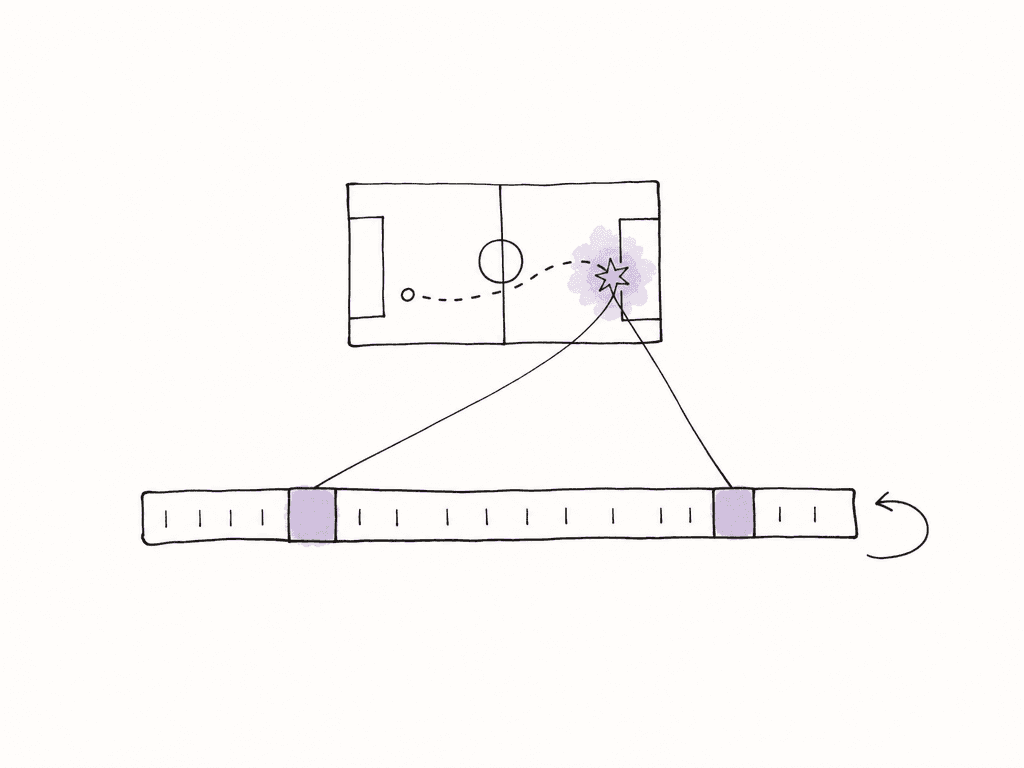
Retrieve the player, the play, and the sponsor material
Find a recognizable athlete shot
The producer opens the relevant season project and starts with the verified athlete field. If the team has configured Torres with reference images, Aspect also supports searching for that person. Aspect search combines people, visual content, spoken words, and metadata, with filters you can adjust as you review the results. Search for “Maya Torres close-up near the bench,” then preview the matches and confirm her identity against the event roster and surrounding footage. If another player blocks her face or the camera is too far away to identify her, check the surrounding sequence or ask someone who knows the game before labeling the shot. Check that the vertical crop keeps Torres's face and the intended action in frame. If it cuts either off, choose another opening shot.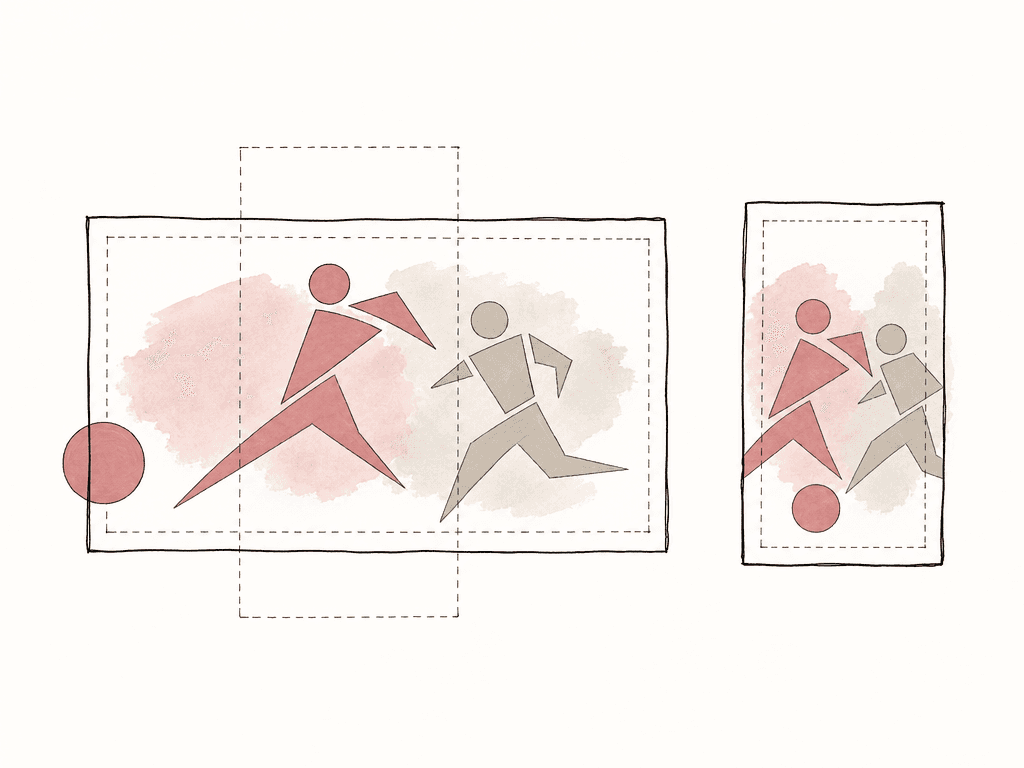
Find the play and its surrounding action
Next, the producer filters to the intended game and tries a visual description such as “players celebrating near the bench.” If the request concerns a particular scoring play, the event log supplies the period and game clock, and the media log supplies the source location. Inspect the surrounding action to confirm what happened before naming the play in the edit. Commentary is another route into the footage. Aspect's time-linked transcripts allow a producer to search a name or phrase and jump to where it was spoken. Listen to the audio and inspect the picture together: a commentator may be discussing Torres while the camera shows the crowd, an opponent, or a replay from earlier in the game. When a search fails, check whether indexing has finished, then loosen one constraint at a time. Search the known game without the person filter or describe the visible action instead of using a tactical term. If the shot still doesn't appear, browse the recording around the time in the game log.Check sponsor material against the proposed use
The producer searches the graphics area for Cedar and filters to current assets, then asks the commercial lead to confirm the end card against the campaign brief. The same person reviews visible branding in the selected footage where it matters to the proposed use. Historical uniforms and signage may be accurate to the event while still needing a decision about their place in the campaign. The rights lead reviews the exact source selections, including whether they came from club cameras or a supplied feed. Any relevant footage, athlete, audio, and distribution permissions are checked against the applicable records. Record their approval with the selected source files and the planned use. Gather the selected files in an internal collection. The collection contains the source recordings, so keep the chosen in and out points and the approval for each range in the selection log.Hand off a selection another editor can use
In your handoff, include the source asset, verified athlete, event, chosen range, and usage decision for each selected moment. Leave enough footage before and after the action for the editor to shape the cut. If a program feed and an isolated camera show the same play, identify the intended source explicitly. On macOS or Windows, the editor can mount the Aspect project and use Open in mount from a search result to locate the original. Open it in the editing application and check the selected range, sound, frame rate, and crop before adding it to the sequence. The producer reviews the title, voiceover, and sequence in the assembled cut to make sure they accurately describe the game. The responsible reviewer then confirms the campaign use and current sponsor graphics. If the team tracks the cut's status in Aspect, comment approval and the asset's custom approval-status field are separate actions. Record the decision on the intended revision and update its status before placing it in the delivery collection. Configure sharing permissions for the recipient, including download access and which metadata and earlier versions are visible.Close the request without losing its context
Keep the delivered version, source selection log, and applicable decision record together so a future producer can understand what was used. Update useful moment descriptions and correct mistaken athlete labels in the source library. When a sponsor asset becomes outdated, mark its status accordingly while preserving the historical record. At season end, review project access and outstanding share links, then remove access that's no longer needed. Keep the original footage available to the team handling future athlete features and sponsor requests. As you complete each request, add missing event references, correct athlete labels, and preserve the selected time ranges with the source files. Assign any unresolved rights question to the person responsible for it. The next producer looking for Torres should be able to use that work rather than repeat the same search and checks.FAQ
Start with an event ID, season, teams, local game date and time zone, source type, original filename, and a reference to the applicable rights record. Add verified athlete IDs, useful moment locations, and sponsor information where relevant. Keep the person who checked an identity or usage decision visible in the associated record so another producer can follow up.
Aspect searches for people using reference images configured by the team. Confirm the athlete against the event roster and surrounding footage before adding a verified label, especially when faces are small or obscured. If you find a clip through commentary, check the picture too: the camera may be showing someone other than the athlete being discussed.
Record the event, period or half, and game clock reading as sporting context. Separately record the source asset and a usable playback location or source timecode. The game clock can stop, restart, and repeat across periods, so it can't uniquely locate a moment in a recording on its own. Verify source timecode and frame rate when handing the selection to an editor.
No. A visible logo describes the image. Permission to use the footage in a sponsor campaign depends on the relevant agreements and the proposed use. Have the responsible rights or commercial lead check the source footage, athlete participation, campaign, channels, territory, and dates as applicable, then record the decision for that request.