Define the master before you build the versions
Build the master timeline to match the highest-priority delivery spec, not whichever camera format was most common on set. For a broadcast job, that might be 1080i 59.94 or 1080p 23.976. For theatrical, it might be a DCI container. For a web-first campaign, it might be a UHD 16:9 progressive master. That decision becomes the anchor for the whole pipeline, and everything else either conforms into that timeline or branches from it.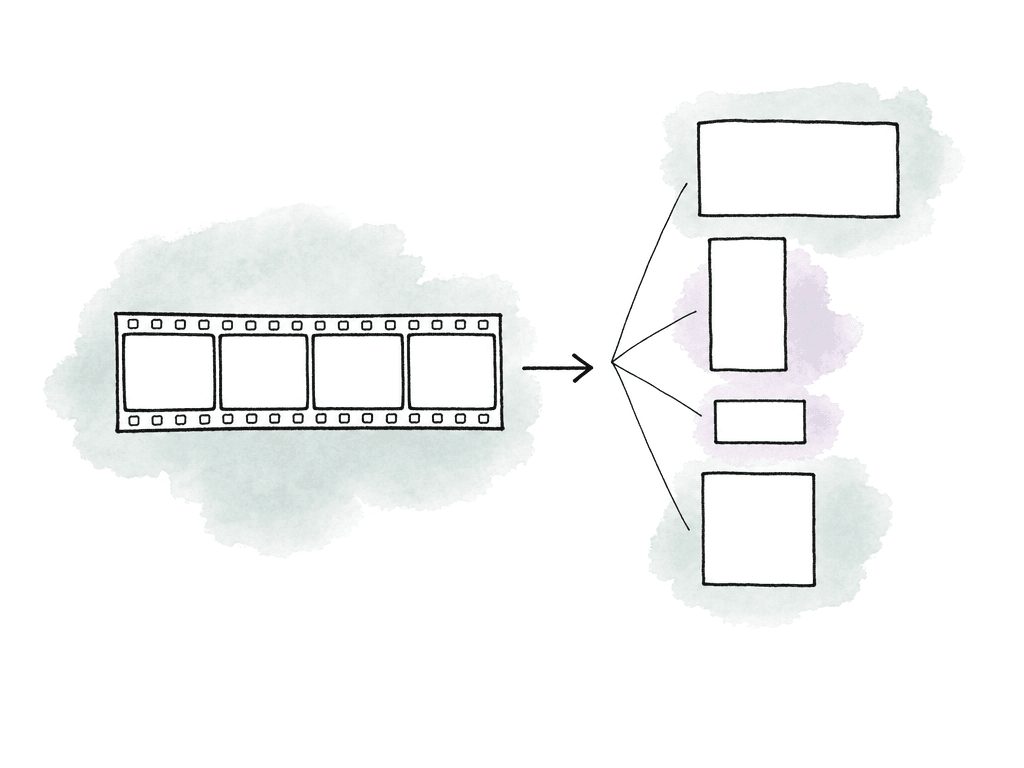
- Raster size, such as 3840x2160, 1920x1080, or 1080x1920
- Aspect ratio, such as 16:9, 1.85, 2.39, 4:5, or 9:16
- Frame rate, such as 23.976, 24, 25, 29.97, or 59.94
- Scan type and field order, especially for broadcast interlaced deliveries
- Color space, gamma, and viewing transform
- Audio layout, loudness target, stems, and language requirements
- Caption, subtitle, and metadata requirements
- File wrapper, codec, bitrate, and naming rules
Separate creative versions from technical outputs
A common mistake is treating every file as a new edit. That makes the project hard to manage because a :30 cutdown, a textless master, and an H.264 review encode all sit next to each other as if they require the same kind of decision-making. It helps to split deliverables into two groups. Creative versions change the content. A :60, :30, and :15 spot are different edits. A clean version with alternate copy is a different edit. A localized version with translated supers may be a different edit if timing or layout changes. Technical outputs preserve the content but change the container, codec, raster, caption format, or platform preset. A ProRes HQ master and an H.264 review file may come from the same locked timeline. Your team shouldn't duplicate editorial decisions for a high-bitrate mezzanine and a compressed upload file. Most real jobs contain both, and the trick is to create derivative timelines only where the content, layout, or timing actually changes. For everything else, use export presets, encoding presets, or transcode jobs. If the 16:9 English master is locked, your 16:9 English ProRes, 16:9 English H.264, and 16:9 English low-res approval file should be technical outputs, while your 9:16 crop, French graphics version, and textless master are more likely to be controlled derivatives because the timeline itself may need different layers, framing, or track visibility.Build the master timeline with versioning in mind
A good master timeline shows, track by track, what each element is for. Organize it so an assistant editor or finisher can tell what belongs to picture, graphics, localization, textless, captions, temp material, and audio without reverse-engineering the editor’s brain.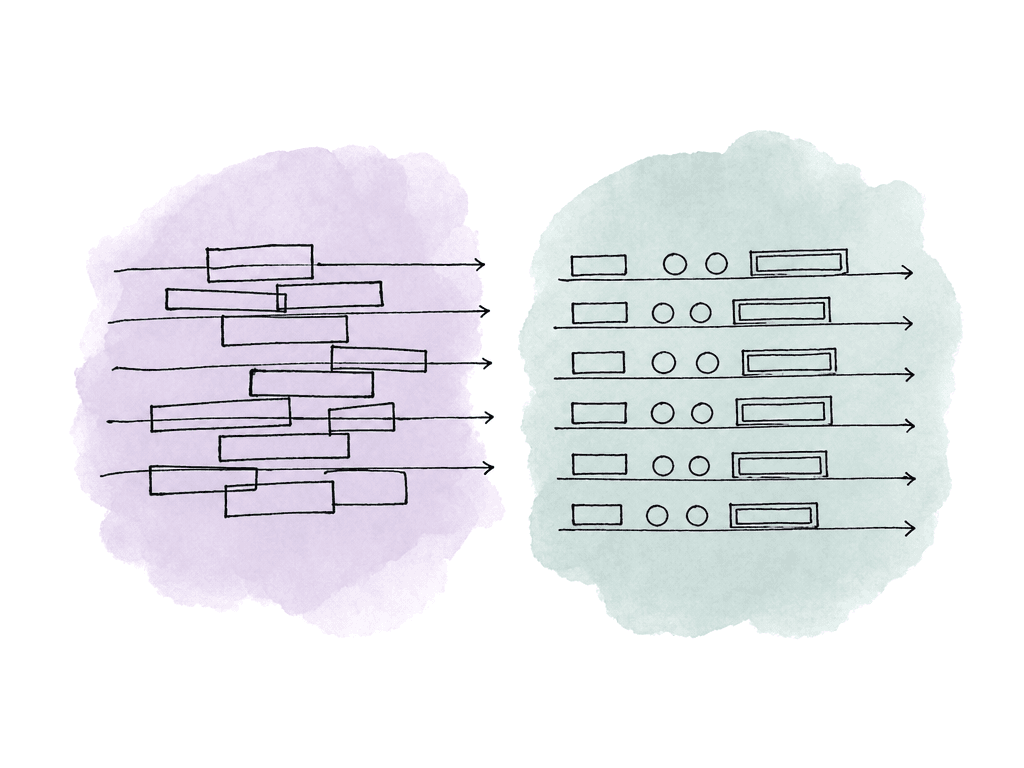
- Base picture and finishing layers live in predictable lower video tracks
- Text and graphic elements that must disappear for textless versions live on dedicated tracks
- Language-specific supers and subtitles live on separate labeled tracks
- Safe-frame or crop guides are reference-only and never part of final output
- Dialogue, music, effects, VO, and language alternates use consistent audio track assignments
- Temp watermarks, slates, burn-ins, and offline references are isolated so they can't accidentally ship
Use derivative timelines for changes that need human judgment
Derivative timelines are useful when a deliverable needs a different composition, duration, language layout, or graphics state, but they're dangerous when they become unmanaged clones. Keep the approved master locked, duplicate it only at controlled milestones, and name each derivative for the deliverable it serves. For example, the 16:9 master can branch into a textless 16:9 version, then separate localized 16:9 versions, then social crops. If a late picture change comes in, apply it to the master first, then propagate it to derivatives using a tracked process. The main derivative categories are familiar, but each has its own risk.| Derivative type | Why it needs a timeline | Typical timeline action | Common failure |
|---|---|---|---|
| Textless | Text or graphics state changes while picture timing stays the same | Hide or replace dedicated text tracks, use clean plates for baked-in graphics | A subtitle, lower third, bug, or VFX text remains in the file |
| Localized | Language, supers, subtitles, VO, or mix versions change | Swap language tracks, adjust translated layouts, connect sidecar or burned-in captions | Correct picture ships with wrong language, wrong mix, or overflowing text |
| Aspect ratio crop | Framing and graphics must fit a different raster | Build at the target raster, reframe shots, reposition graphics, review safe areas | Faces, products, captions, legal text, or end cards are cut off |
| Duration cutdown | Timing, pacing, music, supers, and legal hold times change | Edit a separate cutdown from approved campaign assets | A mechanical trim loses story, required copy, or legal timing |
Keep output presets tied to exact deliverables
Once the timeline structure is under control, use export presets to encode an already-correct timeline into the required technical format. Name a reliable preset for the destination and spec. “Client Review High” is less useful than “Review_1080p_H264_AAC_TimecodeBurn” or “Broadcast_1080i5994_ProResHQ_8ch.” The name should tell the next person what it does without opening the settings panel. Output presets usually need to define:- Format and wrapper, such as MOV, MXF, MP4, WAV, or IMF package
- Codec and profile, such as ProRes, DNxHR, H.264, H.265, or XDCAM
- Resolution and scaling behavior
- Frame rate handling
- Field order, when applicable
- Bitrate or quality target
- Audio channel mapping and loudness expectations
- Caption handling, including embedded, sidecar, or burned-in
- Timecode, slate, bars, tone, countdown, and leader rules where required
Automate the render queue, but don't automate ambiguity
Batch exporting is useful when the deliverables are well-defined. Most major editorial and finishing tools can queue multiple timelines, projects, or output presets. A team might export several timelines from one project, send them to an encoder, or collect them through a render farm. That saves time, especially overnight or during a machine handoff. But render queue automation has a limit: it executes decisions, it doesn't make them. If the timeline is wrong, batch export makes wrong files faster. If the wrong version is active, the queue will happily render it. If an output preset carries an old audio mapping, every file in that batch may fail QC. The more automated the queue, the more important the job naming and source selection become. A simple render queue naming pattern can prevent a lot of pain. Include the fields that make an export traceable:- the project, version, and timeline
- language, aspect, and duration
- spec, date, and revision where relevant
Track versions with a deliverables matrix
You don't need a huge spreadsheet for every small job, but you do need one source of truth that says what must be delivered and whether each item is approved. For a campaign with multiple platforms, languages, aspect ratios, and audio layouts, memory isn't a system. Use a deliverables matrix to capture the differences that affect timeline creation, export, and QC:- Deliverable name and intended destination
- Source timeline or derivative timeline
- Duration and aspect ratio
- Resolution, frame rate, scan type, and codec
- Language, subtitles, captions, and text state
- Audio configuration, including stereo, 5.1, M&E, stems, or mix minus
- Required slates, bars, tone, timecode, or leader
- Review status, approval owner, export date, and file location
QC each deliverable as its own file
The biggest mental shift in multi-deliverable delivery is that your team has to QC every deliverable. The master can pass and a derivative can still fail.
- Burned-in text appearing in a textless master
- Crops that cut off faces, products, captions, or legal text
- Mismatched duration between picture, audio, and caption files
- Wrong audio channel order or accidental downmix
- Frame-rate conversion judder or unexpected field artifacts
Handle late changes without breaking the tree
Late changes are where multi-deliverable workflows usually collapse. A client changes a product claim. Legal updates an end card. A network requests a lower-third fix. Suddenly there are twelve files that might need the same update. Know where each change belongs. If the change affects the base picture or timing, update the master timeline first. Then update any derivative timelines that inherit that section. If the change affects only a localized super, update that language version only. If the change affects only an export setting, update the preset and re-render the affected outputs without touching the edit. This is where clear source timelines and file naming pay off. You can answer: which files came from the old master, which came from the revised master, and which were unaffected? Without that traceability, teams often re-export everything “just to be safe,” which burns time and can introduce new mistakes.The workflow that scales
A scalable delivery pipeline is disciplined because it separates decisions. The master timeline holds the approved creative source. Derivative timelines hold real version differences, like textless, localization, crop, or duration changes. Export presets create technical outputs. The render queue runs known jobs. The deliverables matrix tracks what is owed. QC evaluates each file independently. That structure works whether you're delivering three files or thirty. It keeps the team from treating every export as a one-off emergency, and it gives assistants, finishers, producers, and reviewers a shared way to talk about the work. Duplicate timelines only when the deliverable needs a different timeline. For everything else, encode from the cleanest approved source, name it clearly, and QC the actual file you plan to send.FAQ
No. Create a separate timeline only when the deliverable needs different editorial, layout, language, text state, framing, duration, or audio decisions. If the content is unchanged and only the codec, wrapper, bitrate, raster, or review format changes, use an export or encoding preset from the approved source timeline.
Textless versions should come from a timeline where text, subtitles, lower thirds, legal lines, and language-specific graphics are isolated on clearly labeled tracks or layers. If text is baked into VFX, flattened graphics, or rendered picture, you need clean plates or revised source renders. Don't assume textless is only a matter of disabling one video track.
It can be, but it's risky. Automatic center crops may work for simple talking-head shots, but they often fail when subjects move, products sit off-center, graphics span the frame, or captions and legal text are near the edges. Social and vertical versions should usually be reviewed in timelines built at the target aspect ratio so framing and graphics can be adjusted intentionally.
Either can work. Direct export is simple and reduces handoff steps, while a separate encoder can be better for batching, multiple presets, overnight processing, and generating many technical outputs from the same source. In either case, record which source timeline or mezzanine, preset, audio mapping, captions, and naming convention produced each output.
Because derivative files can fail in ways the master doesn't. A localized version may have the wrong language track, a textless export may still contain a subtitle, a vertical crop may cut off a product, and a broadcast file may have the wrong field order or channel mapping. QC should evaluate the actual exported file against its own delivery spec, not only the original timeline or master approval.
Use a shared project structure where the approved master, derivative timelines, render outputs, QC notes, and delivery matrix all point to the same source of truth. Aspect helps by giving the whole team one shared cloud filespace, so assistants, editors, finishers, and supervisors aren't reconciling local desktop exports after the fact.