- Timeline format, audio layout, and color management
- Codec profile, naming, and languages
- Subtitles and Dolby Vision metadata
- Whether you're making a full package or a supplemental package
How an IMF package is built
An IMF package, often called an IMP, is a folder-based deliverable. The video, audio, and subtitles are separate assets, and so is the metadata. The XML files describe what those assets are and how they play together.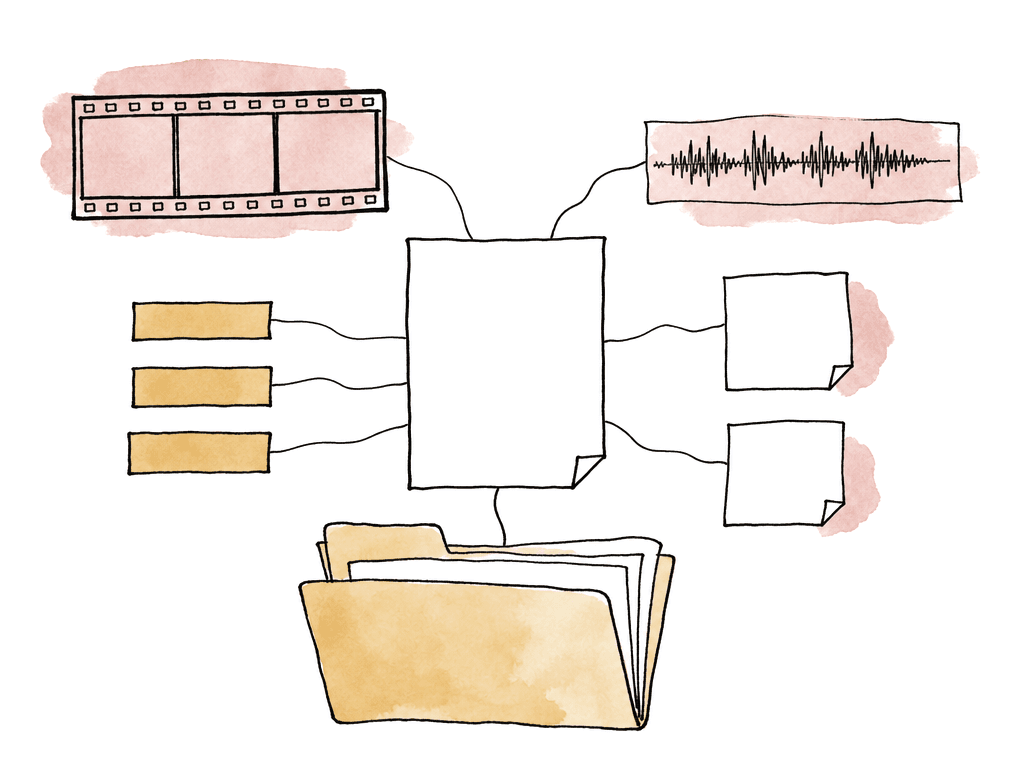
- CPL, or Composition Playlist: the playback recipe for the title, version, reel/segment structure, edit timing, and references to the essence files.
- OPL, or Output Profile List: an optional instruction set for deriving an output from a composition, often used for controlled processing or version output workflows.
- Essence files: MXF-wrapped video, audio, subtitle, or data assets.
- PKL, or Packing List: an inventory of the assets in the package, usually with hashes used during validation.
- Asset Map: a map that tells the receiving system where the assets are inside the package.
Resolve’s IMF export is a mastering workflow
DaVinci Resolve Studio supports native IMF encoding and decoding through the Deliver page. In current Resolve versions, IMF appears as a format option in the Render Settings panel. Blackmagic added native IMF export for SMPTE ST 2067-style tapeless deliverables, and the supported codec documentation lists native IMF/IMP workflows with JPEG2000 and related formats. The important word is Studio. IMF mastering relies on features such as Kakadu JPEG2000 encoding/decoding and native IMF support that are part of Resolve Studio workflows. If you're on the free version, confirm support on the exact system before building your delivery schedule around it. Resolve’s strength here is that it can render the IMF directly from the timeline through its normal image pipeline. You don't need to make a flattened ProRes master first unless your facility workflow requires one for QC, archive, or client approval. Rendering from the approved finishing timeline reduces one generation of risk, but it also means your timeline must be clean enough to serve as the master.Set the project and timeline to the delivery
For IMF, set the timeline to match the required delivery format. Don't rely on a mismatched timeline and hope the Deliver page fixes it. The delivery spec should drive timeline resolution, frame rate, and color space. It should also drive audio configuration, subtitle tracks, and metadata.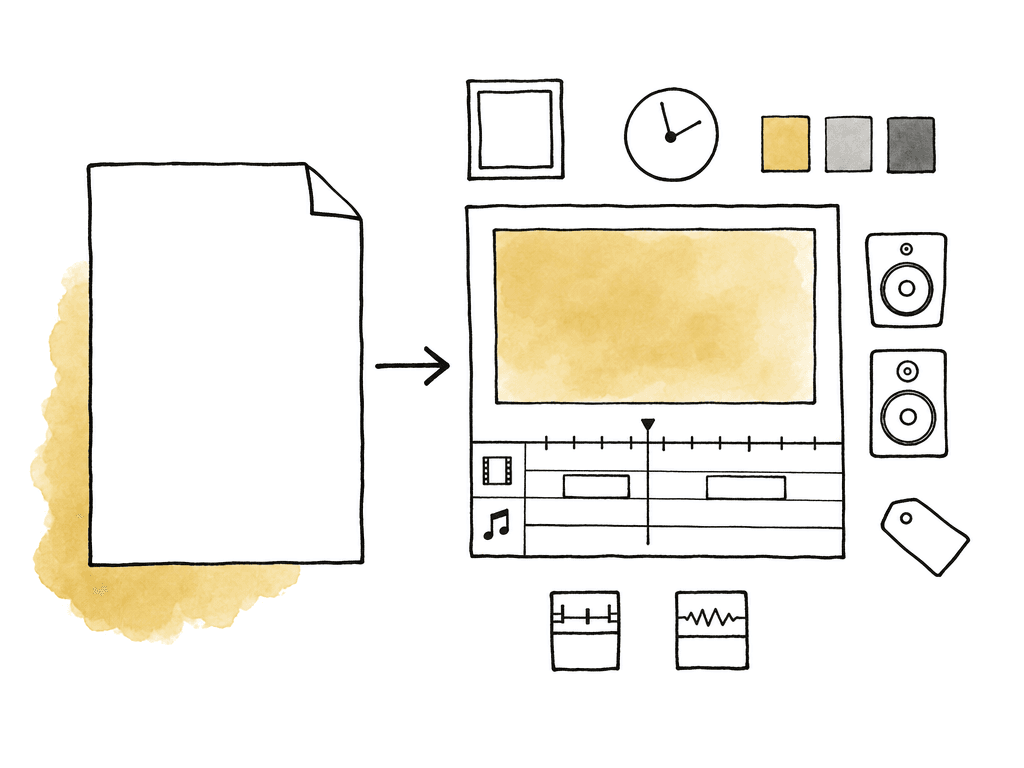
- Timeline resolution, such as 3840 x 2160, 4096 x 2160, or HD if required.
- Timeline frame rate, matching the final master and the studio request.
- Output color space and transfer function, such as Rec.709, P3-D65, Rec.2020, PQ/ST 2084, or HLG depending on the spec.
- Data levels, normally video/legal or full depending on the mastering pipeline and receiving requirement.
- Bit depth and monitoring format, especially for HDR and Dolby Vision work.
- Audio sample rate, usually 48 kHz unless otherwise specified.
- Reel or segment boundaries if the delivery requires segmented IMF output.
- Relink to the final graded media.
- Disable proxy render usage unless it is intentionally required.
- Render a short test section through the same settings.
Build the audio layout around buses
IMF audio isn't just “whatever is on the timeline.” The package needs clearly defined audio essence files and channel assignments. Resolve’s Fairlight bus structure is the safest place to make that explicit. For a simple stereo-only package, this may be straightforward. For a streaming or studio master, you may be dealing with any of these:- 5.1 printmaster
- Stereo Lt/Rt or Lo/Ro
- M&E
- Dialogue/music/effects stems
- Descriptive audio
- Commentary
- Immersive formats
- Main 1: 5.1 full mix
- Main 2: stereo full mix
- Main 3: 5.1 M&E
- Main 4: stereo M&E
- Additional buses for dialogue, music, effects, descriptive audio, or commentary as required

Plan subtitles, captions, and timed text as package assets
IMF can carry subtitle and closed caption tracks as part of the package, but the receiving party decides what formats and languages are acceptable. Some specs want IMSC timed text, while others may ask for sidecar caption files separately from the IMF, depending on territory and platform. Resolve can include subtitle and caption tracks in supported IMF workflows, but the timeline track needs to be prepared as a real deliverable asset. That means no placeholder language names, no editorial-only subtitles, and no timing your team hasn't checked against the final locked picture. The areas that tend to fail are predictable:- Subtitle track language doesn't match the delivery request.
- Caption frame rate or timecode doesn't match the master.
- Text extends beyond safe positioning or violates platform rules.
- Forced narrative subtitles aren't separate from full subtitles when the spec requires separation.
- The IMF package includes a subtitle track that the portal doesn't expect.
Configuring the IMF export in Resolve
On the Deliver page, use a custom render setting or a facility-approved render preset. Resolve 18.6 and later can import and export custom render presets as XML, which is useful if multiple rooms need to produce the same kind of package. A shared preset helps, but it doesn't replace reading the current spec. In the Render Settings panel, the core IMF choices cover these areas:- Format: IMF
- Codec or encoding option: typically JPEG2000/Kakadu-based for many professional IMF deliveries
- IMF application/profile: selected to match the distributor or studio requirement
- Resolution and frame rate: same as the approved timeline and delivery spec
- Composition name and package name: following the required naming convention
- Audio source: selected main buses or timeline tracks, depending on the workflow
- Subtitle/caption inclusion: enabled only for approved tracks
- Segment list: single segment or defined segments/reels if required
- Metadata fields: language, title, issuer, content kind, annotation, and other required identifiers where available
Segmenting the package
Resolve supports rendering IMF projects as a single segment or as separate segments. Segmentation helps when the delivery spec requires reel-like boundaries, or when a system has file size constraints. It also helps when the facility wants easier replacement of sections. Common segmentation reasons include:- Separating program content from logos, slates, or studio assets.
- Matching acts, reels, or predefined segment boundaries.
- Avoiding oversized files on legacy storage or transfer systems.
- Preparing for future replacements without re-encoding the entire program.
Full packages versus supplemental packages
A full IMF package contains the assets needed for a complete composition. A supplemental package contains only changed assets and a new CPL that references both the original package and the new material. This is one of the main reasons IMF is useful for versioning.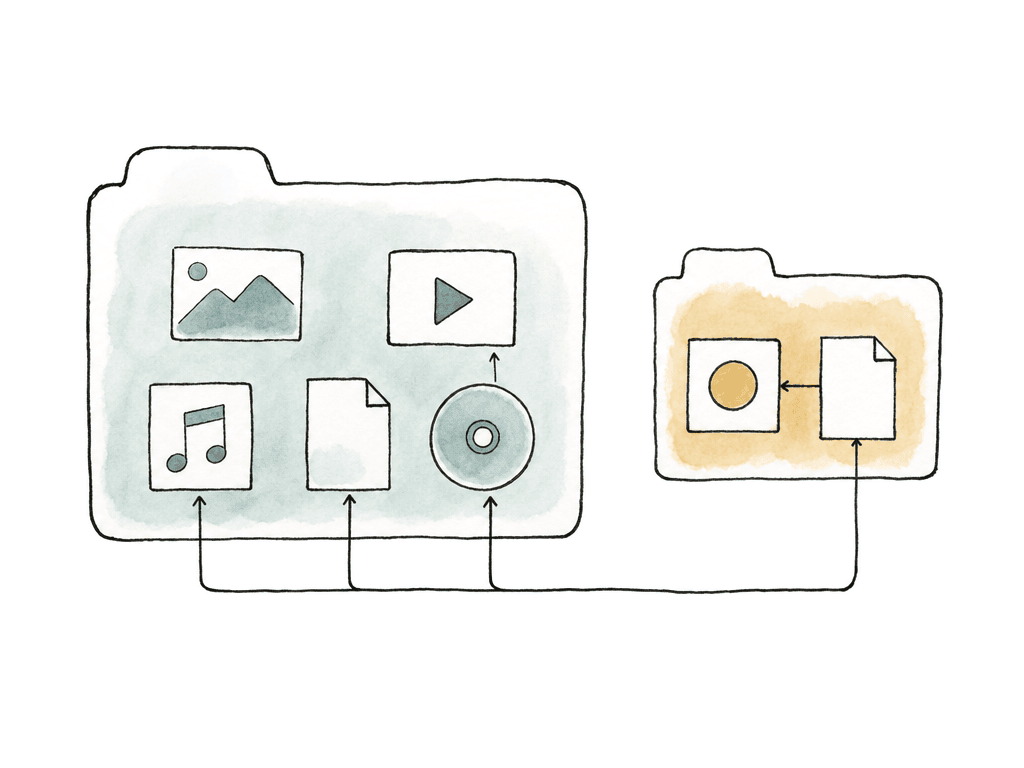
| Package type | Contains | Best used when | Main dependency risk |
|---|---|---|---|
| Full IMF package | A complete CPL plus all required essence and package metadata for the composition | Delivering a new master, first version, archive master, or package to a recipient that does not already have the base IMP | Larger transfer and render, but it is self-contained when all referenced assets are present |
| Supplemental IMF package | A new CPL plus only the changed or added assets | Replacing shots, updating audio, adding subtitles, correcting QC issues, or creating territory versions from an accepted base package | It depends on the original base package remaining available, unchanged, and compatible with the supplemental workflow |
| New full package instead of supplemental | A complete re-export of the updated version | The recipient does not accept supplementals, the base package is unavailable, or tool compatibility is uncertain | More data to transfer, but fewer reconstruction dependencies for the receiving system |
- Replacing a shot after VFX revision.
- Updating a textless/title section for a new territory.
- Swapping an audio mix or language version.
- Correcting a short QC issue without re-delivering the whole feature.
- Adding or replacing subtitle assets.
Validating the package in Resolve
After export, bring the IMF back into Resolve as a package, not as loose MXF files. Importing the package lets you see whether Resolve can read the CPL and assemble the composition correctly. This is a practical first pass, not the final authority. During the review, focus on the places where IMF packages commonly break:- The CPL opens and references all required essence files.
- Runtime and start timecode match the approved master.
- Video plays at the correct resolution, frame rate, and color appearance.
- Audio buses appear in the expected order and channel layout.
- Subtitles and captions appear only where expected.
- Segment boundaries play without glitches.
- HDR or Dolby Vision metadata is present and interpreted as expected.
Validating against Netflix or studio specs
The receiving spec is the final test. Netflix Backlot, for example, runs automated Photon validation after you upload the contents of the IMP. The upload flow checks package components such as the Asset Map, Packing List, and CPL, then asks you to choose the CPL to deliver. If validation finds errors, the portal reports those errors before the delivery proceeds. Studio and distributor validation systems vary, but they usually care about the same categories:- Package completeness: required XML and essence files are present.
- Hash integrity: assets match the Packing List.
- CPL validity: composition references are correct and playable.
- Essence compliance: codec, bit depth, frame rate, resolution, and wrapping match the profile.
- Color metadata: primaries, transfer function, mastering metadata, and HDR signaling match the spec.
- Audio compliance: channel order, loudness, sample rate, language tags, and track labels are correct.
- Timed text compliance: format, language, timing, and required track separation are correct.
- Naming and metadata: title IDs, version labels, issuer fields, territory, and language match the request.
- Run a local validation pass if your facility has a tool for it.
- Confirm the package imports cleanly and the obvious metadata is correct.
- Upload to the receiving portal only after the first two steps pass.
Common failure modes and how to avoid them
Most IMF delivery problems are predictable, which is good news. They come from mismatched assumptions. The failures that show up repeatedly are:- Timeline frame rate differs from the delivery request.
- Audio channel order is wrong, especially for 5.1, 7.1, M&E, or immersive layouts.
- Resolve uses proxies or temporary renders as source media.
- The project is missing Dolby Vision metadata, or the metadata is mismatched or generated from the wrong timeline state.
- Your team creates supplemental packages from an incompatible base package or decoder path.
A handoff model
Plan the IMF requirements before the final day of mastering. Everyone in the chain should know what the final package needs to contain, though they don't all need to understand CPL XML. That includes the DIT, assistant editors, and online editor. It also includes the colorist and sound team, plus the post supervisor and delivery vendor. Your team should preserve the information the IMF needs later, carrying it through offline and conform, then through grade, audio mix, and timed text. For the final handoff, keep these items together with the package:- The exported IMF folder.
- The Resolve project export you used to create it.
- Any facility render preset your team used for the delivery.
- The approved delivery specification.
- QC reports, validation reports, and portal error reports if any.
- Notes on full package versus supplemental package relationship.
- Checksums for transferred folders if your facility requires them.
FAQ
IMF mastering is a DaVinci Resolve Studio workflow. Native IMF export, Kakadu JPEG2000 support, and related mastering features are associated with Resolve Studio. Confirm support on the exact system before scheduling an IMF delivery.
An IMF package is the full folder-based deliverable that contains XML files and essence files. The CPL, or Composition Playlist, is one XML file inside the package that describes how the program should play and which video, audio, subtitle, or data assets are referenced.
Use a supplemental IMF when the recipient already has the original package and only specific assets have changed. Examples are a revised shot, an updated audio mix, or a corrected subtitle file. A territory-specific title section counts too. The supplemental package depends on the original base package, so both must be preserved.
An IMF can fail because validation checks more than picture playback. Common issues are missing referenced assets, hash mismatches, and invalid CPL references. Wrong audio channel order, incorrect language metadata, and unsupported codec settings also fail. So do missing HDR metadata and subtitles that don't match the delivery spec.
You shouldn't rename, move, or edit internal IMF files after export unless the receiving party or a controlled mastering workflow specifically requires it. The XML files reference package assets by identifiers and paths, and the Packing List may include hashes, so manual changes can break validation.
Keep the full package, every supplemental, and the Resolve project export in one controlled project location. Store the specs, QC notes, and validation reports alongside them. Aspect gives the delivery team a shared cloud filespace so post supervisors, editors, and vendors aren't reconciling duplicate folders or wondering which package is current.