

Start with the workflow before the router
Before picking hardware, map the remote collaboration paths that actually affect the day. A post facility usually has several different internet workloads sharing the same uplinks, so they need to be treated differently. Common post-production internet traffic falls into a few buckets:- Large uploads, including camera originals, mezzanine exports, turnovers, VFX pulls, audio turnovers, and review files.
- Large downloads, including media pulls, conform sources, client assets, stock, and graphics packages.
- Interactive sessions such as remote workstation access, NLE streaming, color review, video calls, and producer review rooms.
- Sync and project traffic such as bins, project databases, collaboration metadata, cloud storage indexes, chat, and email.
- VPN and site-to-site traffic for access to NAS, license servers, render nodes, MAM/PAM systems, and facility services.
- Live or near-live streams for remote grading, confidence feeds, edit reviews, event capture, or client monitoring.
The three kinds of redundant internet
People use redundant internet to mean several different things, and in a production environment, mixing them up creates bad expectations. Failover is the simplest model. One internet connection is primary while the second waits. If the primary fails, the router sends new traffic over the backup. This is the right baseline for almost every post facility and home edit setup because it protects the team from being offline, but it may not preserve active sessions. Load balancing spreads traffic across multiple uplinks. Usually, this is per-flow or per-session, not one giant upload magically split across both ISPs. One upload may ride fiber while another rides cable, which helps busy networks and upload-heavy teams by distributing separate sessions. It doesn't make a single TCP session twice as fast unless you're using a bonding layer that both ends understand. Bonding or session-persistent SD-WAN keeps a stable endpoint while using multiple links underneath. To the application, the connection appears to come from the same public IP or tunnel endpoint even if the underlying ISP changes. This is what you want when remote sessions must stay connected through an outage, but it's also more complex, usually more expensive, and depends on a remote concentrator, cloud gateway, or managed service.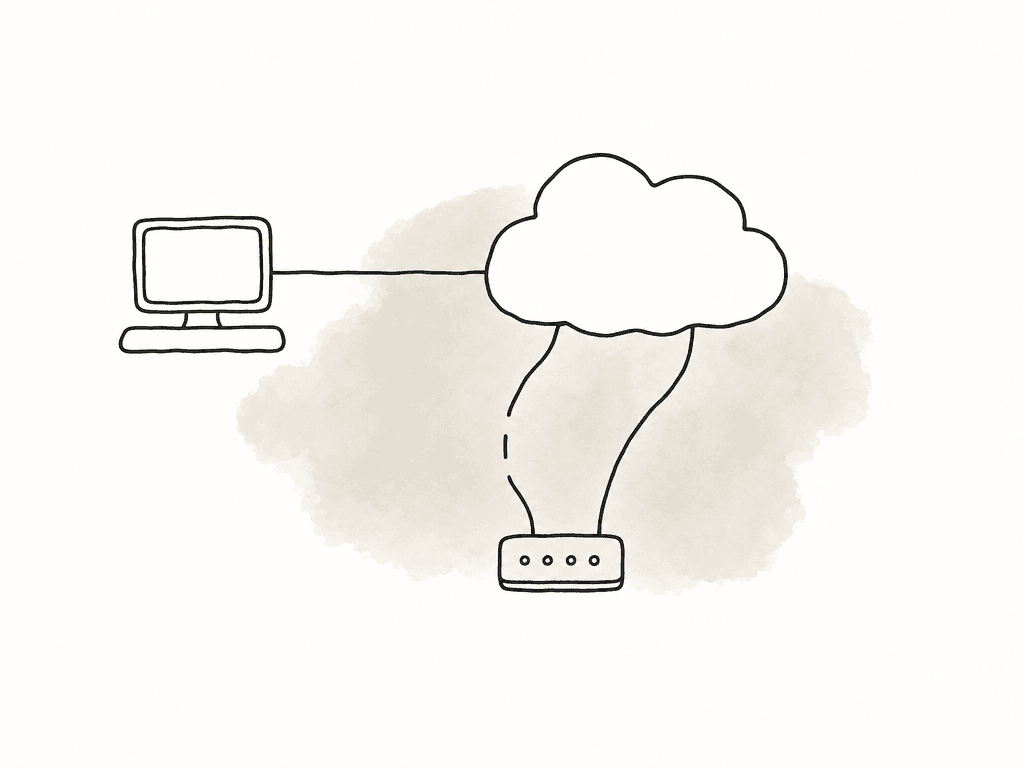
Choose circuits that fail differently
Two lines from the same provider entering the same wall aren't real redundancy because they may still share a pole, conduit, building riser, neighborhood node, upstream router, or maintenance window. You're trying to avoid correlated failure rather than only adding another monthly bill.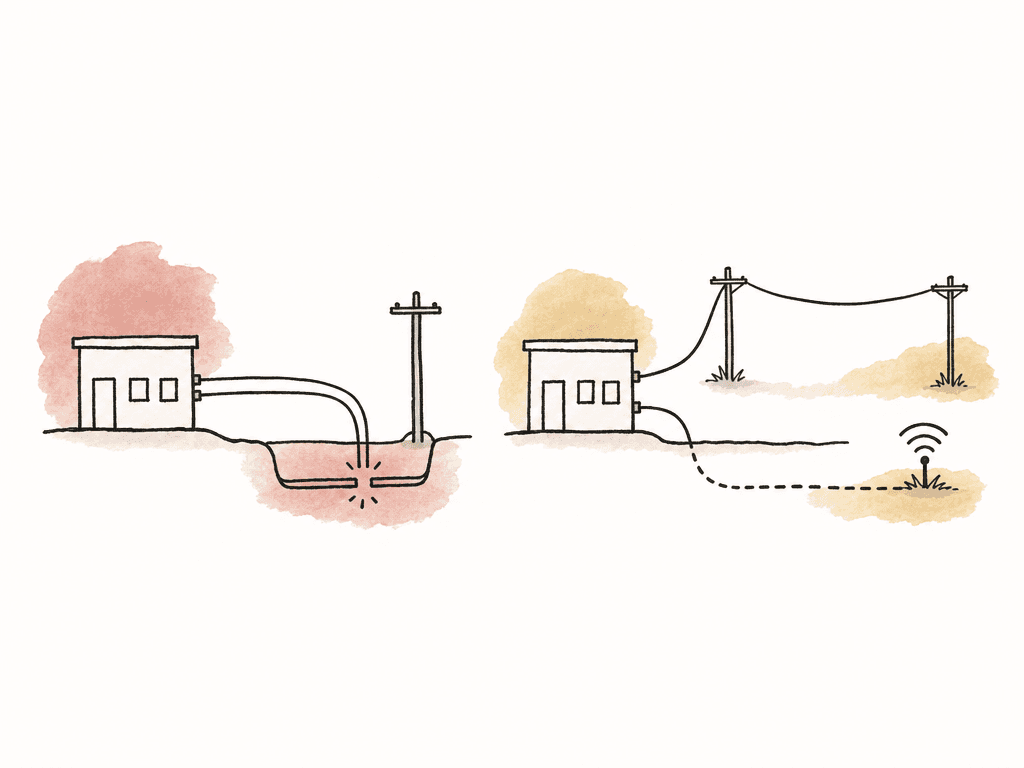
- Business fiber plus cable is a common starting point. It's often affordable and sometimes uses a different last-mile path, but the route still matters.
- Fiber plus fixed wireless can help when construction cuts or building riser issues are the main risk.
- Fiber or cable plus 5G/LTE is useful for emergency backup, but weaker for sustained upload-heavy work.
- Two business fiber circuits from different carriers are appropriate for facilities with constant remote collaboration, especially when physical path diversity can be confirmed.
- Dedicated interconnect plus commodity internet is appropriate when cloud storage, cloud render, or remote workstation infrastructure is mission-critical.
Size the backup for the work that must continue
A common mistake is buying a fast primary and a small backup, then expecting the whole facility to behave normally during an outage. That only works if your router also has rules that shed nonessential traffic. Start by defining what has to keep working when the primary line fails. Be strict because during an outage, the facility doesn't need every background sync, stock download, software update, and phone on Wi-Fi to get equal priority. These are capacity targets for different remote post scenarios:- A home editor or assistant needs enough upload for video calls, remote desktop, project sync, and small review exports. A backup in the 20 to 50 Mbps upload range can be useful if latency is stable.
- A small post office needs enough backup capacity for active calls, remote review, VPN, project metadata, and urgent file transfers. Don't assume all editors can keep uploading masters at once.
- An upload-heavy finishing facility should size backup around committed delivery windows instead of average usage. If a failed primary means you miss network delivery or VFX pulls, buy enough upstream capacity to meet those deadlines during an outage.
- A cloud editing or remote workstation shop needs to treat latency and session continuity as seriously as raw throughput. A lower-bandwidth link with stable latency can be more usable than a faster link with jitter and loss.
- A live review or REMI-style workflow should be designed so no single network path takes the session down. This often pushes you toward redundant ingest endpoints, bonded contribution, or active-active paths.
Configure dual-WAN failover for real outages
A dual-WAN router, firewall, or SD-WAN appliance needs to do three jobs: detect failure, move traffic to a healthy link, and recover without flapping back and forth. The exact UI depends on whether you're using pfSense, OPNsense, OpenWrt, Fortinet, Meraki, Peplink, Ubiquiti, Sophos, or another platform, but the logic is the same. For a basic facility setup, the WAN configuration usually includes:- The preferred circuit on WAN1 and the backup on WAN2.
- Both WAN interfaces monitoring external targets, not just the ISP gateway.
- A failover group with WAN1 as the higher-priority path and WAN2 as the lower-priority path.
- That gateway group used as the default route for normal LAN traffic.
- Alerts when either WAN is down, degraded, or flapping.
- A defined failback behavior, either automatic failback to WAN1 or failback only after the line has been stable for a set period.
Load balancing for upload-heavy teams
Load balancing is tempting because post teams move huge files, but you need to understand what it can and can't do. Most firewall load balancing distributes sessions across WANs. It doesn't split one normal upload across two ISPs. If an assistant uploads one 300 GB ProRes master to a delivery portal, that upload will usually use one WAN. If three assistants upload three files at the same time, the router may place different sessions on different WANs, which improves total facility throughput.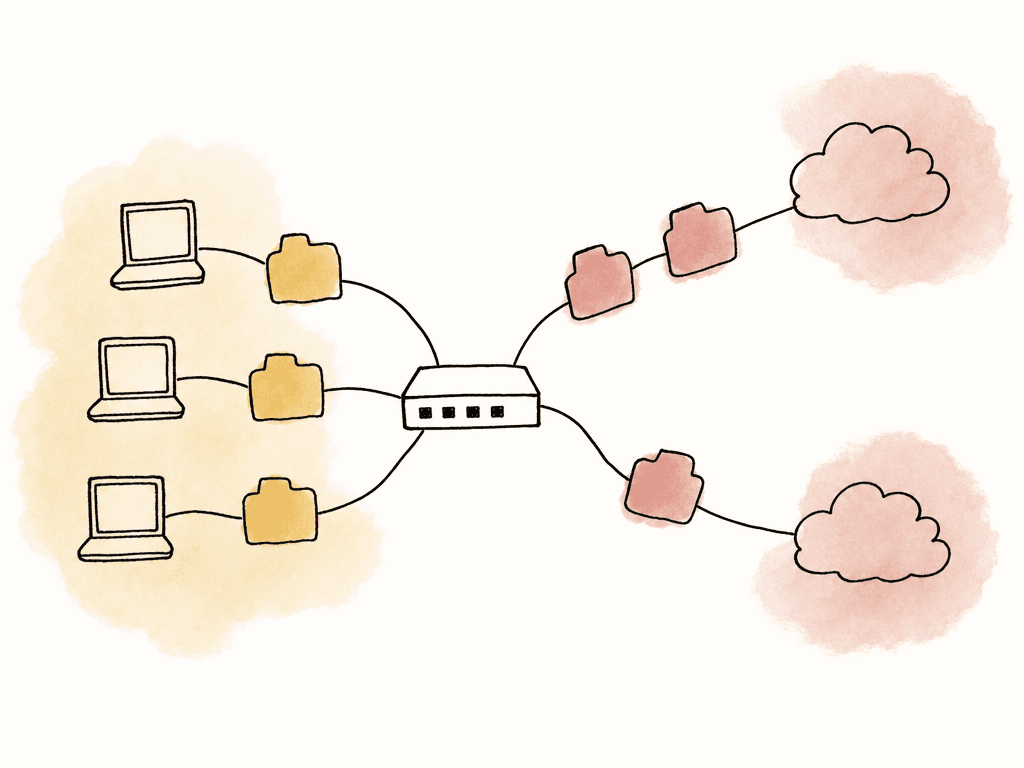
- Multiple simultaneous file transfers from different workstations.
- Proxy uploads happening in parallel with review exports.
- Background cloud sync across many machines.
- Render nodes pulling dependencies while editors continue normal internet work.
- Noncritical downloads that can be spread across the cheaper or less reliable link.
- Editorial workstations use the primary WAN and fail to the secondary.
- Assistant ingest/upload stations are load-balanced across wired WANs, fail to the remaining wired WAN, and use cellular only by exception.
- Remote desktop gateways use the primary WAN or a bonded/SD-WAN path, not casual per-session load balancing.
- Review room systems use the primary WAN with a low-latency preference, with failover allowed.
- Guest Wi-Fi gets the lowest priority and often no cellular failover.
- Software updates and cloud backups are allowed only on the primary WAN or during scheduled windows, and are blocked during failover.
Keeping remote sessions alive during an outage
Normal dual-WAN failover usually doesn't preserve existing sessions. It gets you back online quickly, but anything tied to the old public IP may disconnect. That matters for:- Remote workstation sessions.
- VPN connections.
- Live review rooms.
- Video calls.
- Cloud-hosted NLE sessions.
- File uploads that don't resume cleanly.
- License checks or project databases over VPN.
VPN failover without weird routing problems
VPNs are where dual-WAN setups often get messy. A site-to-site tunnel that works perfectly over WAN1 may fail in strange ways when WAN2 takes over. The tunnel may reconnect but pass no traffic, return packets may come back the wrong path, large transfers may hang because encapsulation lowered the effective MTU, or a stateful firewall may reject traffic because it arrives on an unexpected interface. Build VPN redundancy intentionally rather than as an accidental side effect of default route failover. For a post facility, each VPN should have a defined behavior for:- Which WANs are allowed to establish the tunnel.
- Whether the remote peer expects one static IP or multiple peer IPs.
- Whether failover is active-passive or active-active.
- What health checks prove the tunnel is passing real traffic.
- Whether routing is static, dynamic, or policy-based.
- What MTU/MSS values are safe after IPsec or other encapsulation.
- How long the tunnel should wait before failing over and before failing back.
Cloud and interconnect workflows need path diversity alongside bandwidth
If your facility depends on cloud storage, cloud rendering, hosted review, remote workstations, or shared media in a cloud environment, internet redundancy becomes part of the post pipeline. A second ISP helps, but it may not be enough if both paths converge before reaching the cloud. For cloud-heavy workflows, use redundant paths with enough capacity to survive a failure. In enterprise interconnect designs, this means separate physical facilities, separate routers, independent power and carrier paths, and routing that can be verified. The same principle applies at smaller scale: don't assume two logical connections are diverse unless someone can show you the paths. For facility-to-cloud work, the design should document:- Whether the circuits enter the building through different physical paths.
- Whether they terminate on different carrier equipment.
- Whether they reach different provider points of presence.
- Whether the cloud side has redundant attachments or interconnects.
- Whether the remaining path can carry the required traffic without congestion during a failure.
- Whether monitoring can show latency, loss, and route changes on each path.
How NLE workflows change the priority
Premiere Pro, DaVinci Resolve, and Media Composer all support remote workflows, but they stress the network in different ways depending on how the team collaborates. The NLE itself is rarely the only issue because the surrounding storage, project sharing, review, and remote access model usually determines the internet requirement. Premiere Pro teams often have flexible collaboration patterns: local projects, shared productions, cloud-synced assets, review exports, proxy workflows, and a mix of editors and producers moving media around. This can create a lot of parallel upload and sync traffic. For Premiere-heavy teams, policy routing is your friend. Keep interactive remote sessions and review calls on the most stable path, while allowing assistant upload machines or watch-folder encoders to use load-balanced wired WANs. If a cloud sync tool is involved, confirm how it handles interrupted uploads and whether it resumes cleanly after WAN failover. DaVinci Resolve teams often care about real-time review, color sessions, and high-quality monitoring. Resolve can also live in workflows with a shared PostgreSQL project database, remote grading, proxy generation, and large cache or render outputs. If the colorist is driving a remote workstation or clients are attending a live supervised session, prioritize latency and session persistence over raw aggregate bandwidth. A dual-WAN router that drops the session during failover may be acceptable for background gallery still uploads, but not for a client-attended grade. If a shared database or facility resource is reached over VPN, test failover with the database open in addition to running a speed test. Media Composer teams often have more formal shared storage and bin-locking expectations, especially in broadcast and longform environments. The collaboration model may involve remote assistants, shared projects, proxies, and controlled turnovers. The network around Media Composer needs to protect project access and avoid split-brain behavior. If remote users access facility storage or project spaces over VPN, favor stable, predictable routing over aggressive load balancing. You don't want one editor’s session moving paths mid-operation while another user is writing to shared project data. A fair way to think about it's:- Premiere Pro workflows often need careful upload management because teams are flexible and file movement can sprawl.
- DaVinci Resolve workflows often need low-latency stability because review, grading, and database access can be sensitive.
- Media Composer workflows often need predictable access and conservative routing because shared editorial state matters.
Protect the LAN too
Internet redundancy won't help if the internal network becomes the bottleneck. Post facilities often have fast storage, 10GbE or 25GbE editorial networks, separate Wi-Fi, review rooms, NAS, render nodes, and remote access gateways. The WAN design shouldn't flatten all of that into one undifferentiated network. Separate traffic where it helps operations. VLANs are useful when they map to real policies: editorial workstations, storage, render, guest Wi-Fi, VoIP, review rooms, remote access, and management. You don't need VLANs for decoration. You need them so the firewall can apply different WAN behavior and priority to different traffic. A practical segmentation model might be:- The editorial VLAN gets stable primary internet, failover enabled, and no casual load balancing for project traffic.
- The assistant/upload VLAN is allowed to use load balancing across wired WANs.
- The review VLAN is prioritized for low latency and video calls.
- The remote access VLAN or DMZ is pinned to VPN/SD-WAN paths with explicit inbound rules.
- The guest VLAN is rate-limited and excluded from cellular failover.
- The management VLAN provides access to the firewall, switches, NAS, UPS, and monitoring tools.
Monitoring should show degradation, not just outages
A remote collaboration link can be technically up and still unusable. Packet loss, jitter, bufferbloat, DNS issues, bad peering, and cellular congestion can make a session fail before any interface goes down. Monitor each WAN separately and from the user’s point of view. At minimum, track latency, packet loss, uptime, gateway status, and throughput. More complete setups also track VPN tunnel health, DNS success, MOS or call quality where available, and synthetic probes to key services. Useful alert conditions include:- WAN down or gateway unreachable.
- Packet loss above a sustained threshold.
- Latency above a sustained threshold.
- Frequent failover or failback events.
- Cellular backup active.
- VPN tunnel down or passing no data.
- Upload saturation for more than a defined period.
- DNS failures on one provider.
- Backup link nearing its data cap or throttle threshold.
QoS is for protecting sessions under limited bandwidth
Quality of Service can't create extra upstream capacity. It can decide who suffers first when the pipe is full. That's useful in post because upload saturation is common. One assistant exporting or uploading a master can fill the upstream link and destroy latency for everyone else. A video call that only needs a few Mbps can become unusable because it's stuck behind giant upload queues.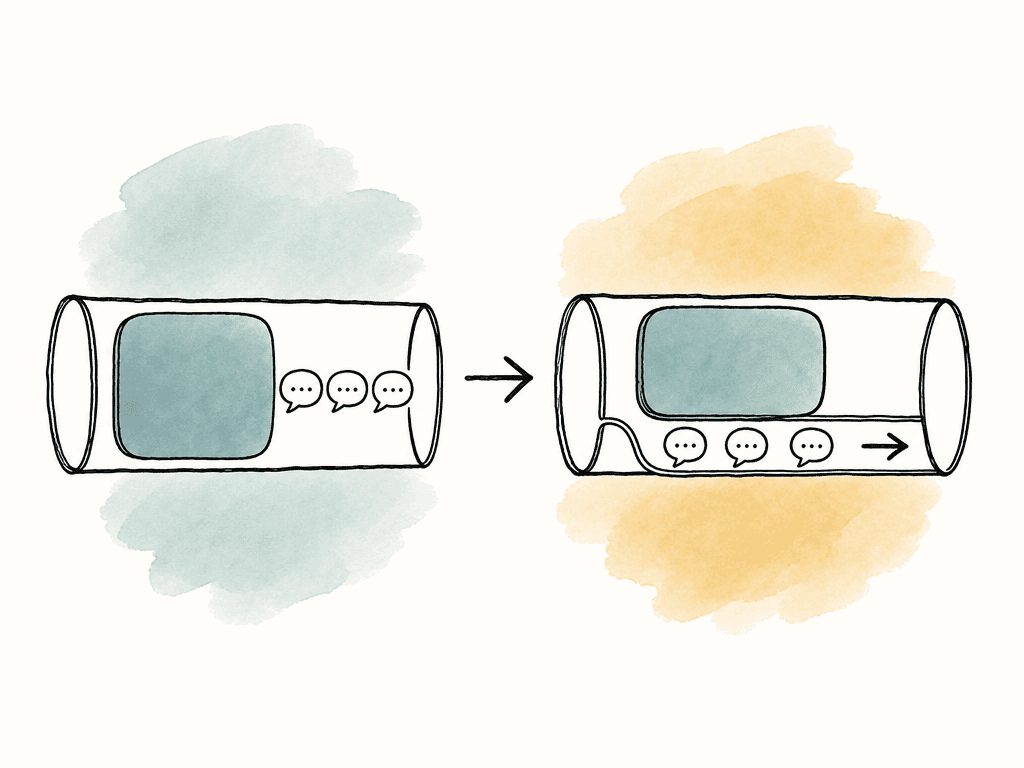
- Give remote desktop, VPN control traffic, video calls, and review systems priority.
- Limit bulk upload stations to a defined ceiling below total upstream capacity.
- Rate-limit guest Wi-Fi and nonessential cloud backup.
- Keep software updates off the backup link during work hours.
- Reserve cellular for critical traffic if it has limited data or weaker capacity.
DNS and inbound access can break during failover
Outbound web browsing usually survives failover better than inbound services. If remote users connect to your facility by a public IP, DNS name, VPN endpoint, or remote desktop gateway, you need a plan for what happens when WAN1 dies. Static public IPs are helpful but not magic. If the static IP belongs to ISP A, it won't move to ISP B unless you've a more advanced routing arrangement. Dynamic DNS can update a hostname, but clients and DNS caches may not respect the new address quickly enough for seamless failover. VPN clients may need multiple server entries, while site-to-site peers may need primary and secondary tunnel definitions. For inbound access, common patterns include:- Separate primary and backup endpoints, with users or clients trained on when to switch.
- VPN clients that support multiple gateways.
- A cloud or data center relay so users connect to a stable external endpoint.
- SD-WAN or overlay networking to abstract the changing ISP addresses.
- Proper redundant hosting outside the facility for critical services, instead of relying on inbound WAN failover.
Power is part of internet redundancy
A second ISP doesn't help if the modem, firewall, switch, Wi-Fi, ONT, or cellular router loses power. Put the entire edge stack on UPS: carrier handoff, modems, firewall, core switch, access point if remote users depend on Wi-Fi, and any device needed for VPN or monitoring. Keep the setup physically obvious. Label WAN1, WAN2, cellular, LAN trunk, firewall ports, modem power bricks, and carrier equipment. During an outage, nobody should be guessing which black box is the cable modem. If the facility has a generator, confirm which outlets are backed by generator and which only ride UPS. If you've remote access to power-cycle modems, make sure the power controller itself is on the correct network and survives failover. Otherwise, the one device you need to fix the outage will vanish with the outage.Predictable ways redundant WANs fail
Most bad dual-WAN experiences come from predictable mistakes. They can be found on a quiet morning instead of during a client review. Common failure modes include:- Both ISPs share the same physical path into the building.
- The router monitors only the ISP gateway, so upstream outages are missed.
- Failover works for new browsing but kills VPN, remote desktop, and uploads.
- Load balancing moves traffic that should have stayed pinned to one WAN.
- Cellular backup is enabled for everything and gets saturated instantly.
- DNS still points users to the dead primary IP.
- VPN tunnels reconnect but don't pass application traffic.
- Large transfers hang because MTU/MSS is wrong over the backup tunnel.
- Automatic failback moves traffic back to a flaky primary link too soon.
- Guest Wi-Fi or cloud backup consumes the backup link during an outage.
- Nobody receives alerts until users complain.
- The firewall is redundant, but the modem or switch is a single point of failure.
Small-team pattern
For a home editor, small editorial office, or boutique team, you can build a useful redundant setup without turning the network into a science project. A practical small setup usually has:- Primary wired ISP, preferably fiber or cable with upload capacity sized for the work.
- Secondary ISP from a different provider, or 5G/LTE if another wired provider isn't available.
- Dual-WAN router or firewall with health checks and policy routing.
- UPS for modem, router, switch, and Wi-Fi.
- Traffic rules that prioritize calls, remote desktop, and VPN.
- Upload limits for bulk transfer machines.
- Alerts when the network is on backup.
Facility pattern
A larger post facility needs more intentional routing because there are more people and more ways to accidentally saturate the backup link. A practical facility setup usually includes:- Two wired business circuits from different carriers with documented physical diversity where possible.
- Optional cellular as tertiary emergency backup.
- Firewall or SD-WAN appliance with dual-WAN, policy routing, shaping, and VPN redundancy.
- VLANs for editorial, upload, review, guest, management, and remote access.
- Active monitoring for each WAN, VPN tunnel, and critical cloud/service endpoint.
- Traffic shaping to protect interactive sessions during heavy uploads.
- Separate rules for assistant upload stations and review rooms.
- UPS coverage for the full network edge.
- Documented remote access behavior for primary and backup paths.
Observe the failure behavior before production depends on it
Don't call the network redundant until you've watched it fail. Speed tests aren't enough because they only tell you what happens when everything is healthy. The test should look like production. If editors work over VPN, test with the VPN active. If Resolve uses a shared database, keep a project open. If assistants upload masters during the day, run a real upload. If clients attend review over a video platform, put a review machine on a call. Then fail the primary circuit and watch. Pay attention to recovery behavior: how long until new traffic works, which sessions drop, which sessions reconnect automatically, whether uploads resume or restart, whether DNS updates, whether VPN routes return, whether the router fails back too quickly, and whether latency stays usable on the backup. Write down the observed behavior in plain language. Avoid vague notes like “WAN failover successful.” Write “Video calls freeze for 8 to 15 seconds and reconnect. Remote desktop disconnects and requires reconnect. Upload tool resumes within 60 seconds. VPN to storage reconnects automatically. Guest Wi-Fi is blocked from cellular.” That's the information production actually needs.The decision that matters
Redundant internet is a set of choices about which work survives, which work pauses, and how much interruption the team can tolerate. If the goal is general continuity, dual-WAN failover with monitoring and traffic shaping is usually enough. If the goal is higher aggregate upload capacity across multiple simultaneous transfers, add policy-based load balancing for bulk transfer machines. If the goal is keeping remote sessions alive through an ISP outage, use a bonded, overlay, or SD-WAN design that preserves session identity across links. The best setup is the one whose failure behavior matches the production reality. When the primary line dies, everyone should already know what keeps working, what reconnects, what pauses, and who gets alerted. That's when redundant internet stops being a hopeful diagram and becomes part of the workflow.| Model | What it does | Best for | What it does not guarantee |
|---|---|---|---|
| Failover | Moves traffic from a failed primary WAN to a backup WAN | General continuity, web access, chat, email, new file transfers | Existing sessions may drop if the public IP changes |
| Load balancing | Spreads separate sessions or flows across multiple WANs | Multiple simultaneous uploads, background sync, download distribution | One normal upload usually will not become twice as fast |
| Bonding or session-persistent SD-WAN | Keeps traffic behind a stable overlay, gateway, or tunnel while using multiple links underneath | Remote desktop, VPN, live review, cloud editing, client-attended sessions | Higher cost and complexity, usually requires a cloud gateway, headend, or managed service |
FAQ
Not by itself. Basic dual WAN failover usually moves new traffic to the backup connection, but active sessions may reset because the public IP address changes. Remote desktop, VPN, video calls, and non resumable uploads may disconnect unless you use a bonding, SD WAN, VPN overlay, or cloud relay design that preserves session identity across links.
Failover uses a backup connection when the primary connection fails. Load balancing spreads different sessions or users across multiple connections, which can improve total site throughput but usually does not make one upload faster. Bonding or session persistent SD WAN uses multiple links under a stable endpoint so traffic can survive link changes more gracefully.
Load balancing works best when many machines or transfers are active at the same time. For example, assistant stations, watch folder encoders, proxy uploads, and cloud sync tools can be distributed across wired ISPs. Interactive sessions such as remote desktop, live review, grading, and VPN access should usually stay on a stable preferred path unless they are protected by an overlay or SD WAN design.
Monitor more than whether the WAN interface is up. Track latency, packet loss, jitter, throughput, gateway reachability, DNS success, VPN tunnel health, failover events, and whether the cellular backup is active. Good monitoring should show degradation before users report frozen review sessions or failed uploads.
VPNs are sensitive to peer IP addresses, routing symmetry, firewall state, NAT behavior, and MTU. After failover, the tunnel may reconnect but pass no useful traffic, or large transfers may hang because encapsulation reduces the usable packet size. Reliable VPN failover usually requires explicit primary and secondary tunnels, proper routing, health checks across the tunnel, and MSS or MTU tuning where needed.
Yes. During failover, it is usually better to keep review, approval, and editorial decision-making moving with proxies than to force every remote user to pull full-resolution media over a smaller backup link. A platform that automatically creates previews and downloadable proxies lets producers, clients, and assistants keep working in lower-bandwidth conditions while the facility reserves capacity for critical sessions. Aspect automatically generates proxies and previews for uploaded media.


