Why long-GOP media feels worse than its bitrate suggests
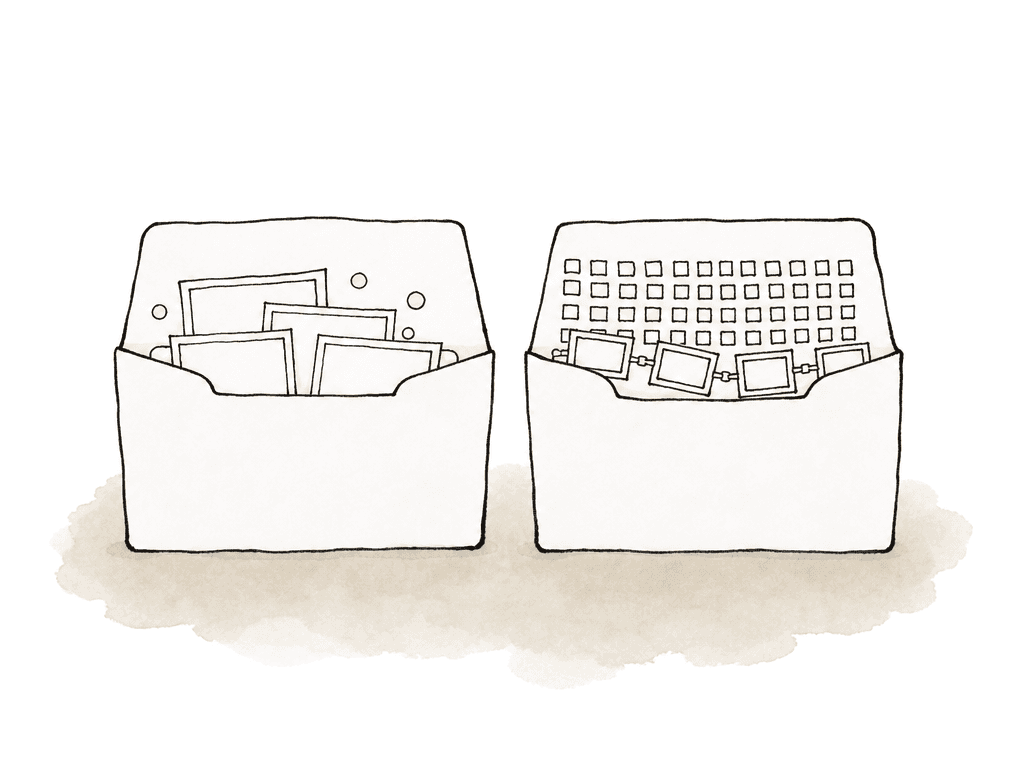
H.264 and H.265 usually use interframe compression. Instead of storing every frame as a complete picture, they store a full reference frame occasionally. The surrounding frames are then stored as changes from other frames. That group is the GOP, or Group of Pictures. A typical GOP might run for one or two seconds. At 30 fps, that can mean a GOP of 30 or 60 frames. Some camera files go longer. The longer the GOP, the better the compression, because the encoder can reuse more visual information. The tradeoff is that an NLE may need to reconstruct a chain of related frames before it can show you the one frame you asked for. That's why a 100 Mb/s H.265 file can feel heavier than a 700 Mb/s ProRes file. The ProRes file is larger, but each frame is self-contained. The H.265 file is smaller, but the decoder has to do more math to rebuild frames on demand.
- Scrubbing through selects feels delayed or uneven.
- Multicam drops frames even if each angle plays alone.
- Audio feels like it's leading or dragging during playback.
- Adding a LUT, resize, noise reduction, stabilization, or captions pushes the timeline over the edge.
- The same clip behaves differently on another editor’s machine.
H.264 and H.265 aren't one workflow
Saying “we’re editing H.264” doesn't tell you enough. H.264 and H.265 are codec families. They vary by profile and level, by bit depth and chroma format, and by GOP structure. Hardware support varies with them. The same workstation might handle one flavor beautifully and choke on another. Compare 1080p 8-bit 4:2:0 H.264 from a mirrorless camera with 4K or 6K 10-bit 4:2:2 H.265 from a newer camera. Those are very different editing loads. Some machines have dedicated hardware decode for common H.264 and H.265 variants. That hardware may still not support every bit depth, chroma subsampling, resolution, or frame rate. When the file falls outside the hardware decoder’s supported path, the NLE may fall back to software decoding. The container also doesn't tell the full story. An MP4 wrapper can hold easy media or miserable media. The codec and encoding settings inside count for more than the extension. These variables change the recommendation:- Resolution: 1080p is much easier than 4K, 6K, or 8K.
- Frame rate: 59.94 and 120 fps multiply the decode load.
- Bit depth: 10-bit media can lose hardware acceleration on some systems.
- Chroma sampling: 4:2:2 H.264/H.265 is often harder than 4:2:0.
- Codec generation: H.265 is usually more computationally demanding than H.264.
- GOP length: longer GOPs are harder to seek and scrub.
- Number of streams: multicam turns one manageable stream into several simultaneous decodes.
- Effects stack: color, scaling, stabilization, retiming, and noise reduction add load after decode.
- NLE support: Premiere Pro, Resolve, Media Composer, and Final Cut don't accelerate every variant the same way.
- Hardware generation: the media engine matters.
- Storage path: local SSD, shared storage, cloud-mounted media, and portable drives all behave differently.
When native long-GOP editing is reasonable
Native editing is worth trying when the media is light, the timeline is simple, and the system has reliable hardware decode for that exact format. If it works, it works. Don't create a transcode tax just because a codec has a bad reputation. Native long-GOP is often fine for:- Short projects with low shooting ratios.
- Single-camera 1080p or light 4K timelines.
- 8-bit 4:2:0 H.264 on modern machines.
- Simple cuts, basic audio, and light graphics.
- Fast-turnaround social or web edits where storage is tight.
When transcoding is worth the time
Transcoding is worth it when the time your team spends creating better media is less than the time the team will lose fighting the timeline. On longer jobs, that bar is easy to clear. A full transcode to an intra-frame codec is the better move when the job has:- Long-form timelines with days or weeks of editing ahead.
- Multicam, especially 4K and above.
- 10-bit 4:2:2 H.265 or difficult camera variants.
- Variable frame rate phone, screen recording, or action camera media.
- A planned conform, color, VFX, or online handoff.

Transcode, proxy, or optimized media?
People use these terms loosely, but they solve slightly different workflow problems. A mezzanine or intermediate transcode is a new high-quality editing file, at full resolution or near it, in a codec like ProRes, DNxHR/DNxHD, or CineForm. You may edit and finish from it, depending on the project requirements. A proxy is a lighter stand-in file linked back to the original camera file. It is lower resolution and lower bitrate. It should still preserve timecode and duration, the audio channel structure, and reel or source metadata well enough to relink cleanly. Optimized media is an NLE-managed version of the same general idea. The software creates edit-friendly media and handles the switching internally. Use a full transcode when you intend it to become the working master for editorial, finishing, or interchange. Use proxies when you need speed and portability but still want to conform back to camera originals or high-quality sources later. For many productions, the best workflow is both. Your team keeps camera originals archived and available for conform, while editorial works from proxies or mezzanine transcodes that follow a consistent spec.Picking an editing codec
For editing, the common choices are ProRes, DNxHR/DNxHD, and CineForm. They're intra-frame and widely supported. They're predictable, and they were designed around post-production needs. Common practical choices look like this:- ProRes Proxy, DNxHR LB, or DNxHD 36 for offline editorial where file size matters.
- ProRes LT or DNxHR SQ for lightweight editing at decent quality.
- ProRes 422 or DNxHR SQ/HQ for a strong general-purpose mezzanine.
- ProRes 422 HQ or DNxHR HQX for higher-quality finishing paths, especially with 10-bit sources.
- ProRes 4444 or DNxHR 444 for workflows that need alpha or high-end RGB-style finishing support.
Details that keep relinking from becoming a mess
The pain of transcoding is encode time plus the risk of breaking something downstream: relink, sync, color, handoff. Good ingest discipline is what prevents that. Keep these details consistent when generating proxies or transcodes:- Preserve a clear relationship between the file names and the source names.
- Match the originals’ timecode.
- Match the originals’ duration.
- Keep frame rate constant and correct.
- Match audio channel count and layout when the NLE expects it.
- Preserve reel, tape, camera, or source metadata where your workflow uses it.
- Keep folder structure predictable across machines.
- Document color management, especially for log, HDR, or phone footage.
- Leave camera originals untouched and back them up.
Hardware decode helps, but it isn't a workflow plan
Modern CPUs and GPUs often include dedicated hardware for H.264 and H.265 decode. That can make native editing much better than it used to be. It does not eliminate the decision. Hardware decode is conditional. It depends on the exact media flavor and on the NLE’s ability to use the hardware path. A system may accelerate 8-bit 4:2:0 H.264 but not 10-bit 4:2:2 H.265. Another system may do fine with one stream but fail with four angles. A laptop may play a simple timeline until it heats up, then drop frames. A shared project may include editors on different machines with different decode capabilities. Native long-GOP editing is most trustworthy when you know all active workstations support the media, not just the lead editor’s machine. If you're deciding for a team, test the weakest machine that will touch the project. If the assistant editor, story editor, or producer review station can't scrub and play reliably, you may still need proxies even if the finishing workstation can handle the originals.The multicam tipping point
Multicam changes the math fast. One stream of 4K H.264 might play, but six streams may not. The NLE has to decode multiple long-GOP files at once, often while displaying a grid, maintaining audio sync, and responding to live angle switches.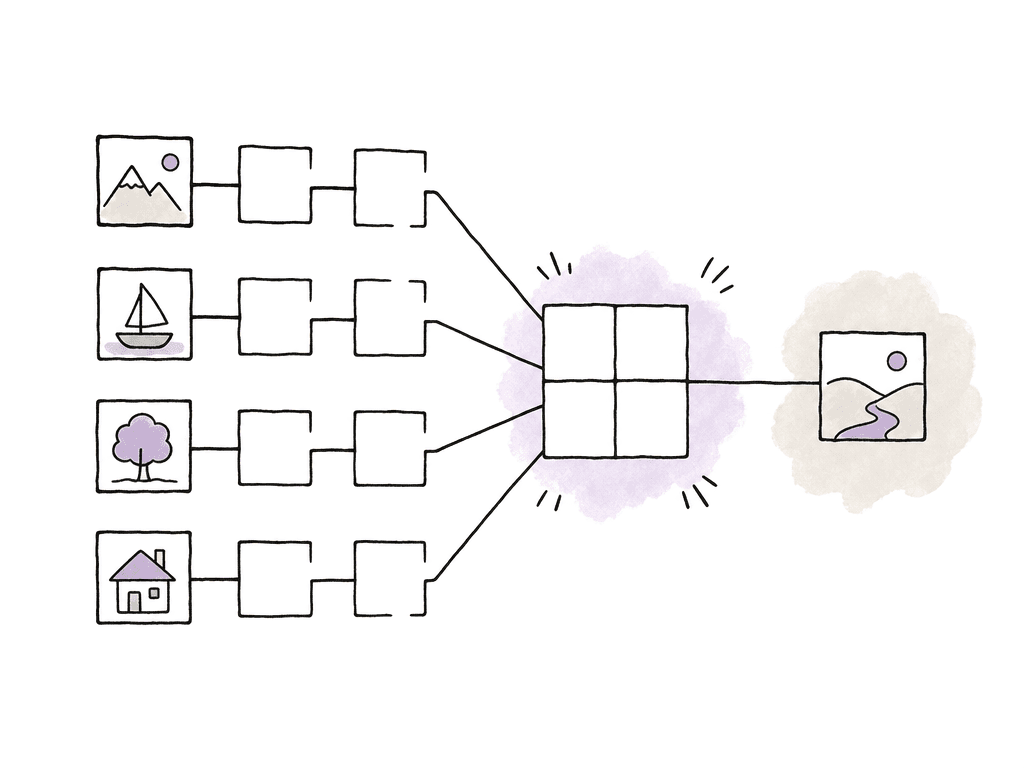
- Use 1080p ProRes Proxy or DNxHR LB for 4K sources.
- Match audio channel layouts where possible.
- Add burn-ins only if the team needs them, and never if they'll confuse review or finishing.
- Use consistent camera angle naming.
- Run a short relink test before generating the full batch.
When storage argues against transcoding
Intraframe media is bigger, sometimes much bigger. That hits local and shared storage, transfer time, and backup and cloud sync. A production with hundreds of hours of footage may not want full-resolution ProRes 422 transcodes for everything. In those cases, separate the problems:- If you need to improve editing responsiveness, make smaller intraframe proxies.
- If you need to maintain finishing quality, keep the camera originals online or archived for conform.
- If the issue is transfer speed, send proxies first and move originals only where needed.
- If the issue is shared storage bandwidth, avoid creating huge mezzanine files that overwhelm the network.
How to decide on a new project
For a small job, import the native media and try a real mini-timeline. If it feels good, keep moving. If it stutters, proxy or transcode. For a serious job, run a short workflow test during ingest. Pull representative clips from every camera type, and include the worst offenders:- High frame rate and low light noise.
- Log footage.
- Phone clips and screen recordings.
- Drone media.
- Any 10-bit H.265.
- Native camera originals when performance is solid and the project is simple.
- Intraframe proxies when editing speed matters and finishing will relink to originals.
- Full or mezzanine transcodes when the working media needs to be robust across editorial, finishing, and handoff.
- Constant-frame-rate transcodes when variable frame rate media threatens sync or stability.
- Delivery H.264/H.265 only at the end, unless the project is simple enough to justify native editing.
| Workflow choice | Best fit | Main benefit | Main cost or risk |
|---|---|---|---|
| Native H.264/H.265 | Simple timelines, light media, strong hardware decode, short turnarounds | No ingest delay and minimal extra storage | Can become sluggish during scrubbing, multicam, effects, or team handoff |
| Intraframe proxies | Offline edits, multicam, remote workflows, large shooting ratios | Fast editorial performance with smaller working files | Requires clean relinking to originals for conform or finish |
| Mezzanine transcodes | Long-form jobs, shared editorial, finishing from intermediates, difficult camera formats | Predictable playback, interchange, and handoff | Larger files, longer ingest, more storage planning |
| Constant-frame-rate transcodes | Phone, webcam, screen recording, and unstable VFR sources | Better sync stability and timeline behavior | Adds processing time and may require careful source tracking |
| Native originals for conform only | Offline editorial using proxies with final relink to camera media | Keeps original quality available without burdening the edit | Relink, metadata, and color management must be tested early |
FAQ
No. If the native camera files play, scrub, and trim reliably in a realistic timeline, and export cleanly, you can keep them native. Transcoding earns its place when long-GOP decoding causes lag or dropped frames, weak multicam performance, sync issues, or inconsistent behavior across workstations.
H.265 and many H.264 files use long-GOP compression, where many frames depend on other frames to be reconstructed. ProRes, DNxHR, and similar editing codecs are usually intraframe, meaning each frame is self-contained. The long-GOP file may be smaller, but the computer has to work harder to decode random frames during scrubbing, trimming, and multicam editing.
Use proxies when you need smoother editorial performance or easier remote transfer but still plan to relink to camera originals for finishing. They help most with multicam and high-resolution footage, with laptops and shared teams, and with large shooting ratios where full-resolution intraframe transcodes would consume too much storage.
Not if the goal is editing performance. H.264 proxies can be small and portable, but they're often still long-GOP and may recreate some of the same decode problems. Intraframe proxy codecs such as ProRes Proxy, DNxHR LB, or DNxHD 36 are better choices for smooth editing.
Phone, webcam, screen recording, and some action camera files may use variable frame rate. NLEs can struggle with variable frame timing, which may cause sync drift, unstable playback, or relink problems. For serious editorial work, normalize those files to a constant frame rate before editing.
Put the camera originals, proxies, and project media in one shared file space with a predictable folder structure. Then have each editor mount that same media location instead of making separate local copies. Aspect lets teams work from a shared cloud filespace that appears in Finder or File Explorer, which helps keep relinking paths and media handoffs simpler.