
DNxHR is a mezzanine choice, not a delivery choice
DNxHR is Avid’s high-resolution member of the DNx family. Where DNxHD was built around fixed HD frame sizes, DNxHR was introduced for high-resolution and proxy workflows, including UHD, 4K, and other non-HD rasters. It's meant for editing, interchange, and rendering. It also suits VFX pulls and finishing pipelines, where predictable playback and image quality matter more than tiny files. It isn't the same job as H.264, HEVC, or AV1. Those codecs are usually delivery or camera acquisition codecs. They can look great, but they aren't always pleasant for editorial systems, shared storage, or frame-accurate interchange. Multi-generation post work strains them too. DNxHR trades file size for consistency. That trade is worth it when several people and systems need to handle the same media without decoding headaches. The key DNxHR tiers are:- LB: Low Bitrate
- SQ: Standard Quality
- HQ: High Quality
- HQX: High Quality Extended
- 444: Best Quality for 4:4:4 and RGB-style workflows
What separates the tiers
The tiers separate three things that matter in post: compression level, color precision, and chroma sampling. Those aren't interchangeable. A higher bitrate can reduce compression artifacts, but it doesn't create missing color information from a 4:2:0 camera original. A 10-bit tier can preserve smoother gradients through grading, but it doesn't make an 8-bit source truly 10-bit. A 4:4:4 tier can protect RGB graphics and key edges, but it's often wasted on standard 4:2:2 editorial footage. Here is the practical read of each tier.| DNxHR tier | Relative visual quality and data rate | Color precision and sampling | Best fit | Avoid using it as |
|---|---|---|---|---|
| LB | Lowest quality and lightest files; built for easy playback | Typically 8-bit 4:2:2 | Offline editorial, proxies, multicam, remote cutting | Final evaluation, grading, VFX, archive masters |
| SQ | Better-looking editorial media with moderate storage cost | Typically 8-bit 4:2:2 | Higher-quality offline, nearline editorial, internal review, mixed-source editorial mezzanine | Default finishing master when color, graphics, or archive quality matters |
| HQ | High-quality files with much higher bandwidth than SQ | Typically 8-bit 4:2:2 | SDR online, strong 4:2:2 editorial masters, high-quality renders | Log, HDR, or heavy grading workflows that need 10-bit precision |
| HQX | Same data rate as HQ, with four more bits of precision | 12-bit 4:2:2 | Grading, HDR, log sources, safer online and finishing workflows | Routine offline proxies that will relink to camera originals |
| 444 | Highest tier, and almost exactly double HQX at any raster | 12-bit 4:4:4 or RGB | VFX plates, titles, graphics, high-end finishing, true 4:4:4 masters | Ordinary 4:2:0 or 4:2:2 editorial footage with no RGB or 4:4:4 requirement |
DNxHR LB: proxies and offline cutting
LB is the low-bitrate tier. Use it when the goal is responsive editing, not final image evaluation. Good LB uses include:- Offline editorial for high-shoot-ratio projects
- Remote assistant workflows where upload size matters
- Multicam cutting where storage bandwidth is the bottleneck
- Rough assemblies, story edits, producer review cuts, and selects
- Temporary proxies that will relink to camera originals or higher-quality mezzanine media

DNxHR SQ: standard editorial media with a quality cushion
SQ is the middle-ground tier. It's useful when editorial media needs to look respectable, play reliably, and not consume the storage of HQ or HQX. Good SQ uses include:- Offline or “nearline” editorial where proxies need to look better than LB
- Long-form cutting where storage still matters
- Internal review exports or editorial turnovers where high-end finishing isn't happening from the file
- Projects with moderate grading needs and no serious VFX extraction
- Facilities standardizing on one editorial mezzanine for mixed camera sources
DNxHR HQ: high-quality 4:2:2 online media
HQ is the practical high-quality tier for many 4:2:2 workflows. It's a strong choice when the mezzanine may serve online editorial, high-quality renders, and finishing prep, but the project doesn't need HQX or 444. Good HQ uses include:- Online editorial in SDR 4:2:2 workflows
- High-quality transcodes from 8-bit or 10-bit sources when the finishing plan doesn't require 10-bit preservation
- Master-quality intermediates for projects with moderate grading
- Broadcast-style pipelines where 4:2:2 quality is expected
- Graphics-light shows where VFX pulls aren't the main concern
DNxHR HQX: 12-bit 4:2:2 for grading, HDR, and safer finishing
HQX is the “extended” high-quality tier. In normal post language, this is the tier you reach for when 10-bit 4:2:2 matters. Good HQX uses include:- UHD or 4K finishing where your team may grade the mezzanine
- HDR workflows
- Log camera sources where banding risk matters
- Online media that may survive multiple renders
- VFX pulls when the source and pipeline are 4:2:2 rather than RGB or 4:4:4
DNxHR 444: for RGB, 4:4:4, VFX, and high-end finishing
444 is the top DNxHR tier. It's designed for 4:4:4 and RGB-oriented workflows, not ordinary editing convenience. Good 444 uses include:- VFX plates where edges, keys, and color channels need maximum preservation
- Graphics, titles, animation, and design renders
- Film-style DI pipelines that expect 4:4:4 or RGB intermediates
- High-end finishing where the mezzanine is a true master source
- Round-trips from compositing tools when the project’s color pipeline justifies it

Data rate is where the decision becomes real
DNxHR tiers are easy to discuss abstractly until someone tries to play eight streams from shared storage. Avid publishes bandwidth specifications because the tier name alone isn't enough. Data rate changes with raster and frame rate. Avid publishes the figures per stream. At UHD 3840x2160, in megabytes per second, which is the unit storage is sized in:| Tier | 23.976 fps | 29.97 fps | 59.94 fps |
|---|---|---|---|
| LB | 17.14 MB/s | 21.42 MB/s | 42.85 MB/s |
| SQ | 55.07 MB/s | 68.84 MB/s | 137.67 MB/s |
| HQ | 83.26 MB/s | 104.08 MB/s | 208.15 MB/s |
| HQX | 83.26 MB/s | 104.08 MB/s | 208.15 MB/s |
| 444 | 166.61 MB/s | 208.27 MB/s | 416.54 MB/s |
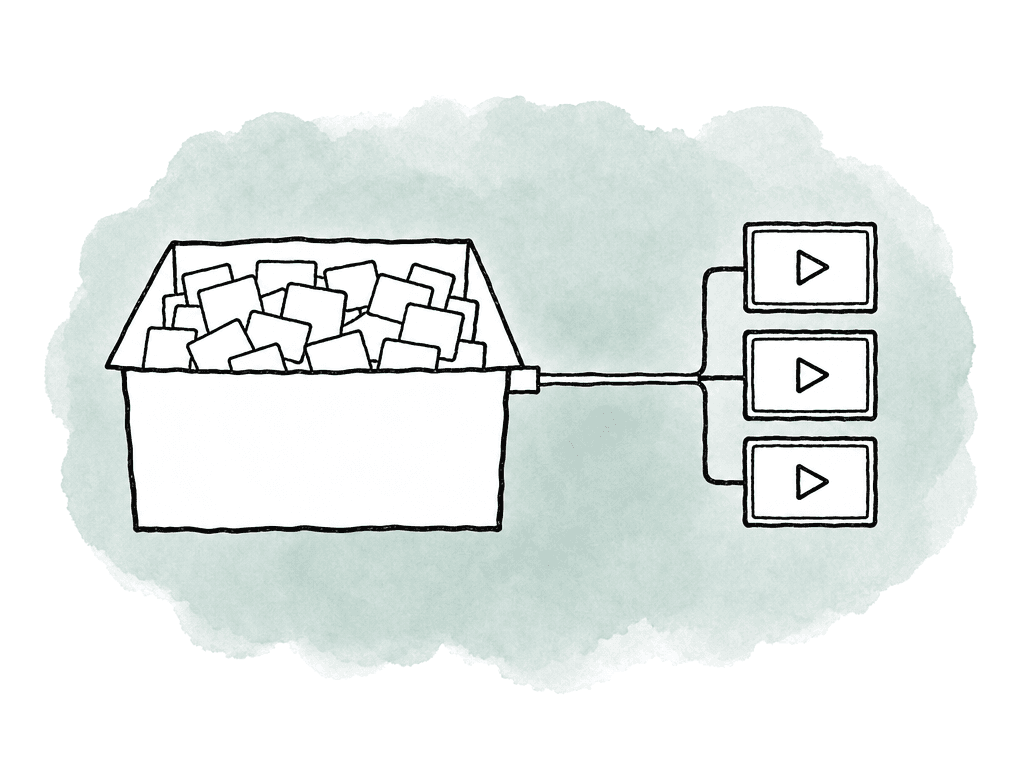
- Runtime hours, including handles and alternates
- Frame size and frame rate
- Number of simultaneous streams in editorial
- Number of editors, assistants, and finishing systems accessing media
- Whether media lives on local drives, NAS, SAN, or cloud-mounted storage
- Whether the DNxHR files are temporary proxies, online media, or archive masters
Match the tier to the project stage
DNxHR decisions get easier when you separate the stage of the project from the final quality ambition. For offline editorial, LB is the first candidate. If the show has a lot of visually subtle material and producers need nicer review images, SQ can be a good upgrade. HQX for offline only makes sense when offline and online are effectively the same process, or when reconform risk is higher than storage cost. For online editorial, HQ and HQX are the serious candidates. HQ works for high-quality SDR 4:2:2 workflows where 8-bit precision is acceptable. HQX is better when the media is 10-bit, log, HDR, or expected to handle heavier color work. For VFX, the answer depends on what the VFX team needs to receive and return. If the job is basic cleanup from 4:2:2 editorial media, HQX may be enough. If the job involves keying, CG integration, or RGB compositing, 444 may be appropriate. Graphics and plates push in the same direction. Your VFX team should decide through the pull spec. For archive, avoid assuming the biggest DNxHR file is the best archive. Tie archive to the long-term source of truth. That may be camera originals plus project files. It may be a graded master, a textless master, or a final mezzanine. It may be all of the above. HQX is often a reasonable high-quality archive mezzanine for 4:2:2 masters. 444 makes sense when the master is genuinely 4:4:4/RGB or the delivery contract asks for it.DNxHR versus DNxHD in Avid projects
DNxHD is for HD frame sizes, while DNxHR is the high-resolution family built to support larger and more flexible rasters. That matters when you're working in Media Composer. In HD projects, transcode menus can be limited to HD formats, and high-resolution sources may transcode to HD rather than offering the high-res or proxy-raster options you expected. As a common workaround, you can temporarily change the project raster to a larger-than-HD format, create the needed high-resolution or proxy transcodes, and then switch the project back. That affects how assistants build a clean offline and online path. If the project raster, proxy raster, and relink plan aren't aligned, you can end up with media that plays but doesn't conform the way you expected. Also be careful with resize choices. Baking a resize into a transcode isn't the same as preserving source size metadata and using a reframing tool such as FrameFlex. If editorial needs access to the source raster for reframing, stabilization, or online conform, don't casually bake away that information during proxy creation.Wrapper and interchange choices still matter
DNxHR is the codec, and your team may wrap the file as MXF or MOV depending on the workflow. Use MXF for Avid-native workflows when the ingest requirements call for it. For interchange with Resolve, Premiere, or After Effects, MOV may appear more often. The same is true for finishing systems and VFX vendors. The codec tier doesn't solve wrapper, metadata, or color management issues by itself. An HQX file with ambiguous range, wrong color tags, or missing source timecode can still create a bad handoff. For turnovers, include the details people actually need:- DNxHR tier
- Wrapper, such as MXF or MOV
- Raster and frame rate
- Color space and transfer function when relevant
- Legal or full range expectations
- Audio layout and sample rate
- Source timecode and reel/source metadata
- Handles for VFX or finishing pulls
Common under-spec mistakes
Under-speccing happens when a proxy decision quietly becomes a finishing decision. The most common problems are:- Teams use LB media for judging focus, noise, texture, or beauty work
- Teams use HQ where HQX should have protected gradients, log images, or HDR work, paying the same data rate either way
- Teams send 4:2:2 media to VFX when the shot needed 4:4:4 or RGB preservation
- Teams create proxy transcodes without reliable timecode, source IDs, or relink metadata
- Teams bake resizes into editorial media when online needs the original raster
Common over-spec mistakes
Over-speccing is just as real. It burns storage, slows copies, and makes remote workflows painful. It can also reduce the number of streams editorial can play. Watch for these patterns:- Teams make HQX proxies for a show that will conform from camera originals
- Teams export 444 from 4:2:0 or 4:2:2 sources with no VFX or RGB requirement
- Teams use HQ or HQX for every review file when H.264 would have been the delivery format
- Teams apply one universal mezzanine tier to every department, even though editorial, VFX, color, and archive have different needs
- Teams create high-frame-rate UHD media at premium tiers without checking shared storage bandwidth
A rule for choosing
If you're building a DNxHR workflow from scratch, start with this decision path. Use LB when the file is only for cutting and your team will relink it later. Use SQ when editors and producers need a better-looking offline image but your team will finish elsewhere. Use HQ when you need robust 4:2:2 online media and 8-bit precision is acceptable. Use HQX when you need 10-bit 4:2:2 for grading, HDR, log sources, or safer finishing. Use 444 when the pipeline is truly 4:4:4 or RGB. Then test the actual path with real footage. Don't test with a five-second clip on one workstation. Test a representative scene at the expected frame rate, with real audio and effects. Include the multicam load, the shared storage path, and the relink or turnover step. If that test fails, the tier may not be the problem. Look at storage bandwidth and project raster first, then at wrapper choice, metadata, and color management. DNxHR is useful because it gives you predictable options over a wide range of post workflows. So name the purpose of each transcode before you make it, pick the tier that protects the decisions still open, and stop there. Every tier above that line costs storage and buys nothing.FAQ
Use DNxHR LB when the files are only proxies for cutting and will relink to camera originals or higher-quality media later. Use DNxHR SQ if editors, producers, or directors need a cleaner-looking offline image, but the project will still finish from another source.
HQX is better when 10-bit 4:2:2 precision matters: log footage, HDR, and heavy grading. It also helps with gradients, skies, beauty work, and finishing from the mezzanine. HQ can be enough for strong SDR 4:2:2 online workflows where 8-bit precision is acceptable and the project doesn't need the extra color headroom.
Use DNxHR 444 when the workflow actually needs 4:4:4 or RGB preservation. That covers VFX plates, keying, titles, animation, graphics, high-end compositing, and premium finishing. If the source is ordinary 4:2:0 or 4:2:2 camera footage and there's no RGB or 4:4:4 requirement, HQX is usually the more practical high-quality choice.
It can preserve the image more safely through later processing, but it doesn't create missing information. An 8-bit source doesn't become true 10-bit, and a 4:2:0 source doesn't gain real 4:4:4 color detail. Higher DNxHR tiers are most useful when they prevent additional damage during editing, grading, VFX, or rendering.
DNxHR data rate changes by tier, frame size, and frame rate. UHD or 4K at 59.94 fps needs far more bandwidth than 23.976 fps, and multicam multiplies the load again. Plan for both total capacity and sustained throughput, because media can fit on a drive but still fail to play smoothly over shared storage.
Keep the DNxHR media in one shared workspace and let editors mount the project files directly instead of copying drives. Aspect lets the team cut from the same media, which helps prevent duplicate LB, SQ, or HQX transcodes from drifting out of sync in a shared cloud filespace.