Keep the LUT on the viewing path unless you have a delivery reason to bake it in
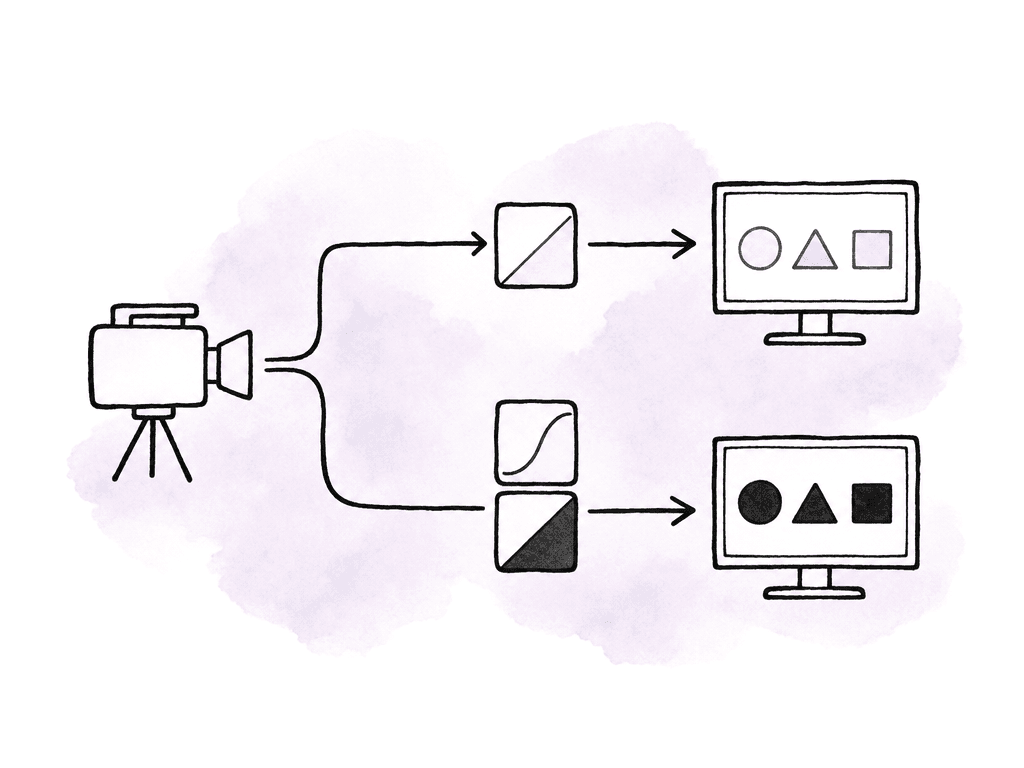
The safest default for Panasonic V-Log workflows is simple: record V-Log/V-Gamut as the camera negative, apply Panasonic’s V-Log to Rec.709 transform only to the viewfinder, SDI, HDMI, dailies, or proxy path, and send that same transform to post as a reference. That gives camera, video village, editorial, and color the same picture intent without throwing away the latitude you shot V-Log for in the first place. That rule gets more complicated because VariCam and Lumix S Series bodies don't expose LUTs in exactly the same way. VariCam is built around separate recording and monitoring color paths. Depending on the body and firmware, you can set the Main recorder, Sub recorder, EVF, LCD, VF-SDI, and monitor outputs independently to V-Log, V-709, or a grading output. S Series cameras usually frame this as Log View Assist, LUT Library, HDMI/monitor assist, or Real Time LUT style features, and the risk is accidentally moving from “view assist” into “recorded look.” Define which signal is the master, which signals are references, and which ones your team allows to be baked.Why V-Log needs a monitoring transform
V-Log/V-Gamut exists to hold a large scene range and wide color gamut in the recorded file. Panasonic describes VariCam V-Log capture as covering more than 14 stops of dynamic range with a very wide color spectrum. That's useful for grading, but it looks wrong on a normal Rec.709 monitor if you show it directly. The image appears low contrast, washed out, and desaturated because the display isn't interpreting the log curve the way a final viewing transform would.
Pick the base transform before building the look
For most jobs, start with Panasonic’s official V-Log to Rec.709 or V-709-style transform before you start building creative LUTs. Panasonic’s own VariCam LUT Library and camera workflows are built around this idea: shoot V-Log for flexibility, then monitor through V-709, Rec.709, or a loaded grading LUT. There are three common monitoring choices on Panasonic jobs:- V-Log: useful for technical checks, waveform work, and confirming the recorded signal, but not ideal for clients or directors judging the picture.
- V-709 or V-Log to Rec.709: the neutral viewing baseline, good for exposure, continuity, dailies, and editorial reference.
- Custom set LUT: a show look built on top of the technical transform, useful when the DP and colorist want a specific contrast curve, highlight feel, saturation behavior, or palette on set.
Loading Panasonic .VLT LUTs on VariCam
VariCam uses Panasonic .vlt files for camera LUTs. Panasonic’s LUT documentation specifies .vlt as the VariCam 3D LUT format, with ASCII text encoding and a 17-grid 3D LUT structure. In practice, that means you shouldn't assume a random 33x33x33 .cube LUT from a grading system will load directly into the camera. Convert or export specifically for the camera when needed. The SD card import behavior is picky in the normal camera way. Panasonic’s own .VLT application notes call out these loading requirements:- Use an SD card formatted by the camera.
- Copy the .vlt files to the root directory of the card.
- Don't put the LUT files inside a folder.
- Mount the SD card in the camera before loading.
- Use the camera’s Color / Grading / 3D LUT controls to choose the loaded file.
Applying the LUT to monitor outputs without baking the master
On VariCam, the clean V-Log master workflow usually starts with Main Color set to V-Log. From there, you can assign monitor and sub paths to V-Log, V-709, or Grading depending on the body and configuration. Panasonic’s VariCam 35 V-Log workflow specifically supports recording 4K V-Log to the main recorder while choosing V-Log, V-709, or Grading for sub-recorder, EVF, LCD, and external monitor output. That's the configuration you want when post needs full latitude but the set needs a normal-looking image. The main recording remains log, and the monitoring outputs carry the transform. If you also record a sub or proxy file, decide deliberately whether that file is a baked viewing reference or another log asset.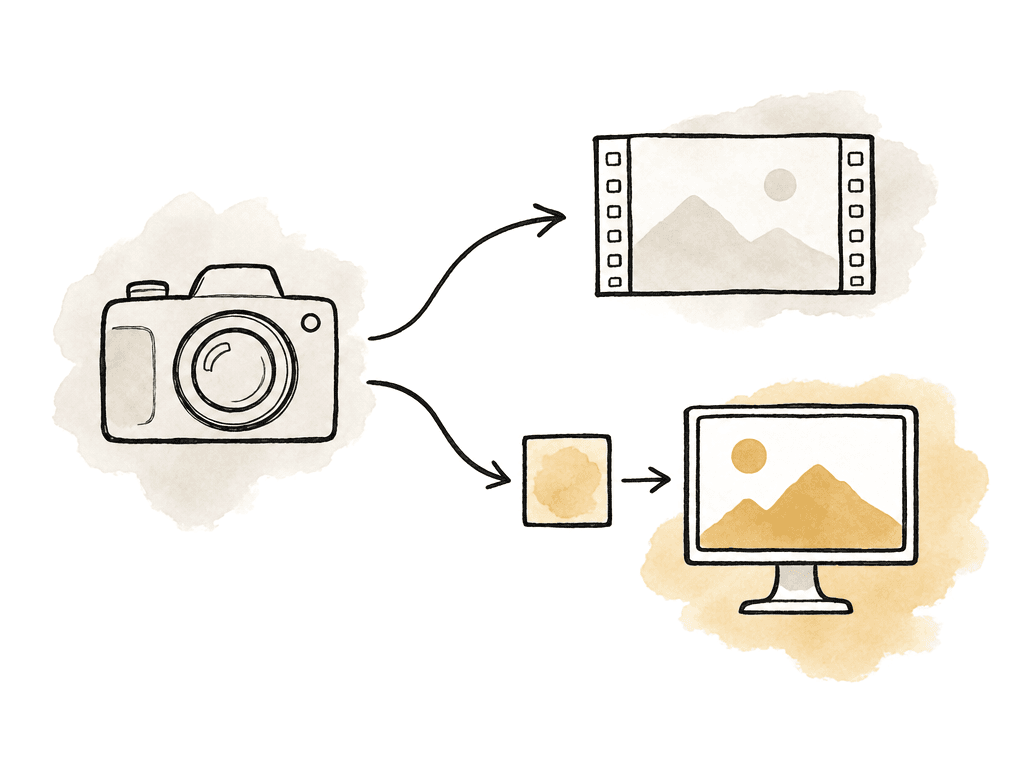
| Signal path | Typical setting | Intended use | Bake status |
|---|---|---|---|
| Main recorder | V-Log | Camera negative for grading | Preserved log master |
| Sub recorder or proxy | V-709 or Grading | Fast editorial reference or dailies | Baked reference when enabled |
| MON outputs | Grading or V-709 | Client, director, DIT, and village monitoring | Viewing path only |
| EVF/LCD | Grading, V-709, or V-Log | Operator viewing, exposure judgment, or clipping checks | Viewing path only |
| Post handoff | Original V-Log files plus the .vlt LUT and CDL values | Recreate the on-set look in dailies, editorial, and color | Original files stay separate from the viewing transform |
- Main recorder: V-Log for the grading master.
- Sub recorder or proxy: V-709 or Grading when editorial wants fast dailies with a baked viewing look.
- MON outputs: Grading or V-709 for client, director, and DIT monitoring.
- EVF/LCD: either Grading/V-709 for operating or V-Log when the camera operator prefers to judge clipping from the log feed.
- Post handoff: original V-Log files plus the .vlt LUT and any CDL values used on set.
VariCam settings that change the recommendation
The same LUT file can behave differently depending on Main Color, Grading SEL, Sub Color, and output routing. If Main Color is V-Log and Grading SEL is Internal or External App, you're in the normal in-camera grading path. If Grading SEL is Off, you're closer to a straight V-Log/V-709 monitoring choice. If Grading SEL is Shading, you're in a live-oriented mode where you can adjust output image quality more finely while preserving a V-Log recording in certain configurations. Panasonic’s live reference material for VariCam LT describes a useful mode for live or multi-camera situations: Main Color set to V-Log with Grading SEL set to Shading. In that setup, the camera can still record V-Log while allowing output controls such as gain and pedestal for live matching. Panasonic recommends pairing that mode with a 3D LUT for contrast and color shaping because the shading controls alone aren't meant to be a full creative grade. Use that kind of setup when you have a truck, ROP control, or multi-camera shading requirement. For a single-camera narrative, doc, commercial, or controlled interview workflow, Internal grading with a known LUT is usually cleaner and easier to hand off. There's also a viewfinder caveat worth knowing: Panasonic’s .VLT application notes state that VF-SDI can't have a Grading LUT applied when Surround View is on. In that condition, VF-SDI can select V-Log or V-709. If you need the loaded graded LUT in the VF-SDI path, turn off Surround View in the VF-SDI output settings. That one setting can burn time on set because everything else looks correct. You loaded the LUT, MON output is right, video village is happy, but the VF-SDI refuses to show the graded LUT. Surround View is the thing to check.Configuring S Series cameras for V-Log monitoring
Lumix S Series cameras are usually simpler than VariCam in record routing, but easier to misread because the menu language varies by model and firmware. On S Series bodies, you're generally looking for V-Log recording plus a display assist or LUT library function that affects monitoring rather than the recorded file. To monitor with a LUT while recording V-Log, your team should:- Set the picture profile/photo style to V-Log for recording.
- Load the Panasonic V-Log to Rec.709 LUT, or a camera-compatible version of the show LUT, into the camera’s LUT library or Log View Assist slot.
- Enable the LUT only for monitor/display assist, HDMI assist, or view assist.
- Avoid Real Time LUT or other creative profile modes when the goal is an untouched V-Log master.
- Test a short clip and inspect it in post with the LUT disabled to confirm the file is still log.
Building a custom set LUT without fighting post
A custom set LUT should answer a creative monitoring problem, not replace color management. Your team should build the best version from real camera tests, under the same exposure method, white balance approach, lenses, filtration, and lighting ratios planned for production. The worst version is a downloaded “cinematic” LUT thrown onto V-Log the morning of the shoot.
- A technical Panasonic V-Log to Rec.709 baseline.
- One approved creative monitoring LUT for the main look.
- Optional alternate LUTs for specific environments, such as day exterior, sodium/night, or high-key studio.
- Matching versions for camera, on-set monitors, dailies software, and color grading software.
- A short note describing expected exposure, white balance, and whether the LUT is display-only or intended for baked references.
Matching camera LUT behavior with external monitors
Even when the same LUT name appears on every device, the image may not match. Camera LUT engines, onboard monitors, LUT boxes, dailies software, and grading applications can differ in interpolation, legal/full range handling, input color assumptions, and whether they expect V-Log/V-Gamut or already-normalized Rec.709. The first match test should use the same targets every time: shoot a gray card, color chart, skin tone, deep shadow, saturated practical, and a highlight rolloff sample. Feed the same camera signal to the camera monitor path and the external monitor. Then compare the camera-applied LUT against the monitor-applied LUT. If both devices are applying the same transform to the same log signal, they should be close enough for the job. If not, find out why before production. The common mismatch causes are usually:- Double LUT: the camera outputs a graded image and the monitor applies the LUT again.
- Missing LUT: the camera outputs V-Log but one monitor is set to Rec.709 display mode with no LUT.
- Wrong input assumption: the LUT expects V-Log/V-Gamut, but the signal feeding it's V-709 or already graded.
- Range mismatch: one device treats the signal as full range while another treats it as video/legal range.
- Different LUT format conversion: a .cube exported for post doesn't match the .vlt version loaded in camera.
- Monitor calibration drift: the LUT is fine, but the display isn't.
Keeping dailies and editorial aligned
If editorial is cutting with baked Rec.709 proxies or sub-recordings, make sure those files are labeled as reference or proxy files, not graded masters. VariCam is designed for simultaneous master and dailies workflows, including clean V-Log main recording with V-709 or Grading outputs for faster offline work. That works as intended as long as the metadata and folder structure don't blur which file is which. Your team should send post the following with the camera originals:- The exact LUT file used on set, not a similar one.
- Any CDL values or stills your team generated during on-set grading.
- Notes on which camera outputs and record paths had the LUT baked.
- Reference stills or exported frames from the approved on-set monitor feed.
- Camera model and firmware if LUT handling differs across bodies.
Where to be conservative
Use Panasonic’s official V-Log to Rec.709 transform when exposure confidence matters more than selling a stylized look on set. Use V-709 or a loaded grading LUT on monitor outputs when directors, clients, or departments need a finished-looking image. Bake only when the baked file is clearly a proxy, sub-recording, dailies file, live output, or delivery requirement. For VariCam, pay close attention to Main Color, Grading SEL, 3D LUT, Sub Color, and output routing. For S Series, pay close attention to the difference between V-Log recording, Log View Assist, LUT Library, HDMI assist, and Real Time LUT-style recording modes. The working principle is the same across both families: preserve V-Log where you need grading latitude, transform only where people need to view or cut, and pass the exact transform forward so post can recreate what everyone approved on set.FAQ
Usually, no. The safest workflow is to record V-Log/V-Gamut as the camera master and apply the V-Log to Rec.709 LUT only to monitoring, dailies, proxy, or sub-recording paths. Bake the look only when the file is clearly intended as a proxy, live output, editorial reference, or delivery format.
Not usually. VariCam camera LUTs use Panasonic’s.vlt format, commonly a 17-grid 3D LUT in ASCII text form. A.cube LUT from grading software may need to be converted or exported specifically for VariCam before the camera will load it correctly.
That's an intentional split-path workflow. VariCam bodies can often record a clean V-Log main file while sending V-709 or a Grading LUT to EVF, LCD, SDI, monitor, proxy, or sub-recording paths. The important step is confirming which paths are view-only and which paths are being recorded.
Choose one device to own the transform. Either send a LUT-applied signal from the camera and keep downstream monitors neutral, or send V-Log from the camera and apply the LUT in a monitor, LUT box, or DIT station. Double LUTs happen when the camera output is already transformed and the monitor applies the same LUT again.
No. S Series cameras usually expose LUTs through features such as Log View Assist, LUT Library, HDMI assist, monitor assist, or Real Time LUT modes, and support varies by model and firmware. For a clean V-Log master, use LUTs as display assist rather than a recorded creative profile, then test a short clip in post to confirm it remains log.
Treat the LUT package as part of the media deliverable, not as a loose email attachment. Aspect lets production, editorial, and color keep camera originals,.vlt or.cube files, CDL notes, output-routing notes, and reference stills together in one shared cloud filespace.