Remote editing depends on transfer speed and coordination
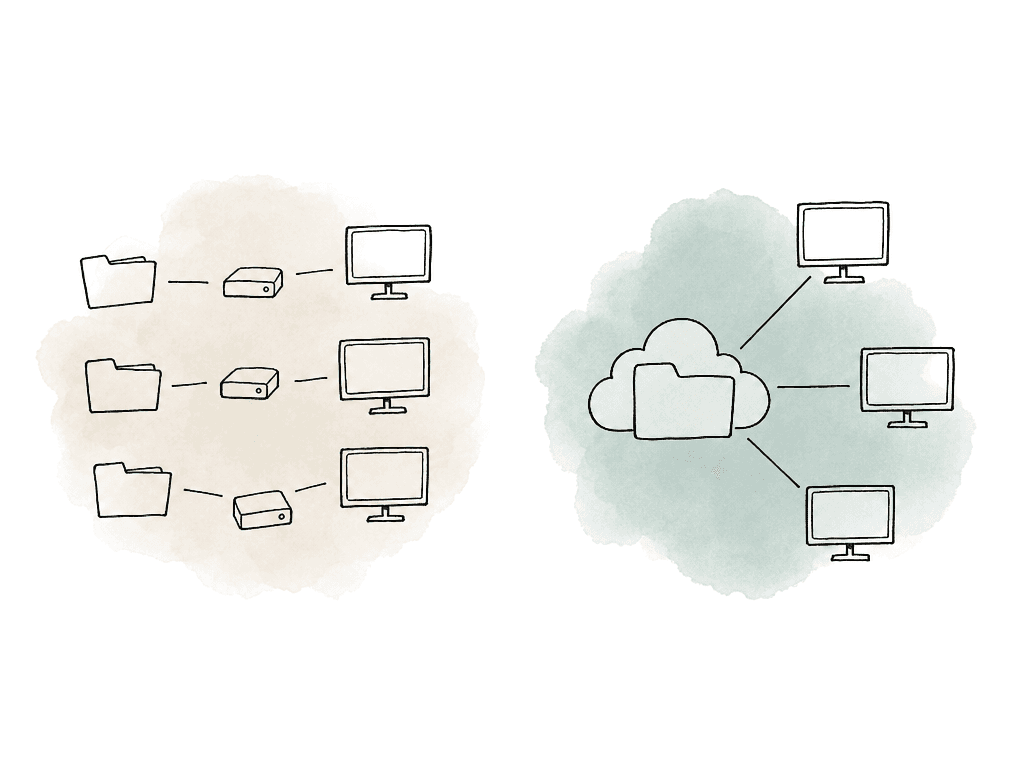
Bandwidth matters. Coordination is the larger workflow issue. Avid’s remote video editing guidance calls out lag from internet speed or hardware limitations as a common pitfall, and that tracks with what most teams feel day to day. Who has the current project file? Which export has client notes? Which folder did the assistant relink against? Is the editor working from originals, proxies, or a half-downloaded copy of the optimized media? Aspect is built around the assumption that media work spans editing, review, and archive, with metadata and access control attached to the same files. The streamed mount is the editing piece. It only works well when the rest of the workflow doesn't fragment around it. A good remote setup needs a few things to be true:- Editors can open the same folder structure from anywhere.
- Large files don't need to be fully copied before work starts.
- Local storage use is bounded and predictable.
- Travel and field work have an offline path.
- Review comments, versions, permissions, and archive state stay attached to the same assets.
Choosing the access pattern
| Workflow need | Use this pattern | Best fit | Main limit |
|---|---|---|---|
| Edit from shared paths without downloading the whole project | Streamed mount with local cache | Editors who need NLE access to the shared folder structure from home or another location | Playback still depends on bandwidth, local disk speed, cache state, codec, and timeline complexity |
| Keep reused media fast on one machine | Larger local cache on fast SSD storage | Editors and assistants who revisit the same clips, bins, graphics, and audio across a project | Cache is opportunistic. It helps repeated reads, but it is not a guarantee of offline access |
| Work during travel, field production, or unreliable connectivity | Offline pinning for selected files and folders | Laptops that must open active sequences, proxies, audio, graphics, LUTs, and references without a connection | Pinned files consume real local storage and should be chosen deliberately |
| Support several editors in one office | On-site shared cache node | Hybrid facilities where multiple users open the same media over a strong LAN but limited internet connection | The first access still has to pull from cloud storage, and new media still needs to upload to the shared filespace |
| Collect feedback without giving reviewers mounted media access | Generated previews, review links, comments, versions, and approvals | Producers, clients, and stakeholders who need to comment or approve rather than edit in the NLE | Review streams are not a replacement for full media access when an editor needs to cut from source files |
| Finish high-throughput RAW, high-frame-rate, or complex multicam work | Consider local high-performance storage, pinned/conformed media, or a facility workflow for that stage | Colorists and finishing artists with extreme throughput or color-critical requirements | This can be a better fit than cloud-mounted playback when the workload needs facility-class storage performance |
How the shared filespace works for editors
In Aspect, editors can mount a project or folder on a Mac or Windows machine so it appears in Finder or File Explorer like a network drive. The NLE sees files through the mounted path. Editors open project media, import clips, and relink through that path. Rendering and folder browsing work the same way, so nobody has to treat the cloud as a separate download portal. Under the hood, Aspect streams the bytes requested by the operating system or NLE into a local cache. If the editor opens a 100 GB file, Aspect doesn't need to download all 100 GB before the file can open. It reads the parts the operating system or NLE requests and stores them locally, so repeat access will be faster. That matters for normal editing behavior. Editors don't play every frame of every source file in order. They skim, jump, and scrub. They make selects, open bins, and revisit the same shots. A simple full-file sync workflow spends time downloading media the editor may never touch. A streamed mount spends bandwidth on the parts of the project the editor actually uses. Aspect also uses intelligent prefetching. As the editor moves through a file, Aspect can request bytes before the playhead reaches them, which reduces stalls compared with purely reactive reads. Prefetching doesn't repeal physics. It does make the streamed-drive model feel much closer to local storage when the editor is working through footage predictably. The workflow feels familiar because it maps to how editors already work:- The assistant uploads or organizes media into the shared filespace.
- Editors mount the project or the folders they need.
- The NLE reads the same paths on each machine.
- Cache fills locally as each editor works.
- Review, metadata, permissions, and versions remain tied to the shared assets.
Cache sizing should match the machine’s job
The cache is where remote editing becomes either smooth or annoying. Too small, and the editor keeps evicting media they're about to use again. Too slow, and playback suffers even if the network is fine. Too large, and laptops run out of internal storage for no reason. Aspect lets users configure both cache size and cache location. Treat those as per-machine workflow settings rather than one global default.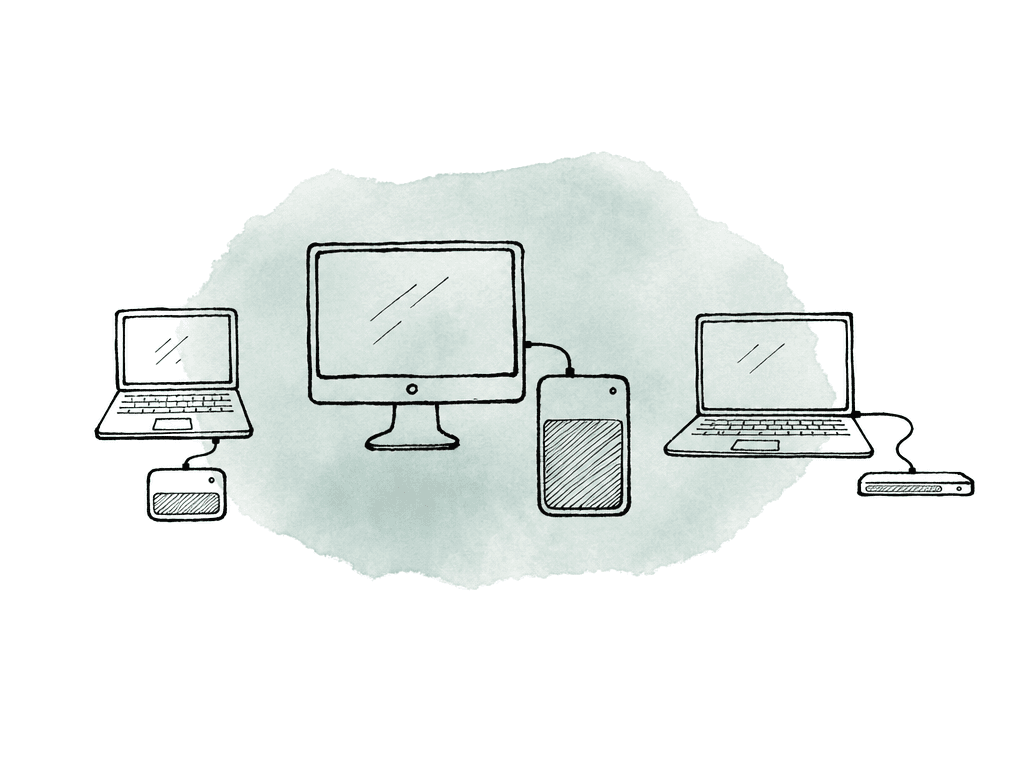
- The active working set includes the clips, audio, graphics, project files, and references the editor touches during a normal day.
- Media type matters because Long-GOP camera originals, ProRes, RAW formats, proxies, and image sequences behave differently under random access.
- Timeline behavior matters because multicam, heavy scrubbing, and frequent relinking create more read pressure than simple assembly editing.
- Local disk speed matters because a fast internal SSD or dedicated external SSD is a better cache target than a nearly full system disk.
- Available free space should leave room for renders, exports, NLE databases, and normal OS overhead.
- Network quality affects cache planning because weaker connections benefit from a larger cache when reused media should stay local longer.
Prefetching helps, but it isn't a substitute for workflow design
Prefetching is most useful when the editor’s access pattern has some continuity. Playing an interview, reviewing a take, or trimming around a scene gives the system a chance to stay ahead. So does moving through a long clip. It's less magical when the editor jumps unpredictably across hundreds of large files, scrubs aggressively through high-bitrate originals, or stacks multiple streams in multicam. Those workflows can still work. They need more local cache, better bandwidth, or proxies, and sometimes pinned media, depending on the situation. This is where your team should make a clear call by role:- Assistant editors working through ingest, organization, and selects often benefit from mounting broad project folders with a generous cache.
- Offline editors on deadline may want active sequences, selects, audio, graphics, and current project files pinned or heavily cached.
- Producers and reviewers often don't need the mounted full-resolution workflow at all. Generated previews and review links may be a better fit.
- Colorists and finishing artists may still prefer local high-speed storage for the final conform, especially for heavy RAW, high frame rate, or multi-stream finishing.
The bandwidth question, answered honestly
Aspect streams bytes on demand and doesn't throttle uploads or downloads, so teams can use the bandwidth they have. Not every connection can play every format. Bandwidth planning still depends on codec, bitrate, timeline complexity, and editor behavior. A single proxy stream is easy compared with multicam camera originals. A talking-head sequence is different from a timeline with stacked RAW, graphics, and nested comps under constant scrubbing. For home editors, the most important distinction is between startup time and sustained playback. A streamed mount can eliminate the long wait before work begins, because the editor doesn't need the whole project downloaded first. Once playback starts, the system still needs enough network, cache, and local disk performance to keep up with the reads the NLE is requesting. Common failure modes look like this:- Playback starts quickly, then stalls during aggressive scrubbing because the cache hasn't seen those ranges before.
- One editor’s laptop performs badly while another works fine because their cache location, disk speed, or free space differs.
- Home Wi-Fi causes inconsistent reads even though the nominal internet plan looks fast.
- Multicam sequences overwhelm a connection that works fine for single-stream editing.
- Exports or renders compete with cache reads on the same local disk.
- Cut with proxies, and pin the active material.
- Increase cache size, and try wiring the machine over Ethernet.
- Avoid unnecessary multicam full-res playback.
- Send generated previews to stakeholders who don't need to mount media.
Offices with limited upstream need a shared cache
A distributed team often includes a small office or agency space, a campus studio, or a post room where several editors work from the same internet connection. This is where a pure “everyone streams from cloud independently” setup can waste bandwidth. If five editors in the same building open the same camera originals, you don't want five editors pulling that file over the office uplink five times. For enterprise facilities, Aspect can deploy an on-site shared cache node. The first person in the building who opens a file streams it from the cloud into the cache. After that, other users on the same network read it at LAN speed from the local cache instead of redundantly downloading the same bytes from the cloud.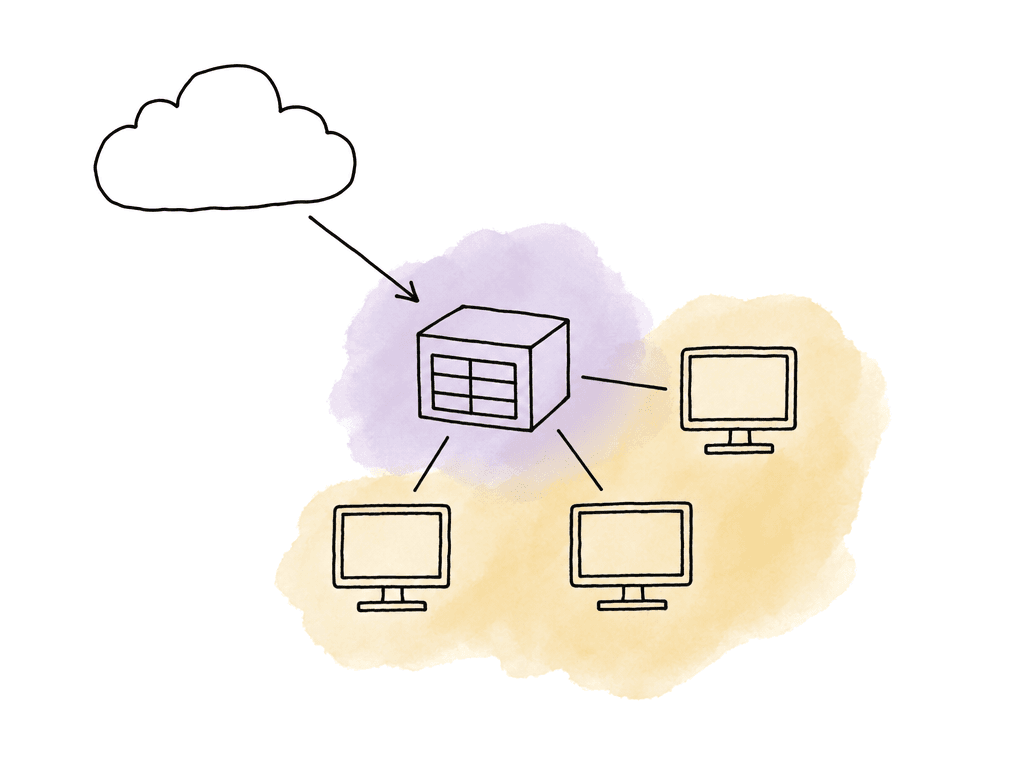
- Multiple editors in one office touch the same project media.
- The office has strong LAN performance but limited internet upstream.
- Assistants, editors, and producers repeatedly open the same exports, selects, graphics, or camera originals.
- A facility wants cloud access for remote collaborators without giving up local-speed reads in the building.
Offline pinning is for travel, field work, and bad networks
Cache is opportunistic, while pinning is intentional. Aspect lets editors pin files and folders for full offline access. Aspect downloads pinned files outside the normal cache behavior, so they remain available even when the machine has no connection.
- Current NLE project files and related sidecars.
- Active sequence media.
- Proxies for the next editing block.
- Audio, music, graphics, fonts, LUTs, and reference files.
- Client-approved selects or interview pulls.
- Any folder the editor needs during travel or on set.
Where NLE collaboration stops and Aspect starts
Remote editing has two separate collaboration layers that often get confused. The first is project or timeline collaboration inside the NLE. DaVinci Resolve Cloud Projects, for example, are designed around shared project databases and timeline collaboration. Sources retrieved in the research note that Resolve Cloud stores the project database in the cloud, while media files remain local or on shared storage. That's an important distinction. Resolve Cloud can help collaborators work in the same project, but teams still need a media strategy. Aspect is that media strategy. It gives editors a shared filespace they can mount locally and stream from, with caching, pinning, and archive on top. The boundary is useful:- Let the NLE manage timelines, bins, sequences, edit decisions, and application-specific collaboration.
- Let Aspect manage shared media access, mounted storage, review assets, permissions, and archive.
Your team should keep review, metadata, access, and archive attached to the media
A remote editing workflow gets fragile when every stage creates another source of truth. Aspect keeps review and approval connected to the asset, version, frame, and timeline range. Reviewers can leave frame-accurate comments, annotations, and replies. Versions can stack on the same asset, so notes don't drift away from the edit they refer to. The Premiere Pro panel can bring comments into the editor’s timeline, so feedback isn't trapped in a browser tab. The mounted filespace is therefore part of the same workflow where editors pull media and producers review. Clients approve there too, and revision context stays with the asset. Metadata matters for the same reason. Aspect can make libraries searchable by spoken words, people, objects, scene descriptions, and custom metadata. For remote teams, this reduces the “ask the one person who remembers where that shot lives” problem. Assistants can structure folders and metadata once, and the team can search across active and archived material without depending only on filenames. Access controls are the other half. Aspect supports sharing files and folders, collections, or whole projects with role-specific permission levels. Password protection and link expiry are available on those shares. Your team can separate editor access from client review access from producer browsing access without cloning media into separate tools. Archive is where remote workflows often lose long-term value. Aspect enterprise customers can archive assets and projects for long-term storage while preserving previews, metadata, and AI access. That matters because yesterday’s finished campaign becomes tomorrow’s searchable source library. If archive means “cold drive in a closet,” remote reuse gets harder every quarter.How to tell the workflow is healthy
A remote editing workflow is working when the team stops making side copies to feel safe. Look for these signals during rollout:- Editors can mount the same project paths and relink without custom local folder hacks.
- First access to heavy media may take a moment, but repeated access is faster because cache is doing its job.
- Cache growth is predictable, and machines aren't running out of space unexpectedly.
- Producers and clients review through previews and comments instead of asking for downloadable exports every time.
- Archive remains searchable by metadata, transcript, people, objects, and project context.
FAQ
Yes. In Aspect, editors can mount a shared cloud filespace on Mac or Windows and let the NLE read media through that mounted path. Aspect streams the byte ranges the application requests into a local cache, so opening a large file doesn't require downloading the entire file first. Prefetching can also request likely upcoming data as the editor plays through media. Performance still depends on codec, bitrate, network quality, cache size, and local disk speed.
Size the cache around the editor’s active working set, not the entire project. A producer reviewing cuts may need a small cache. An editor cutting multicam or jumping across a large documentary library may need much more. Put the cache on fast storage, and leave enough free space for renders, exports, NLE databases, and normal OS overhead.
Caching is automatic and opportunistic. It keeps recently used streamed data local so repeated access is faster. Offline pinning is intentional. Pinned files or folders are fully downloaded and kept available even when the machine has no internet connection. Pinning is best for travel, field work, and client sessions, and for current project files, proxies, audio, graphics, LUTs, and active sequence media.
There's no single bandwidth number that applies to every project. Requirements depend on codec, bitrate, resolution, number of streams, timeline complexity, and how aggressively the editor scrubs or jumps between files. A proxy workflow may work well on a modest connection, while multicam camera originals or RAW finishing may need much higher throughput. Avid’s remote editing guidance identifies internet speed and hardware limitations as common causes of lag, which matches the practical constraints of streamed workflows.
For enterprise facilities, Aspect can use an on-site shared cache node. The first user in the building who opens a file pulls the needed data from the cloud into the local cache. Other users on the same network can then read those cached bytes at LAN speed instead of repeatedly downloading the same media over the office connection. This reduces redundant cloud reads, but new media still needs to be uploaded to the shared cloud source.
Put the project media in one shared cloud filespace, then have each editor mount the folders they need on their own machine. Aspect lets the NLE read that mounted path like shared storage, while streaming only the bytes requested instead of forcing every editor to download a separate project clone from the shared cloud filespace.