Choose how your editor will reach the media
Cloud storage products can look similar in Finder or File Explorer while moving data differently. Establish which of these workflows you need before comparing capacity. Full-file synchronization or download gives the editor complete local files. Once the transfer finishes, playback reads from local storage, which is useful for unreliable connections. The tradeoff is preparation time and enough disk space for the selected media. An online-only placeholder saves space until the file is opened; it doesn't necessarily provide partial-file streaming to the editor. Mounted streaming storage presents cloud files through a local drive and retrieves data as the application requests it. Editors can start accessing a project without first downloading all its footage. A local cache retains accessed data, but uncached playback still depends on the connection, and background analysis can read much more media than expected.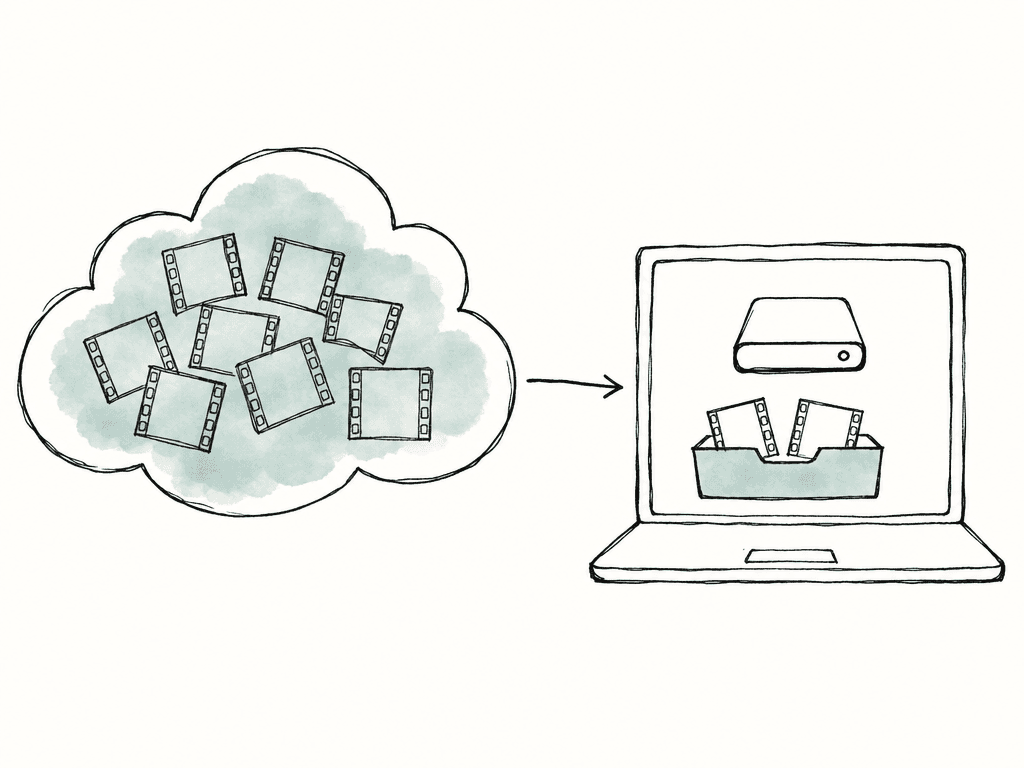
Five cloud storage options for video editing
| Service | What it provides | Local media requirement | How to budget for storage |
|---|---|---|---|
| Aspect | Shared editing access, asset search, and review in one platform | Cache for connected work; complete pinned files for offline access | A starting rate per terabyte, with lower rates for larger storage volumes |
| LucidLink | A shared streaming filespace for existing desktop workflows | Local cache, with pinning to preload important media | Member allowance, storage overage, and required enterprise features |
| Frame.io | Review workflows combined with mounted media access | Local cache through Frame.io Drive; confirm the required connection behavior | Mounted Storage allowance separately from ordinary storage |
| Dropbox | Familiar file sharing with prepared local editing media | Space for complete files opened from online-only storage | Team capacity and the local disks needed by each editor |
| Google Drive | Media exchange within an existing Google Workspace workflow | Mirrored files or selected media made available offline | Shared-drive behavior, pooled capacity, and local preparation |
Aspect: for teams connecting the media library to editing and review
Aspect gives editors a shared drive while producers search the media library and review its contents. Editors mount projects through the desktop app on Mac or Windows. Their editing applications request file data as they work, and Aspect retrieves it without requiring a complete project download first. Aspect built file streaming, media search, and review together. A producer can find a shot, an editor can open its original from the mounted drive, and the team can organize exported cuts into version stacks. Reviewers see the selected cuts and their comments without having to navigate the editor's folder structure.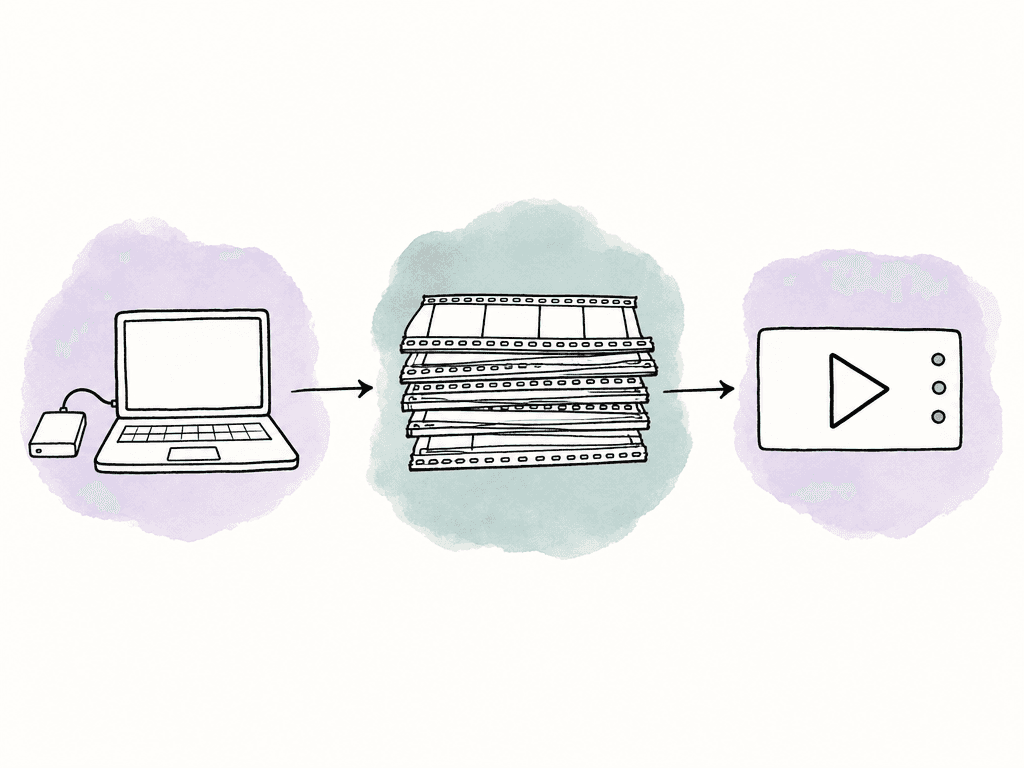
LucidLink: for a shared filespace around an established toolset
LucidLink provides shared editing storage that a team can use alongside its existing review and asset management tools. Its platform includes a mounted filespace, on-demand byte streaming, local caching, and pinning to preload important files. The current platform also documents browser guest access, snapshots, application-aware locking, and an optional on-site cache. Assess those features against your actual workflow rather than assuming it only provides a desktop drive. Locking support still needs to match the application and project format your editors use. Under LucidLink's pricing model, member fees cover a shared storage allowance and egress, meaning outbound data transfer. Capacity above that allowance costs extra. For a small editing team with a large library, extra capacity can matter more than the difference between seat prices. Confirm which plan includes the administration and recovery features you require.Frame.io: for teams already managing review there
Frame.io Drive mounts projects on macOS and Windows. It uses streaming technology supplied by Suite Studios, embedded in the Drive application. Its Mounted Storage retrieves the data applications need and caches actively used files locally. For a team already using Frame.io for review, Drive adds access to that media from editing applications. The streaming component comes from Suite Studios, whereas Aspect developed its desktop file access as part of the same system as its searchable library and review tools. In Aspect, producers can move from a matching shot in search to the original file in the mounted project. The important constraint is visible on its pricing page: ordinary storage and Mounted Storage have different allowances. Price the amount you need mounted, including any expansion, rather than treating every included terabyte as editable through the drive. Its public Mounted Storage FAQ also says an active connection is required and qualifies access to cached files. Confirm your planned offline workflow rather than assuming a previously played clip will remain usable throughout a disconnected session.Dropbox: for projects that fit on local editing drives
If you work alone and receive a folder of interviews before an edit, Dropbox may cover the handoff without adding another service. Download the working files before the session so playback can read them from your local drive. Dropbox's online-only documentation says that opening an online-only file downloads it and makes it available offline. The computer therefore needs enough free space for that file. For a dependable session, deliberately make the working folder available offline, wait for synchronization, and open the edit before the deadline. The limitation appears when several editors need large, changing selections at short notice. Each workstation needs its own preparation and disk budget. Include those requirements alongside the subscription and team storage allowance when deciding whether the familiar workflow remains economical.Google Drive: for teams already coordinating work in Google Workspace
Google Drive lets teams exchange footage alongside briefs, schedules, and other Workspace materials. Its desktop application supports streaming, which retrieves files as needed, and mirroring, which keeps a complete local copy. However, Google's streaming and mirroring guidance specifically says that applications doing video editing are faster when files are mirrored. Mirroring keeps a full copy locally. Shared drives can only be streamed, which means teams using them should prepare selected media for offline access and verify the editing workflow on their machines. This makes Drive a practical option for planned handoffs with modest working sets. For a constantly changing multi-terabyte library, compare preparation time and local storage demands against a dedicated media-streaming service. Existing Workspace capacity can lower the additional subscription cost, but it doesn't remove those operating requirements.Apply the comparison to one production
Suppose three editors and one producer are working with 3 terabytes (TB) of media. Each editor has 250 gigabytes (GB) of free local storage and a download connection rated at 400 megabits per second (Mbps). The project includes two-camera sequences, plus a 60 GB proxy set containing smaller editing copies of the originals. Downloading 3 TB over a connection sustaining 400 Mbps would take about 16.7 hours in an ideal calculation. That assumes decimal units and no overhead, interruptions, or competing traffic. The full library also exceeds each editor's local capacity. A workflow requiring complete local originals would need larger drives or a smaller selected working set. A mounted service changes how much must arrive before work can start, but it doesn't remove the media's data rate. If each camera stream in this example requires 300 Mbps, playing two uncached streams requires 600 Mbps before overhead. A 400 Mbps connection can't continuously deliver that workload. Cached media, preloaded originals, or lower-bitrate proxies would still be necessary. The 60 GB proxy set would take about 20 minutes at the same ideal transfer rate and fit on the available disk. All five services could deliver that set before an editing session. A streaming drive becomes more useful when editors frequently need additional originals that were left out of the proxy download, or when the finishing workstation needs access to the full library.
Compare the complete monthly cost
Start with the monthly subscription and the storage it includes. These are regular USD prices before tax or introductory promotions, with annual commitments labeled separately.| Service and plan | Price and billing | Storage allowance and additional costs |
|---|---|---|
| Aspect Pro | Starts at $30/seat/month with monthly billing. Or $25.50/seat/month with annual billing. | Includes 500 GB per seat. Lower storage rates are available for larger team requirements. |
| LucidLink Business | $32/member/month on monthly billing, or $27/member/month with annual billing. | 400 GB per member, pooled across the workspace. Additional storage is charged after that shared allowance is used. |
| Frame.io Pro | $15/member/month on monthly billing, or $13/member/month paid as $156/member/year. | Includes 250 GB of Mounted Storage. Standard storage is a separate allowance. Price any additional mounted capacity separately. |
| Frame.io Team | $25/member/month on monthly billing, or $22/member/month paid as $264/member/year. | Includes 500 GB of Mounted Storage. Standard storage is a separate allowance. Price any additional mounted capacity separately. |
| Dropbox Standard | $15/user/month, billed yearly. Starts with one user. | Starts at 3 TB for the team. Each editor also needs local space for downloaded footage. |
| Google Workspace Business Standard | $16.80/user/month on the Flexible Plan, or $14/user/month with an annual commitment. | 2 TB of pooled storage per user. Annual-plan payment options depend on the purchase route; local editing copies still need disk space. |
Compare the cost per included TB
The table below divides one paid seat's monthly price by the mounted storage included with that plan, using 1 TB = 1,000 GB. This gives you the same unit for each service; it doesn't mean each vendor sells a standalone 1 TB plan at that price.| Plan | Cost per included TB per month | Calculation using monthly billing |
|---|---|---|
| Aspect Pro | $60/TB/month | $30 per seat divided by 0.5 TB included per seat. Larger team storage volumes have lower rates. |
| LucidLink Business | $80/TB/month | $32 per member divided by 0.4 TB included per member. |
| Frame.io Pro | $60/TB/month for the included mounted allowance | One $15 member subscription divided by 0.25 TB of Mounted Storage per workspace. |
| Frame.io Team | $50/TB/month for the included mounted allowance | One $25 member subscription divided by 0.5 TB of Mounted Storage per workspace. |
Price the four-person production
For the four-person, 3 TB production above, LucidLink Business costs $128 in monthly member fees and includes 1.6 TB. The remaining 1.4 TB adds $112, giving $240/month if usage stays at 3 TB. At Aspect's $60/TB monthly storage equivalent, 3 TB corresponds to $180/month before volume pricing. These calculations cover the stated subscriptions and storage; keep local hardware and any other software in the budget as well. Frame.io Team's four member subscriptions cost $100/month on monthly billing, but its included 500 GB of Mounted Storage leaves 2.5 TB to price separately. Four Google Workspace Business Standard users cost $67.20/month on Flexible billing or $56/month with an annual commitment, and provide 8 TB pooled across Workspace services. Those editors still need to prepare their local media before the session. Then add costs outside the headline plan: local SSDs, proxy generation where needed, separate review or catalog software, and the time spent preparing and troubleshooting transfers. If you already pay for Dropbox or Google Workspace, compare the additional storage cost with the time editors spend downloading footage and making room on their drives. If you're also considering an object-storage service such as Amazon S3, include the software that gives your editing application access to those objects. S3 pricing separates storage, requests, retrieval, transfer, and other services. A low capacity price alone isn't a comparable quotation for a managed shared editing drive. Archive copies and their restoration process should also have their own budget and retention policy.Make the final choice with your actual project
Choose a project that reflects your weekly workload, with camera originals, proxies, audio, graphics, and an editing timeline. Open a sequence before its media is cached, then repeat playback after the same material has been accessed. Try a section with several simultaneous streams and complete an export using originals. Record waiting time and local disk use so you can compare the same work across services. Bring in a second editor to check consistent paths and the editing application's project-sharing rules. Then have the producer review a cut with the intended guest permissions. Before traveling, download the complete files needed for the edit and open the timeline without a connection. A cache containing only parts of those files can't support the whole offline session. If your team uses separate services to store footage, find shots, and review cuts, Aspect brings those steps together. A producer can search the shared library while editors use its originals on the desktop and clients review selected exports. Include the cost of the tools and transfer work that this replaces when comparing the monthly subscription.FAQ
Aspect provides shared editing access, footage search, and client review in one platform. LucidLink provides a streaming filespace that teams can use with their existing review and media tools. Frame.io Mounted Storage adds desktop access to projects held in Frame.io. Dropbox and Google Drive can handle planned handoffs when editors have time and disk space to prepare complete local files.
Their desktop applications expose files to editing software, but local availability still matters. Dropbox documents that opening an online-only file downloads it and requires enough disk space. Google Drive supports streaming and mirroring, and its documentation says video editing is faster with mirrored files. Prepare the selected media locally and confirm synchronization before starting a session or handing the project to another editor.
Yes. Frame.io Drive uses streaming technology from Suite Studios to connect projects to the desktop on macOS and Windows. Mounted Storage has a separate allowance from ordinary Frame.io storage, so a plan with several terabytes of storage does not necessarily provide that much mounted capacity. Review the allocation and expansion options for your plan.
Start with the combined bitrate of the streams your timeline plays simultaneously, then allow capacity for other traffic and uneven delivery. Two 300 Mbps streams require 600 Mbps of media data before overhead, which exceeds a 400 Mbps connection when those frames are uncached. Local caching, complete downloads, and lower-bitrate proxies reduce network demand. Use a section of your timeline with several simultaneous streams to measure the connection your edit needs.
Shared media access does not by itself establish who can change an editing project. Use the editing application's collaboration or locking workflow, keep media paths consistent, and test the handoff with two workstations. Some storage products document application-specific locking support, but that does not make every editing application's project files safe for simultaneous changes.