
The decision starts with time
Terabytes sound abstract until you convert them into hours. The rough transfer-time formula is: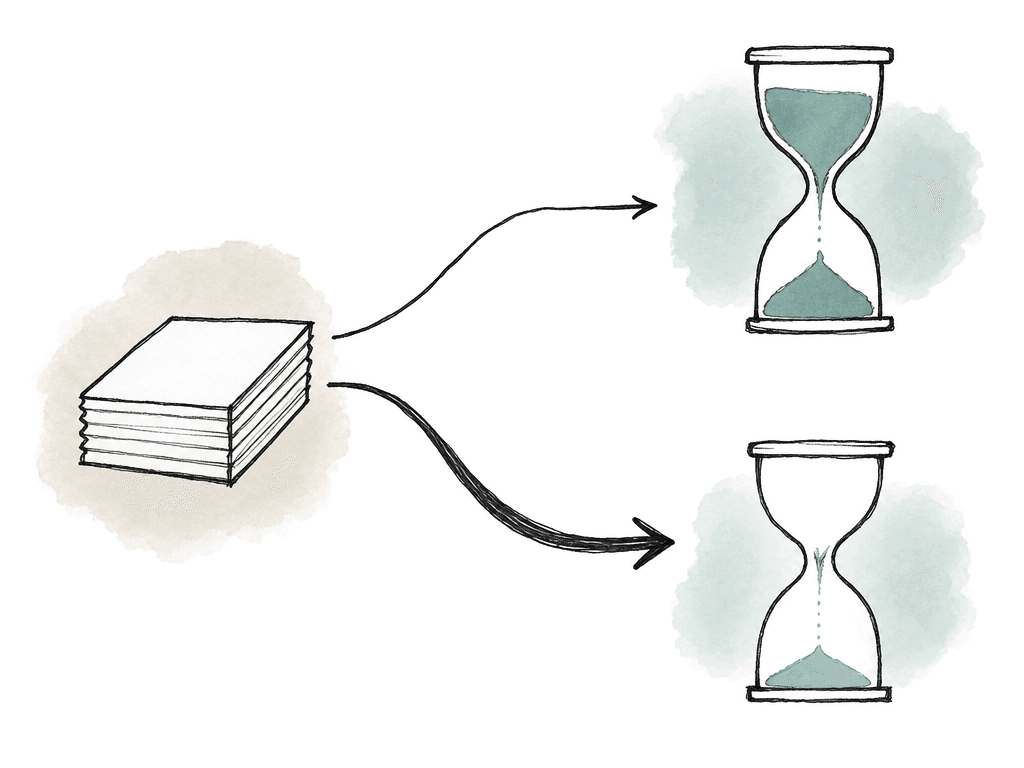
total bits / usable bits per second = transfer seconds
Storage is measured in bytes and bandwidth in bits, so multiply terabytes by 8 before doing the math. Then account for overhead, throttling, and packet loss. Encryption and local disk speed cost you more. And “1 Gbps internet” rarely means 1 Gbps sustained upload to your destination.
Here are useful ballpark estimates for a 1 TB upload at sustained throughput:
| Sustained upload speed | Approximate time for 1 TB | Approximate time for 5 TB |
|---|---|---|
| 25 Mbps | 3 days, 17 hours | 18 days, 12 hours |
| 50 Mbps | 1 day, 20 hours | 9 days, 6 hours |
| 100 Mbps | 22 hours | 4 days, 15 hours |
| 250 Mbps | 9 hours | 1 day, 20 hours |
| 500 Mbps | 4.5 hours | 22 hours |
| 1 Gbps | 2.2 hours | 11 hours |
| 2 Gbps | 1.1 hours | 5.5 hours |
| 10 Gbps | 13 minutes | 1.1 hours |
Know what kind of delivery you're making
Not all multi-terabyte deliveries have the same risk profile. A camera-card backup from set behaves nothing like a locked master delivery, a VFX pull, or a full conform turnover. Five constraints change the recommendation:- Total volume, because 800 GB, 4 TB, 20 TB, and 100 TB are different problems.
- Deadline shape, because “as soon as possible” is different from “editorial needs the first reels tonight.”
- Network stability, because a fast but flaky connection needs different handling than a slower but stable one.
- Security requirements, which may include encryption, expiring access, audit logs, and named users for unreleased media.
- Post workflow, which decides whether files need to land in cloud storage, a MAM, shared storage, or a specific folder structure for automation.
Break the project into delivery units
The fastest way to make a large transfer fragile is to treat it as one enormous folder with no internal structure. If the transfer tool has to scan millions of files, retry a half-failed tree, or rehash everything from scratch, you lose time before the upload even begins. A better unit is a package that's large enough to transfer efficiently, small enough to retry, and meaningful enough for the recipient to ingest.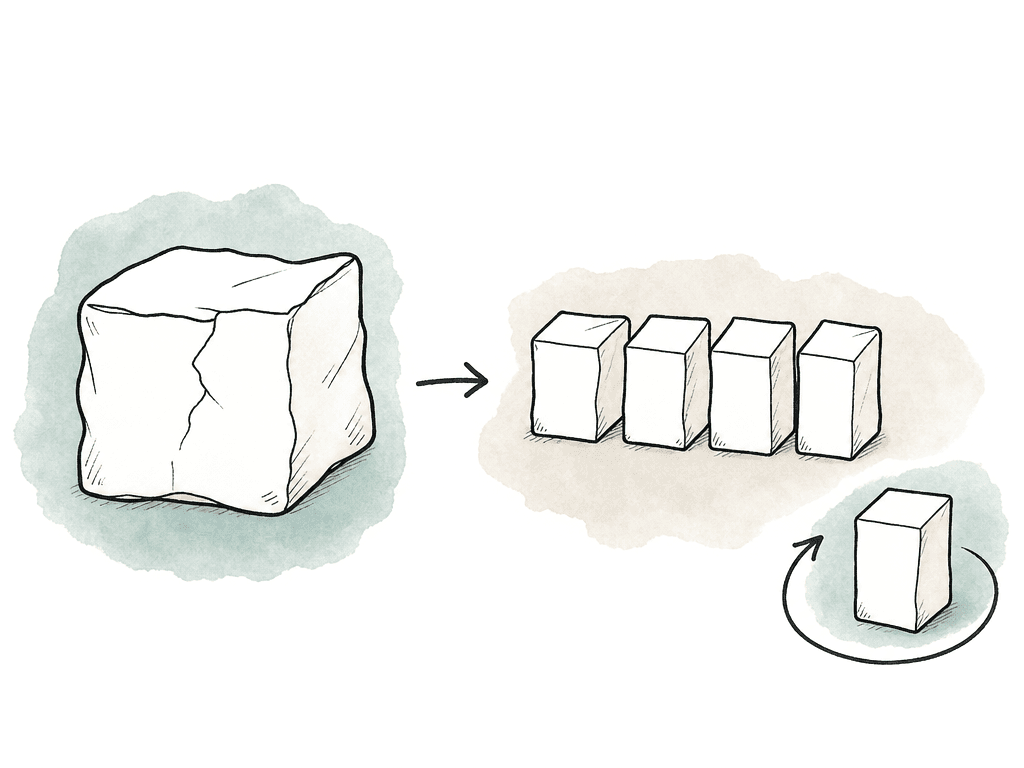
- Shooting day or card, which is useful for original camera media and dailies.
- Reel, act, sequence, or episode, which is useful for editorial and finishing turnovers.
- Department, such as VFX plates, audio, color, graphics, project files, and references.
- Priority, such as proxies first, then audio, then high-resolution camera media.
- Storage target, with one package per destination bucket, workspace, or ingest folder.
- Preserve the folder tree and transfer files directly.
- Archive groups into tar, zip, or similar container files before transfer.
Use a resumable transfer method, not a browser hope-and-pray
Browser uploads are fine for small deliverables. Multi-terabyte transfers need a client, agent, or managed file transfer system that's designed for interruption. At minimum, the transfer method should support:- Resume after network loss without restarting completed files.
- Parallel or multi-part transfers where appropriate.
- Automatic retry with sane backoff.
- Transfer logs showing success, failure, and skipped files.
- Checksum or hash validation.
- Large file support above your biggest expected file.
- Authentication and permission control.
- A destination that can accept the full payload.
| Transfer approach | Best fit | Strengths | Watch for |
|---|---|---|---|
| Browser upload | Small ad hoc files and noncritical deliverables | Simple, no install, easy for casual recipients | Weak resume behavior, session timeouts, file size limits, limited logs |
| Cloud sync or desktop drive client | Ongoing folders, modest turnovers, teams already using the platform | Familiar interface, background syncing, easy sharing | Conflicts, throttling, unclear verification, accidental renames or deletions |
| Command-line or cloud-native agent | Planned large transfers into object storage or technical destinations | Resume support, multipart transfer, scripting, logs, predictable automation | Requires setup, credentials, and someone comfortable reading transfer output |
| Managed or accelerated media transfer | Time-sensitive terabyte delivery, long-distance links, unstable networks, remote set workflows | Better path utilization, auto-retry, audit logs, watch folders, named users | Licensing cost, recipient onboarding, destination compatibility |
| Physical transfer appliance | Tens or hundreds of terabytes into cloud when bandwidth cannot meet the schedule | Avoids weak internet paths and can seed a large cloud library | Lead time, chain of custody, shipping risk, later ingest and verification still required |
Stage the upload so people can work earlier
Multi-terabyte delivery fails socially before it fails technically. Someone says “the upload is at 62 percent,” but nobody knows whether the missing 38 percent contains the shot the colorist needs tomorrow. Treat priority as part of the transfer plan. A staged delivery might look like this:- Project manifest, delivery notes, and folder map.
- Low-resolution proxies or review exports.
- Editorial project files, bins, XML, AAF, EDL, and reference media.
- Audio turnover and mix references.
- VFX pulls or color-critical selects.
- Remaining camera originals or full-resolution plates.
- Supplemental assets, stills, graphics, fonts, LUTs, and reports.
Verification belongs inside the workflow
Simple copy methods aren't enough for original camera data and high-value media. Finder, Explorer, and basic drag-and-drop don't give you the confidence needed to wipe source media or release a drive. Professional camera workflows typically rely on checksum-verified copies for exactly this reason. A checksum acts as a calculated fingerprint of a file. If the sender calculates a hash and the receiver calculates the same hash after transfer, you have strong evidence that the file arrived unchanged.
- The sender generates checksums at the source.
- The sender transfers the files and checksum manifest together.
- The receiver recalculates checksums at the destination.
- The receiver compares the destination result against the source manifest.
- The receiver saves the report with the delivery.
Plan for the destination, not just the upload
A lot of transfer plans only consider the sender’s side. That's how you end up with a perfect upload into a destination that can't ingest the package. The receiving side needs enough storage and write performance. It also needs the right permissions and a process for accepting the delivery. If the destination is cloud storage, check object limits, per-file limits, and daily upload caps. Check lifecycle rules too, and ask whether the recipient has egress concerns later. If the destination is on-prem shared storage, check available capacity, RAID or NAS write speed, and network interface speed. Then find out whether other work is already using the ingest machine. Common receiving-side failures include:- The destination account has a daily upload or storage quota.
- The receiving drive uses a format with a file size limit.
- The cloud bucket path or permissions are wrong.
- The folder structure changes during download and breaks relinking.
- The recipient can't see logs or verify what arrived.
Don't improvise security at delivery time
Media delivery is part of the security boundary of a production. The transfer may include unreleased episodes, talent footage, or copyrighted masters. Client assets and project files with embedded credentials travel the same path. Convenience links and shared passwords aren't enough for sensitive material. For multi-terabyte internet delivery, security requirements usually include:- Named users rather than shared logins.
- Encrypted transfer in transit.
- Encryption at rest where the media is stored.
- Access expiration or removal after delivery.
- Audit logs for upload, download, and access.
When shipping a drive is faster
Sometimes the right answer is still to ship a drive. The internet isn't magic, and bandwidth isn't evenly distributed. A drive can win when:- The dataset is very large.
- The available upload speed is poor or capped.
- The distance is short or courier service is predictable.
- The recipient can't accept cloud or managed transfer delivery.
- The cost of cloud ingest, storage, or egress is higher than the courier workflow.
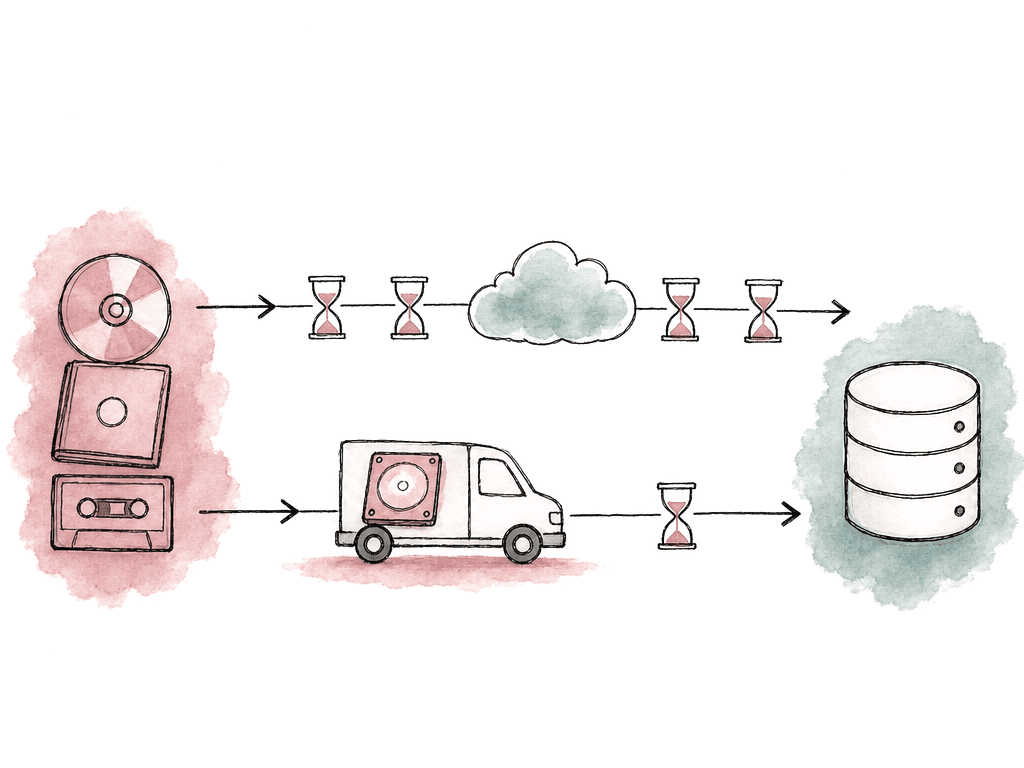
- Preparing packages.
- Uploading.
- Verifying at destination.
- Ingesting into the next system.
- Copying to drive.
- Verifying the drive.
- Courier pickup and transit.
- Receiving and mounting.
- Copying from drive.
- Verifying destination storage.
Hybrid delivery is often the best answer
The drive-versus-internet debate is too binary. Many real workflows benefit from both. Send proxies, project files, and priority selects over the internet immediately, then ship a verified drive with full camera originals. Editorial starts today, while the full-res safety copy follows. Or upload the day’s dailies every night, but rotate shuttle drives as a backup path. Or ship the first large baseline dataset, then send incremental changes over the internet after that. Hybrid delivery works especially well when the first upload would be huge but later changes are manageable. Once the receiver has the initial media, new turnovers and revised shots can move online without repeating the whole dataset. So can audio updates and project files. The key is to avoid two unsynchronized truths. If files travel by both drive and internet, maintain a manifest that says which package is authoritative, which version is current, and which packages the receiver has verified. Otherwise the team may waste hours comparing folders called “final,” “final_from_drive,” and “final_upload_retry.”A sane multi-terabyte delivery plan
A reliable internet delivery looks like this in practice:- Measure the source size, file count, largest file, and deadline.
- Measure sustained upload speed from the actual network you'll use.
- Ask the receiver where to upload, how much space exists, what limits apply, and who will verify arrival.
- Package the project into meaningful units, and put the units that unblock work first.
- Generate checksums for each package, or use a transfer tool that does this in a way both sides can audit.
FAQ
Convert the data size to bits, then divide by the sustained upload speed in bits per second. For example, 1 TB is roughly 8 terabits, so at a sustained 100 Mbps it takes about 22 hours before overhead. Then add margin. Protocol overhead, throttling, and packet loss all eat into the clean number, and so do disk speed, encryption, and destination limits. For shared or uncertain networks, doubling the clean math estimate is safer than assuming perfect throughput.
For most post workflows, splitting is safer. Good package boundaries are the shooting day or card, the reel or episode, and the department, priority tier, or destination. Smaller packages are easier to retry, verify, and ingest. A failed 500 GB package is manageable, while a failed 8 TB archive can put the whole delivery at risk. Large archives can help when there are hundreds of thousands of small files, but they should still be kept to a size that can be reasonably retried.
Browser uploads aren't designed for long, failure-prone media transfers. They may time out, restart poorly after interruption, or hide useful logs. Very large files and deep folder trees can break them outright. Multi-terabyte deliveries should use a resumable transfer client, a managed transfer platform, or a cloud agent instead. Whatever you pick has to handle retries, large files, and parallel transfers, and it has to give you logging, permission control, and integrity validation.
Use checksums or a transfer system that provides equivalent integrity validation. The sender generates a checksum manifest at the source and transfers it with the files. The receiver recalculates checksums after arrival, compares the results, and saves them with the delivery record. A transfer shouldn't be considered complete until four things are true: the expected files exist, byte counts match, checksums pass, and the package is readable by the next workflow system.
Shipping a drive can be faster when the dataset is very large, when upload bandwidth is poor, or when the connection is capped or unstable. The same is true when the recipient can't ingest from a cloud or managed transfer platform. Compare time to usable files, not just transit time. Drive delivery includes copying to the drive, verifying it, courier transit, receiving, copying to destination storage, and verifying again. If a 10 TB upload will take six days and a verified courier drive can be usable tomorrow, the drive likely wins.
Stage the delivery so project files, proxies, and priority reels or selects arrive first. In Aspect, editors can open media from a shared cloud filespace, which reduces the need to wait for every full-resolution file to land on a local drive before work begins.