Start with the field workflow
A portable edit suite has to support the whole chain. Camera media arrives. Your team verifies files and makes backups. Proxies or dailies get generated, editing begins, and some version of the work leaves the location. The weak point is usually the handoff between components.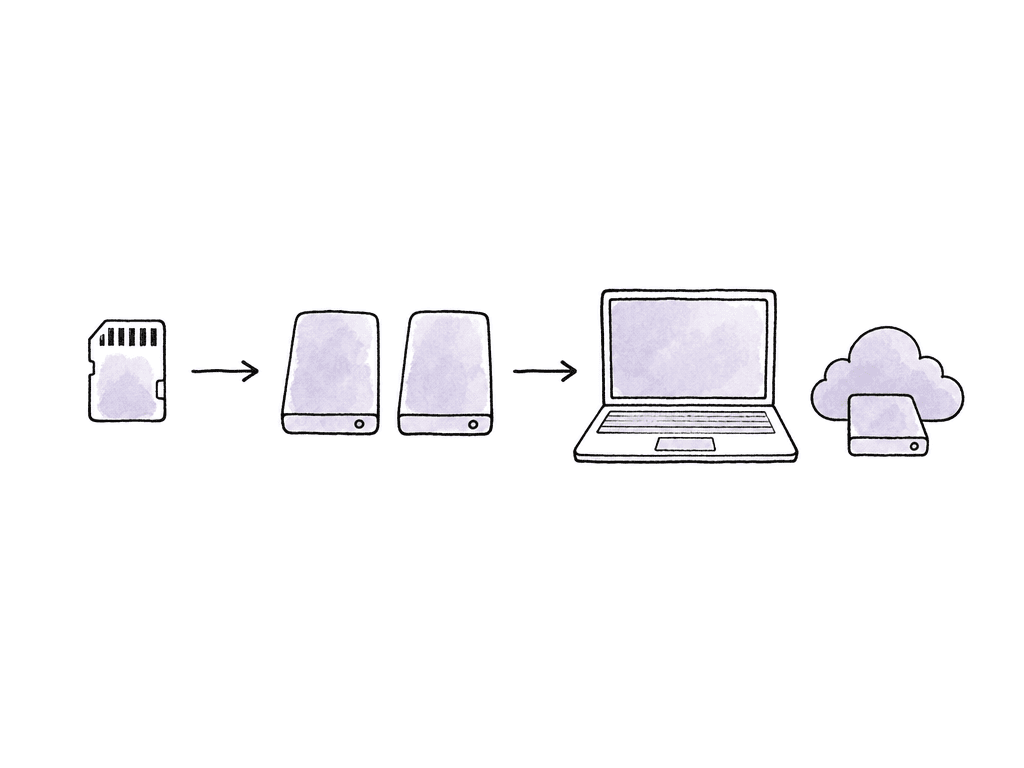
- Your team copies original camera and audio media with checksum verification.
- Your team creates proxies or editorial media in a format the laptop can play reliably.
- Your team stores the NLE project separately from the camera originals.
- Your team points cache, renders, and temp files at a known fast location.
- Your team plans a cloud, shuttle drive, or facility handoff path before the first shoot day.
Choose a laptop for sustained playback
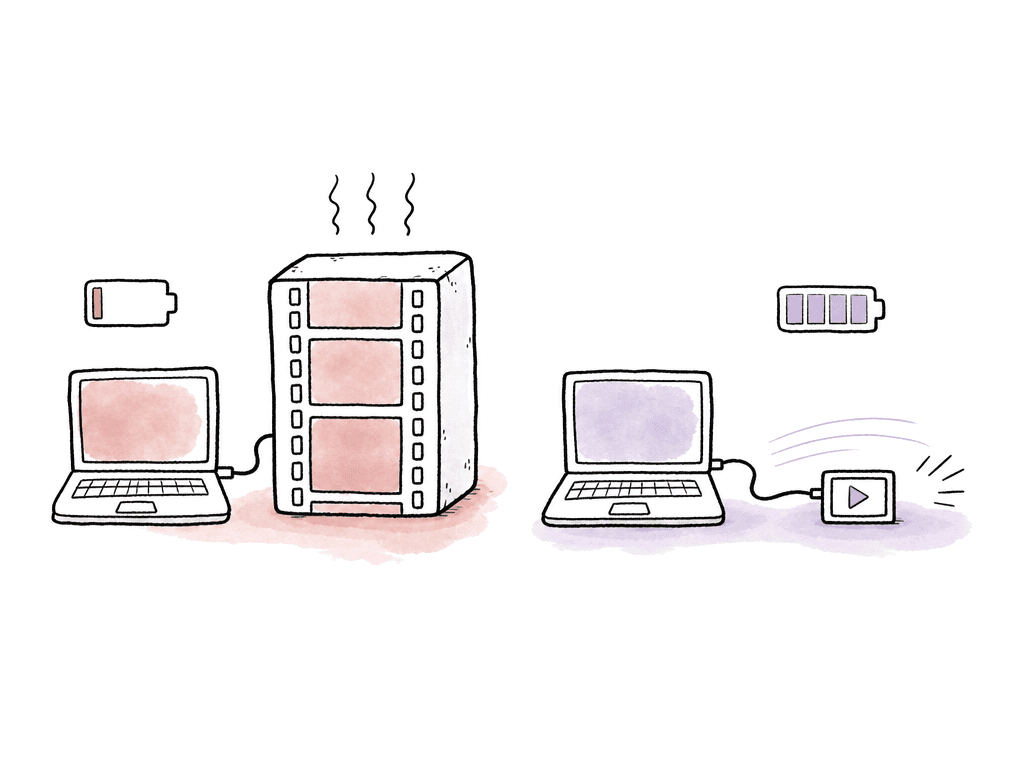
Laptop buying gets noisy fast. CPU and GPU both count, and so do memory, cooling and codec acceleration. In the field, though, the question is simpler: can this machine sustain the workload for hours without throttling, running out of memory, or turning every export into a power emergency? For editing, prioritize in this order:- Hardware decode support for your acquisition and proxy codecs
- Enough memory for the NLE, background apps, and large timelines
- Fast internal storage for applications, cache, and active project files
- A GPU appropriate for effects, noise reduction, color, and Resolve workloads
- Ports that avoid fragile hub chains
- Cooling that holds performance under real export loads
- Battery life under editing load, not under web browsing
Build storage around copies, speed, and separation
Portable storage has three jobs: feed the edit, protect the media, and survive travel. Don't ask one drive to do all three.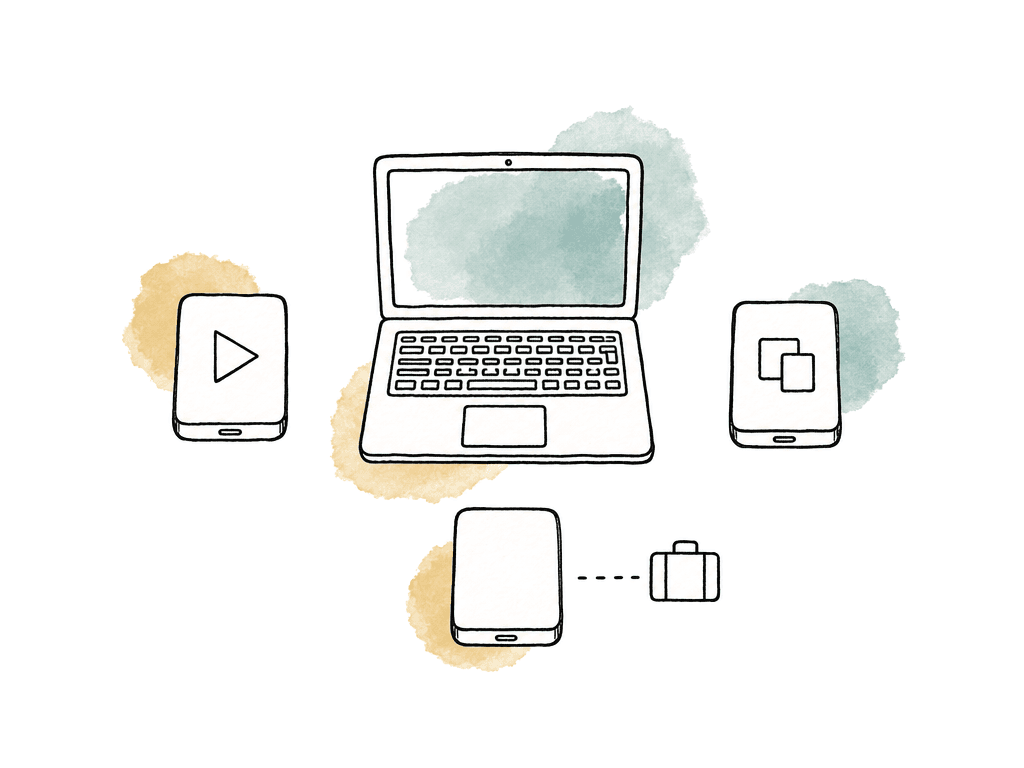
| Storage role | Holds | Main requirement | Common mistake |
|---|---|---|---|
| Working SSD | Active project files, proxies, cache, renders, and current exports | Sustained speed, direct connection when possible, enough free space | Treating it as the only copy of the job |
| Verified media copy | Original camera and audio media copied with checksum reports | Capacity, reliability, clear card and reel structure | Clearing cards before reports, file counts, and folder structures are confirmed |
| Backup copy | A second verified copy of the day’s media | Physical separation from the working copy | Keeping both copies in the same bag, case, or room at all times |
| Shuttle or handoff drive | Media, reports, proxies, project files, and delivery notes for post or production | Predictable folder structure and compatibility with the receiving system | Sending a drive that post cannot relink or interpret quickly |
| High-capacity RAID | Large camera originals, dailies, or shared field storage | Capacity, cooling, stable power, and tested throughput | Assuming a RAID replaces backup rather than serving as one storage tier |
| Offsite or travel copy | Critical duplicate media kept with another person, vehicle, hotel safe, or cloud location | Separation, encryption when appropriate, and tracking | Letting the only safety copy travel in checked baggage or an untracked shipment |
- Working SSD for active projects, proxies, cache, and editorial media
- Backup SSD or RAID for a cloned copy of the day’s verified media
- Shuttle or archive drive for handoff to post, production, or cloud ingest
- Optional high-capacity RAID when camera originals are too large for small SSDs
- Optional rugged offsite copy kept with a different person or in a different location
Keep project files portable and predictable
A portable suite often fails because the media is technically safe but the project is a mess. Someone opens the timeline on a second machine and half the media is offline. The path changed, or the drive name is different. The cache is local, or the project references files on the editor’s desktop. Different NLEs solve this in different ways. Premiere Productions can work well across shared storage, but Adobe’s own guidance calls out storage protocol and path consistency. Adobe prefers SMB for NAS connections, macOS systems should use the same volume names, and Windows systems should map consistent drive letters. That applies in the field as well. One assistant may be on a laptop, another system in a hotel room, and a post facility will later relink the same project. Final Cut Pro libraries are useful for travel because a library can contain events, projects, metadata, and optionally media. That makes it easy to move creative work between systems. The decision is whether to store media inside the library or externally. For solo field cutting, a self-contained library can be convenient. For larger projects, external media with disciplined folder structure is usually safer and easier to hand off. Resolve projects need similar discipline around databases and project archives, and around proxies, cache and gallery stills. Resolve can move between macOS and Windows, but the project’s media paths, cache locations, and plugin availability still need attention. If collaboration or cloud projects are part of the plan, test login and permissions, proxy relinking and media availability, before the crew leaves town. A simple field folder structure helps every NLE:- 01_OCN
- 02_AUDIO
- 03_PROXIES
- 04_PROJECTS
- 05_EXPORTS
- 06_REPORTS
- 07_GRAPHICS
- 08_CACHE_TEMP
Decide when to use proxies, online media, or cloud editing
On-location editing is usually an offline workflow, even when the camera files are technically playable. ARRI’s editorial guidance frames the core choice clearly: online, offline, or cloud. Online editing with original camera media demands the most hardware and storage. Offline editing uses lower-bandwidth media to keep the rough cut moving. Cloud workflows shift the workstation or storage somewhere else, but introduce network and access constraints. Use online media in the field when the media is lightweight enough, the laptop is powerful enough, and the schedule benefits from avoiding transcodes. This is common for short-form work, social edits, or camera formats that are already edit-friendly. Use proxies when the camera originals are heavy, multicam is involved, battery life matters, or the project will later conform for finishing. Proxy workflow is often the professional choice if metadata is preserved and naming is clean. Use cloud editing when remote collaborators need access quickly, the production has reliable upload bandwidth, or the editorial team is distributed. AWS, Avid, and other cloud edit environments generally provide virtual workstations, shared high-performance storage, and remote display protocols. That can remove the need to ship high-end edit machines, but it doesn't remove the need to ingest media, manage permissions, and move large files into the cloud. The catch is bandwidth. Real-world uploads from temporary locations are often much slower than advertised. If a 1 TB folder takes most of a day to upload, cloud editing may work for proxies, selects, or dailies long before it works for full-resolution camera originals. Some productions solve this with fast transfer locations or dedicated upload infrastructure, but that has to be part of the plan.Monitoring in the field is about confidence
Laptop screens are useful, but they aren't a full monitoring solution. They're often too bright, viewed in bad ambient light, and not calibrated for final decisions. You can still make good edit decisions, but you should separate rough-cut confidence from finishing confidence.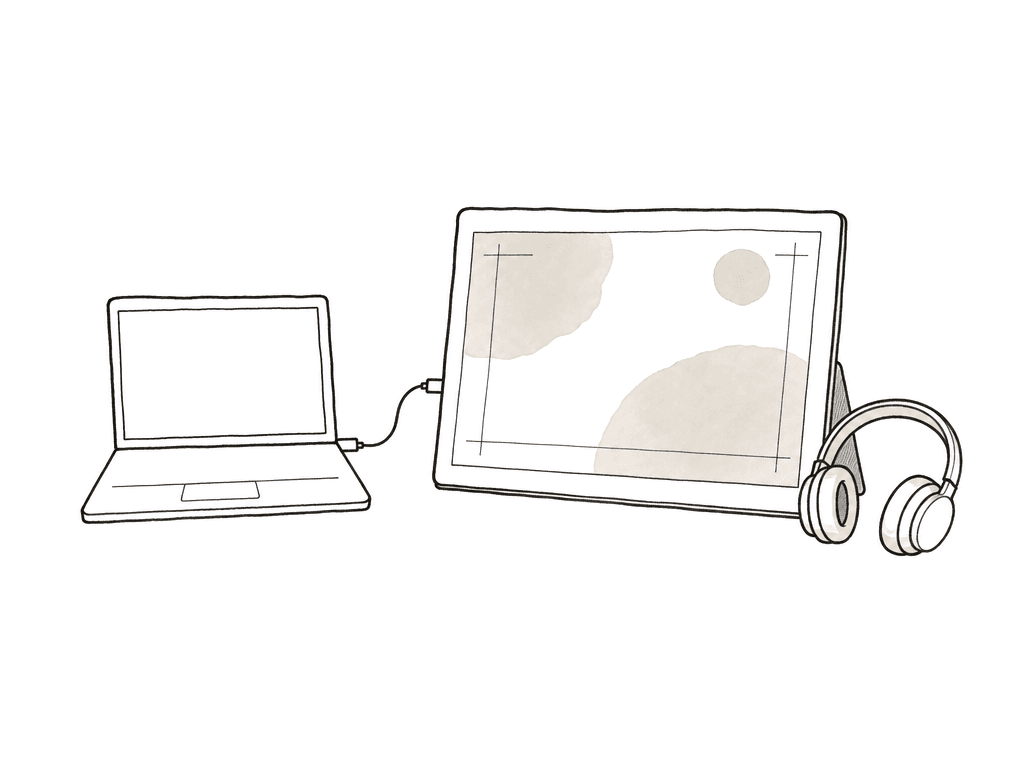
- Laptop screen only for rough cuts, stringouts, sync, selects, and travel days
- Portable USB-C display for more timeline space and client review
- Calibrated portable monitor for better color confidence on dailies or previews
- Video I/O device feeding a proper reference display when color decisions matter
- Headphones plus small speakers for basic audio reality checks
Power planning changes the whole kit
Portable editing is power management with a timeline attached. A laptop that's excellent on mains power may become mediocre on battery if the GPU drops performance, the screen dims, or external drives start disconnecting through an underpowered hub. Plan power around the longest unsupported work block. That might be a van ride or a tented base camp. It might be a plane, a remote location, or a production office with two outlets and twelve people. The kit should support ingest and a rough cut without assuming perfect wall power. Common power pieces include:- High-wattage USB-C charger matched to the laptop’s real power draw
- Compact power strip with enough spacing for adapters
- International plug adapters when traveling across regions
- USB-C power bank within airline limits
- Spare cables rated for the wattage and data speed required
- Small UPS or battery station for carts, dailies, or unstable generator power
- Car inverter only when tested with the actual charger and load
Make the kit airline-friendly by removing single points of failure
A good portable edit suite should still work when one adapter is missing. A good airline-friendly kit divides into carry-on and checked gear. Carry-on gets the laptop and its power supply, the working drive and the project drive, and at least one backup or shuttle drive. Add the card readers needed for current media, headphones, and any hardware license keys. Checked gear can hold stands and extra cables, non-critical monitors, power strips and bulkier accessories. If your team transports original media, never let the only copy sit in checked baggage. Cable discipline is worth more than people admit, because USB-C can carry power, data, display, or some confusing subset of those. Label cables by purpose: charge, fast data, display, reader. Pack short spares for the critical connections. Avoid building the entire suite around one multiport hub unless you have a duplicate or a fallback path. The failure modes are predictable:- The laptop has only one high-speed port free after power and display.
- Two bus-powered SSDs disconnect during simultaneous copy.
- The NLE cache fills the internal drive mid-export.
- A project opens, but plugins, fonts, LUTs, or effects are missing.
- The hotel internet works for email but not for media upload.
- Pack the kit and plug it in exactly as you'll use it.
- Ingest sample camera media and generate proxies.
- Open the project and export a review file.
- Copy that export to the backup destination.
- Run on battery long enough to see what changes.
The field suite should hand off cleanly to post
A portable edit suite is the first post environment. The choices your team makes there affect assistant editors and finishing artists, colorists and sound, VFX and producers. For a clean handoff, preserve camera folder structures and keep the transfer reports. Document LUTs and viewing transforms, maintain reel and card names, and store project files in a predictable location. If your team creates proxies, make sure they relink by timecode and filename or whatever conform method the project depends on. If your team syncs audio in the field, document whether the synced media, the merged or multicam clips, or the timelines are the source of truth. Exports also need naming discipline. A field review file called “final_final_v3_new.mov” helps nobody. Include the project and date, the edit version, and the runtime or sequence name, plus the review purpose. Keep approval exports separate from temp transcodes and social pulls. The real goal is momentum without chaos. A portable edit suite should let production see what was shot, let editorial start making decisions, and let post receive organized material without reverse-engineering the field setup. That's why the best kits are unremarkable: known laptop, known drives, known folder structure. Verified copies and tested power, predictable monitoring, and a handoff plan everyone understands. Build that kit once, rehearse it once, and take the same one on every job.FAQ
For original camera media, simple drag-and-drop copies are risky because they don't provide reliable verification. Use transfer software that performs checksum verification and produces a copy report. Before cards are cleared, confirm the report and the folder structure, then the file count and expected media size.
Use proxies when camera originals are heavy, multicam is involved, battery life matters, or the project will later conform for finishing. Original media can work for lightweight formats or short-form jobs, but proxy-first workflows are often faster, more stable, and easier to travel with when metadata and naming are handled correctly.
Plan storage from the expected camera data rate and shoot schedule. The kit should have separate storage for active editorial work, verified media backup, and handoff or shuttle copies. If production may shoot 2 TB per day, storage planning must account for multiple verified copies across the full shoot, not just one drive that fits the first day.
A laptop screen is fine for editorial decisions and sync checks, for selects and rough review. It shouldn't be treated as a final color reference. For dailies or color-sensitive previews, use proper color management, show LUTs or transforms, and ideally a calibrated monitor with a reliable signal path. Final grading should happen in a controlled viewing environment.
Keep the essential working system in carry-on luggage: laptop and power supply, current project storage and key card readers, at least one media copy, plus headphones, license keys and critical cables. Lithium batteries should follow airline limits and usually travel in carry-on. Checked cases can hold bulkier non-critical items, but the only copy of original media should never be checked.
Treat cloud media as something you stage before travel, not something you assume will always stream. With Aspect, editors can pin the project folders they need ahead of time so selected media, project files, and exports stay fully available offline.