Choose project boundaries before organizing folders
Start by deciding who needs working access to each body of material. In Aspect, a workspace holds the agency's projects, and a member's project role applies throughout that project's folders, assets, and collections. A folder called “Client confidential” doesn't create a separate access boundary for someone who already has a role on the project. For the example agency, the cycling launch and hotel campaign belong in separate projects. A single project for a long-running client retainer can also work when the production team and access requirements remain consistent. Create a separate project when a campaign needs a different group of collaborators or contains files that other client teams shouldn't see.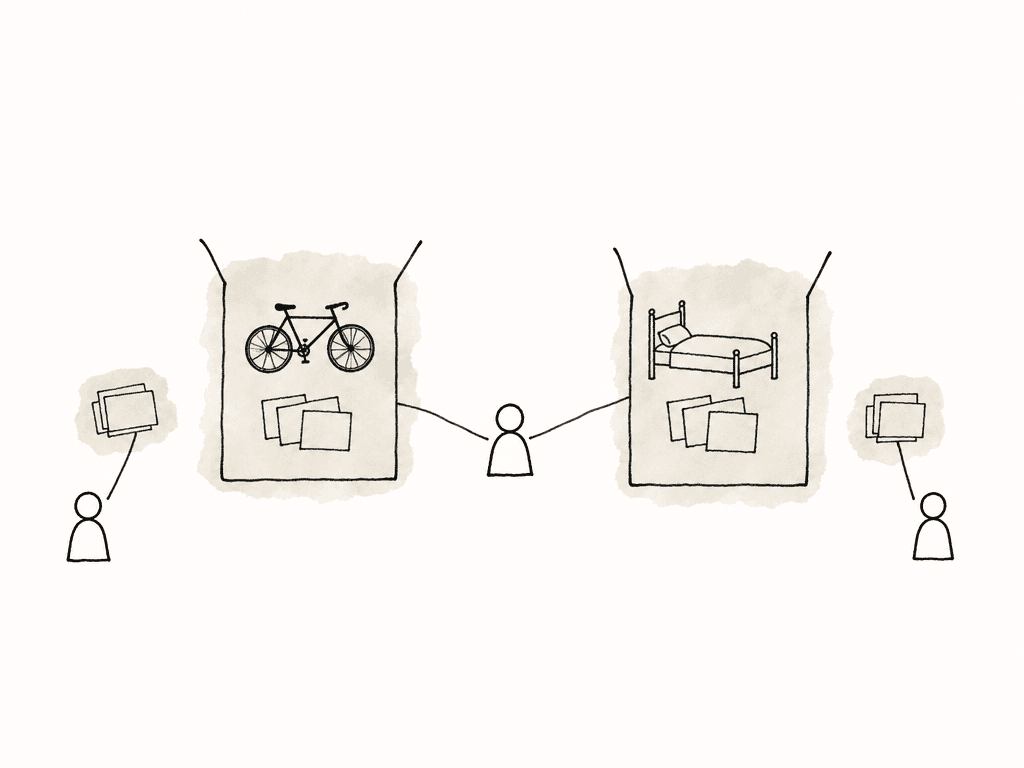
| Person | Access for the cycling launch | Reason |
|---|---|---|
| Agency workspace administrator | Owner | Administers the workspace and has full access to every project. |
| Cycling account producer | Limited Member with Full Access on the cycling project | Manages the production files and sharing for this account. |
| Recurring freelance editor | Limited Member with Editor access on assigned projects | Can edit the cycling material and receives a separate grant for the hotel assignment. |
| Client review lead | Guest link to the cycling review collection, with commenting | Reviews the selected cuts without entering the working project. |
| Client distribution partner | Separate guest link with downloading enabled for deliverables | Receives the files prepared for distribution. |
Give the production team a stable place to work
Before ingest, the producer records the job's deliverables, reviewer, deadline, usage requirements, and delivery destination in a brief kept with the project. For the cycling launch, that brief distinguishes the main film from its social derivatives and identifies who can approve each one. This avoids discovering at the end that the brand manager can approve the creative treatment but another stakeholder must confirm the product claims. Keep the folder structure consistent across your agency's projects. Separate camera originals, production audio, graphics, editing project files, review exports, and deliverables so a returning freelancer can navigate without relearning the account. Preserve camera-card structures within the source area. Aspect supports uploading nested folders while retaining their structure, and its upload panel lets the team confirm when the transfer has finished. Folders should describe the production material, while a small set of custom metadata fields records information that changes. Useful fields include campaign, deliverable, approval status, and a reference to the applicable rights record. Define those fields consistently in each project so “Approved” and “In review” mean the same thing to a producer moving between clients. Link to the brief and clearance records so another producer can read the decision behind a status value. Editors on macOS or Windows can mount the Aspect project and open its files in their editing applications. Keep the shared media at agreed paths and follow the editing application's own collaboration process. In a Premiere Team Projects workflow, for example, Adobe manages the shared edit while Aspect supplies the media. Assign ownership of handoffs and allow synchronization to finish before the next editor continues.Build selects while keeping reuse decisions explicit
The cycling producer starts by finding shots of the bike in use, product details, and interview moments for the main film. After indexing finishes, Aspect's search can find matching files and moments from descriptions of what appears or is said. Work in the relevant project, inspect the filters, and review the footage around each match before choosing it. Add the shots to an internal selects collection, with their useful timecodes in the notes. A search result may identify a short moment inside a long source clip, so the editor still needs to know which passage the producer intended. Record the project name alongside the selects so the editor knows where to find the sources.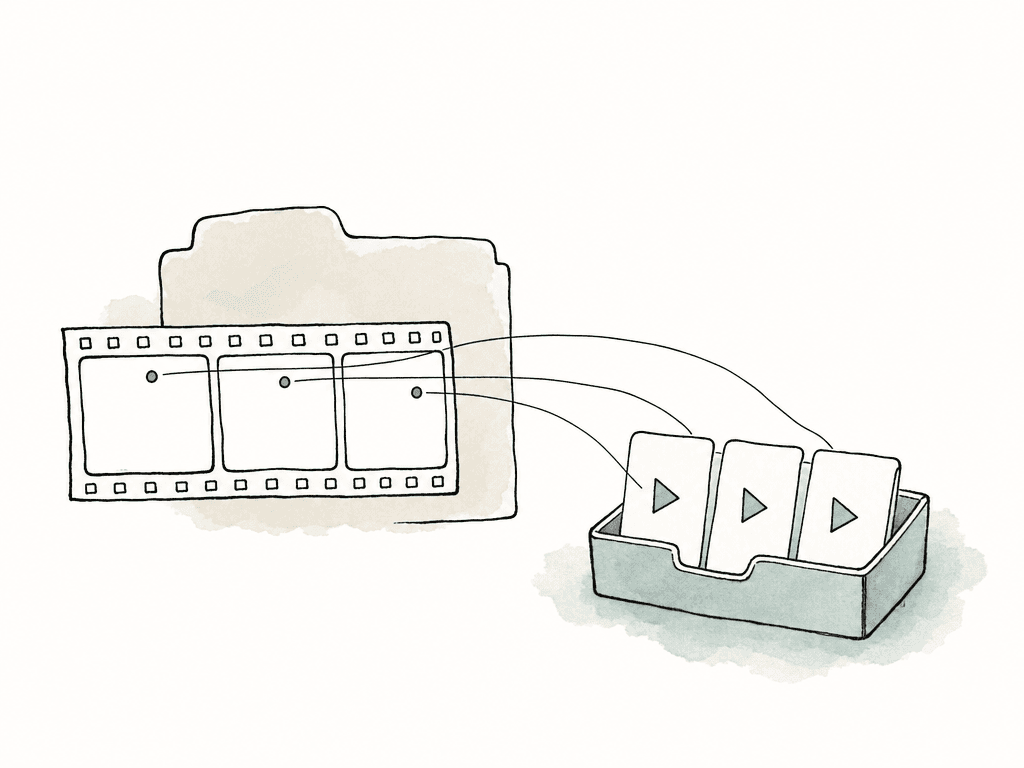
Present the work around the client's decision
An internal selects collection usually contains more material than the client needs to assess. Prepare a separate client collection with only the work relevant to the current decision. For the cycling campaign's first creative review, this might contain the main film and the social cut that shows how its story will work in 15 seconds. Product stills can wait until their own review is ready. Arrange the assets in the order you want the client to review them. Add a description that names the review round, states what feedback is needed, and gives a deadline. For example: “Please review the story and product messaging in the main film, then check how the shorter cut introduces the campaign. Consolidated feedback is due Thursday; color and final sound will follow after the edit is approved.” This tells reviewers which parts of the film are ready for feedback and which will change later. Use Aspect collections to arrange the cuts for review and add the campaign description. Apply the client's or agency's style through the branding settings, then set the recipient's permissions. For this review, enable comments and leave downloads off unless someone needs a copy. Hide internal costs, production notes, and rights discussions from the link's metadata view. Decide whether earlier versions should be accessible, and set a password or expiration when the campaign requires it. Open the link as a recipient would before sending it, checking every included asset and the available actions. Review complete folders especially carefully, because sharing a folder exposes its contents.Give each review round an owner and a recorded outcome
Agree on a client review lead before the first cut goes out. Several stakeholders may contribute comments, but someone on the client side needs to reconcile conflicting instructions. The producer should know whether that person can authorize release or must obtain an additional decision from another stakeholder. For the cycling example, the editor uploads each new main-film export and adds it to that film's version stack. The 15-second cuts have their own stacks because they're distinct deliverables. In Aspect's versioning workflow, comments stay attached to the revision where they were created. Confirm that the intended cut appears at the top of its stack before requesting another review.
Deliver the approved files and close unused links
After approval, the producer checks the exports against the agreed delivery list. In the cycling example, that means checking the main film, three social cuts, and product stills individually. Confirm the approved revision, dimensions, duration, captions, audio, and filenames for each deliverable, including any export settings that differ between platforms. Prepare a delivery collection containing the specific files the recipient should receive, with clear descriptions where necessary. Use a separate download-enabled link for distribution rather than changing the permissions on an old review link shared with a wider group. Keep the record of delivered revisions and the recipient's receipt confirmation with the job. If a later correction is necessary, identify it explicitly so the distribution team knows which earlier file it replaces. When you close the job, review both project membership and active share links. Remove a freelancer's cycling-project access when that assignment ends even if they continue working on the hotel campaign. Disable or delete review links that have served their purpose, and agree how long the delivery link should remain available. Keep the approved deliverables with their source-job references and clearance records, and decide who will retain them after the project closes. When the client asks for another cut, the producer can start from the delivered version and find the material needed to revise it.FAQ
Create projects around the group of people who should have working access. One client project can suit a retainer with a stable production team, while separate campaign projects help when freelancers, confidentiality requirements, or retention dates differ. In Aspect, a member's project role applies throughout that project's folders, assets, and collections, so folder names alone don't separate member access.
In Aspect, add the editor as a Limited Member and explicitly grant an Editor role on each assigned project. Limited Members don't inherit a project's default access, so an invitation to one campaign doesn't automatically expose other projects. Review those grants when assignments change and remove project access when the editor no longer needs it.
Yes. Aspect guests can open a share link in their browser without an account or installed software. Create a link for the intended asset or collection, enable commenting for review, and check download access, visible metadata, earlier versions, and any password or expiration settings before sending it.
No. Aspect treats comment approval and an asset's custom approval-status field as separate actions. Agree on who can authorize delivery, record that person's decision against the specific revision, and have the designated producer update the status manually. Review a new revision before treating it as approved.
Reuse depends on the underlying agreement and permissions for the material. Keep client footage associated with its source job and retain the relevant rights records. For each proposed reuse, confirm the client, channels, territory, term, and any other restrictions that apply; finding a clip or marking it as a select doesn't establish permission to use it.
No. Disable or delete guest links when access should end, and review member permissions. Agree with the client on how long the delivery link should remain available, then record who will close it.